
1980 photo trend
80s Trend App: How to Make Your 1980 Wala Photo
The 1980 photo going around on Instagram and WhatsApp is an AI restyle of an ordinary pic. This page explains the app route, when a Gemini prompt suits you better, and what a real Indian studio photo from the 80s looked like.
Which app makes the 1980 photo?
The 1980 photo trend takes one recent picture of you and redraws the hair, the clothes, the background, the lighting and the film grain so it looks like a print from the mid-1980s, while your face stays your face. People make it in two ways: with an app that has an 80s style built in, or by pasting a long prompt into Gemini or ChatGPT.
FaceCast is one such app. Select your pic, tap 80s, and a still image comes back; you never type a prompt. It needs iOS 16 or above on an iPhone or iPad; on Android, get it from Google Play. Installing costs nothing; some features are paid for inside the app, once or by subscription, and the amount is shown before you agree.
If you want a particular desi look, say a chiffon saree or a safari suit, a Gemini prompt gives you more say over the outfit, and our Gemini prompt page has the full text. The app gives you a steadier face with less effort. The rest of this page helps you decide.
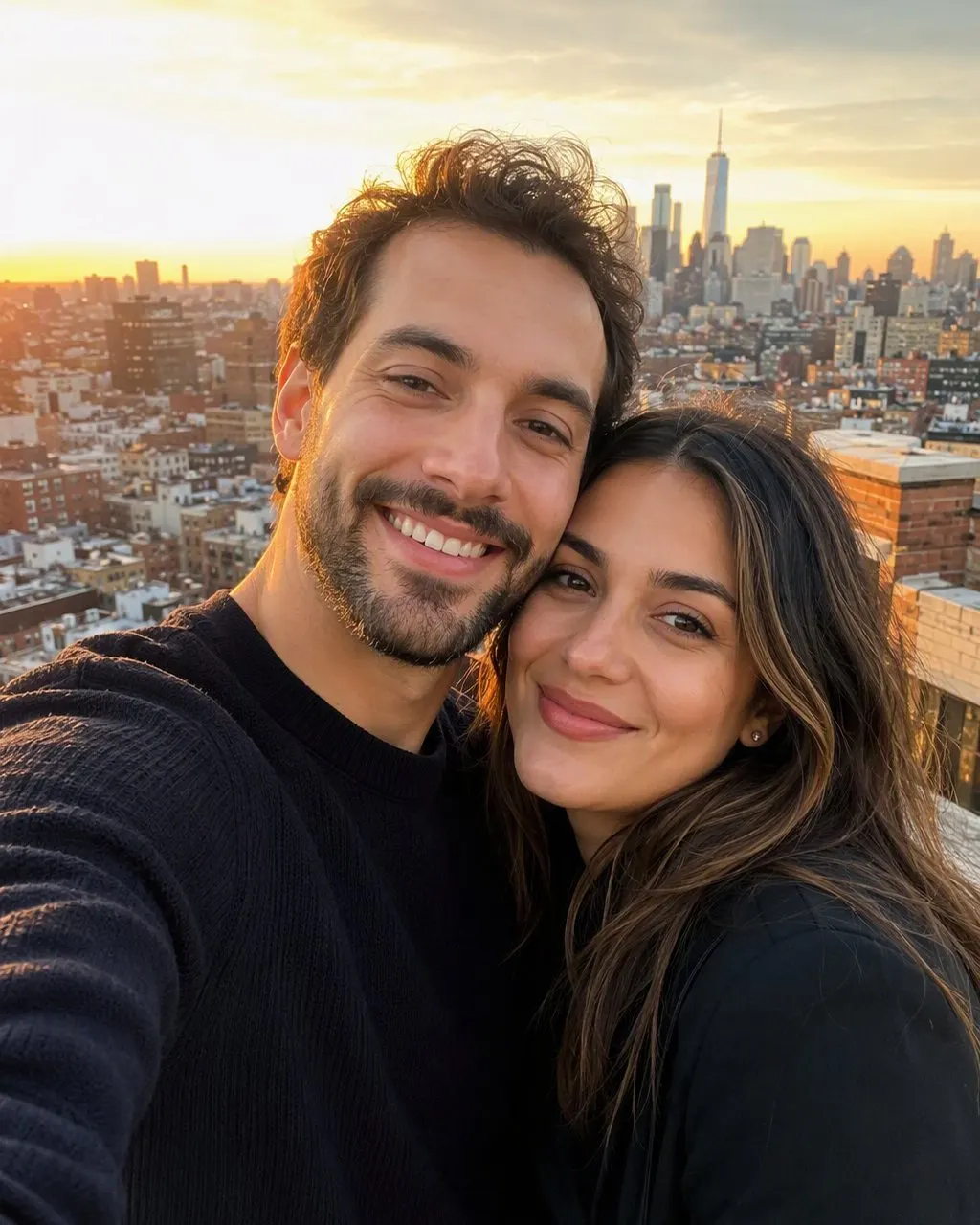
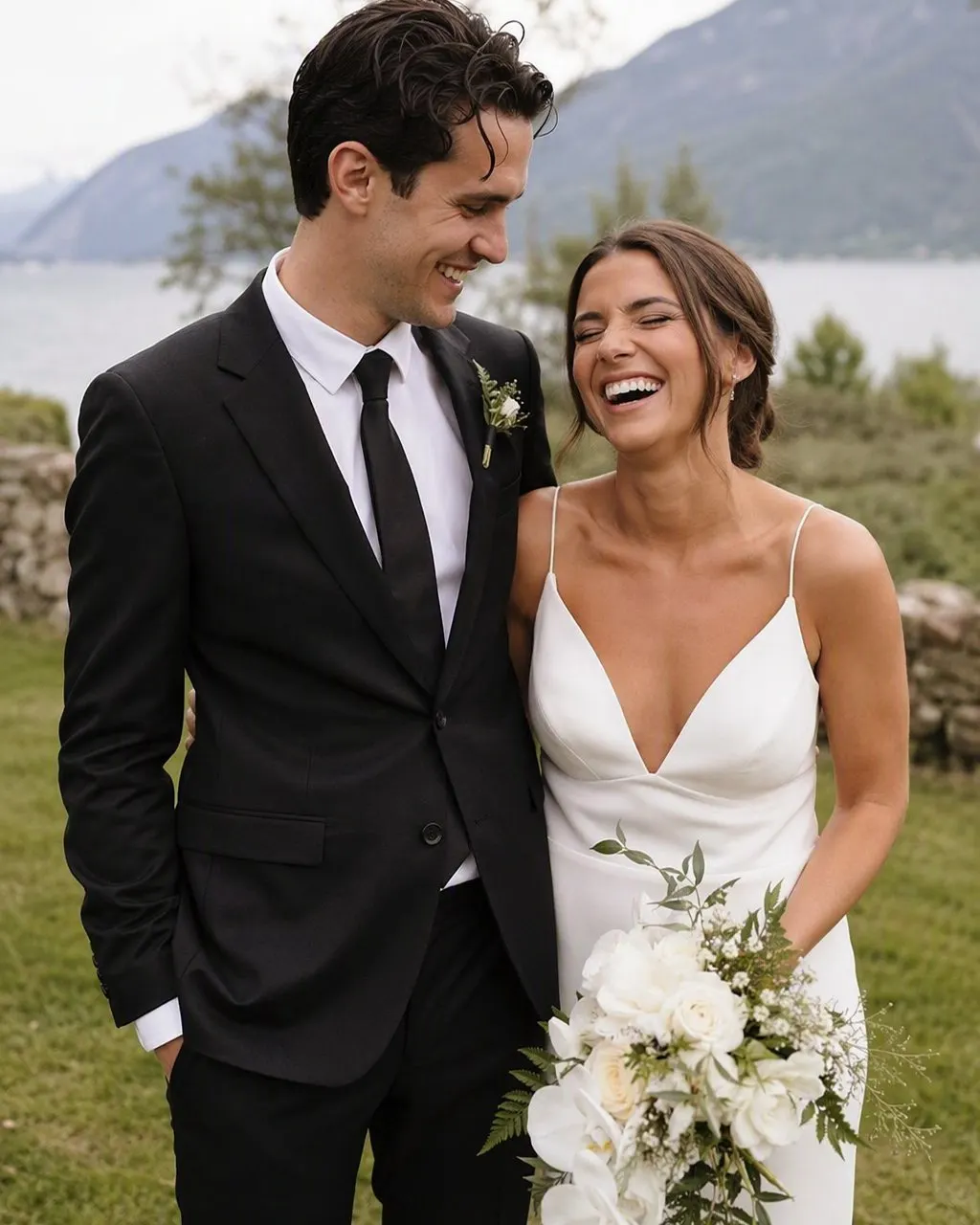
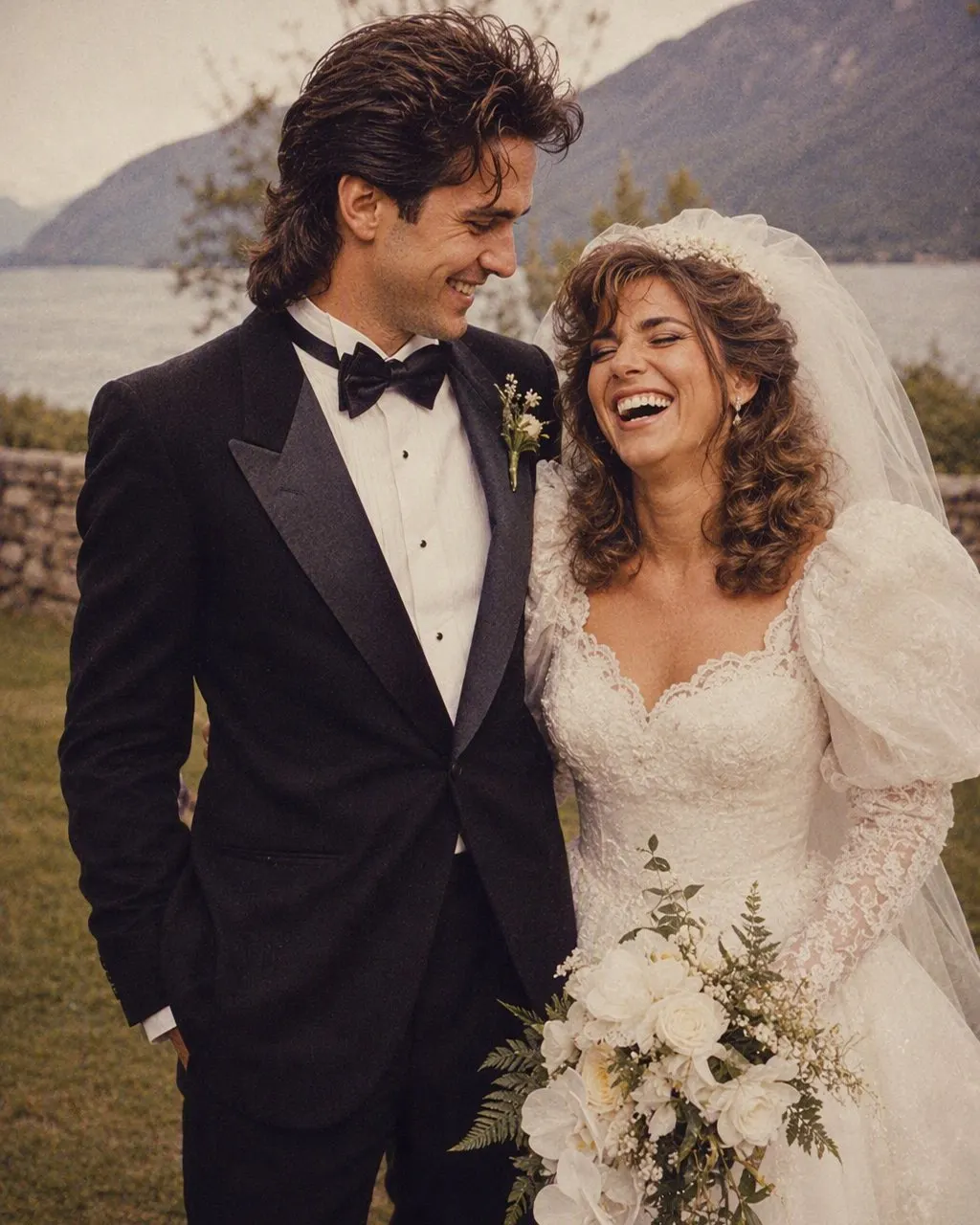
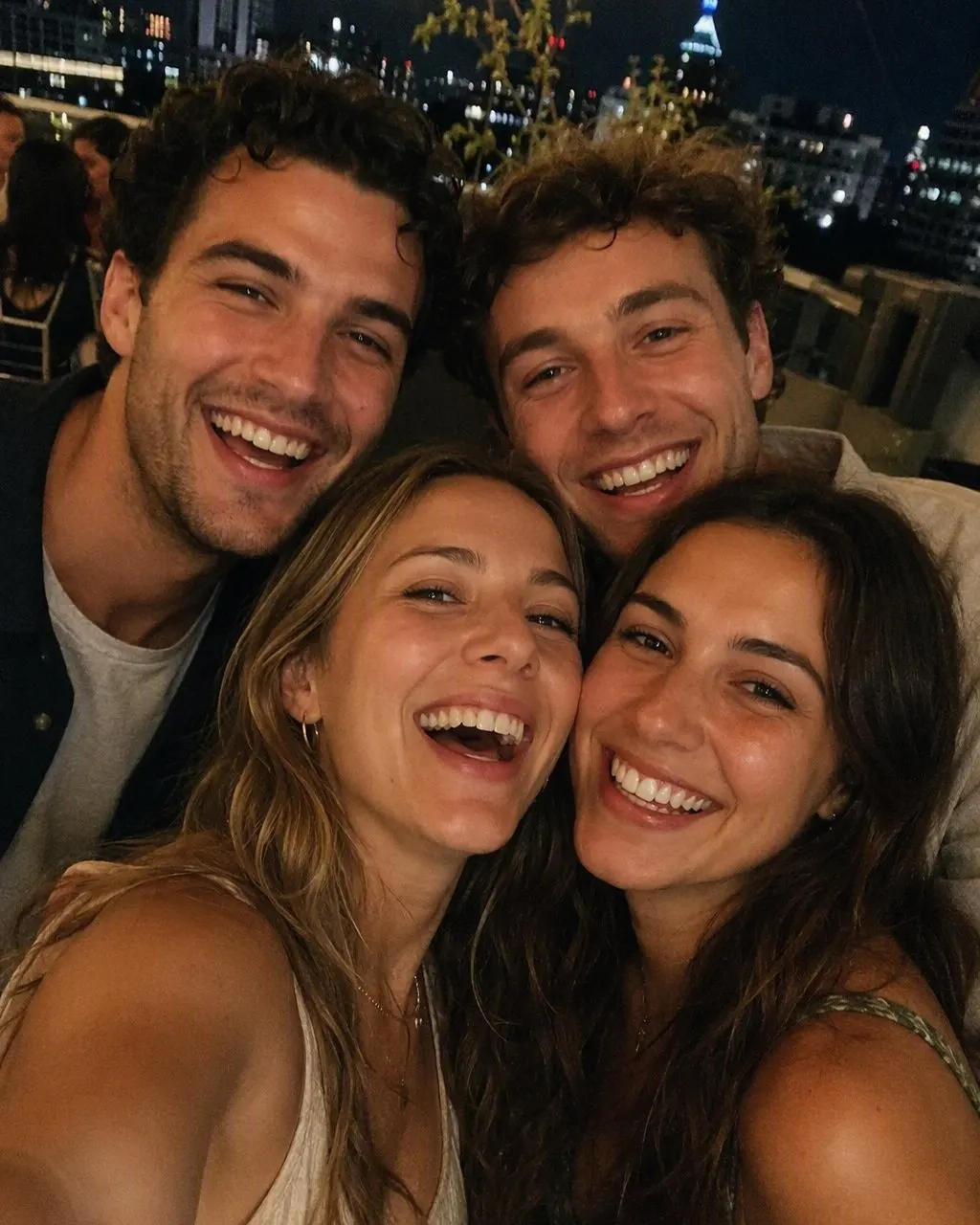
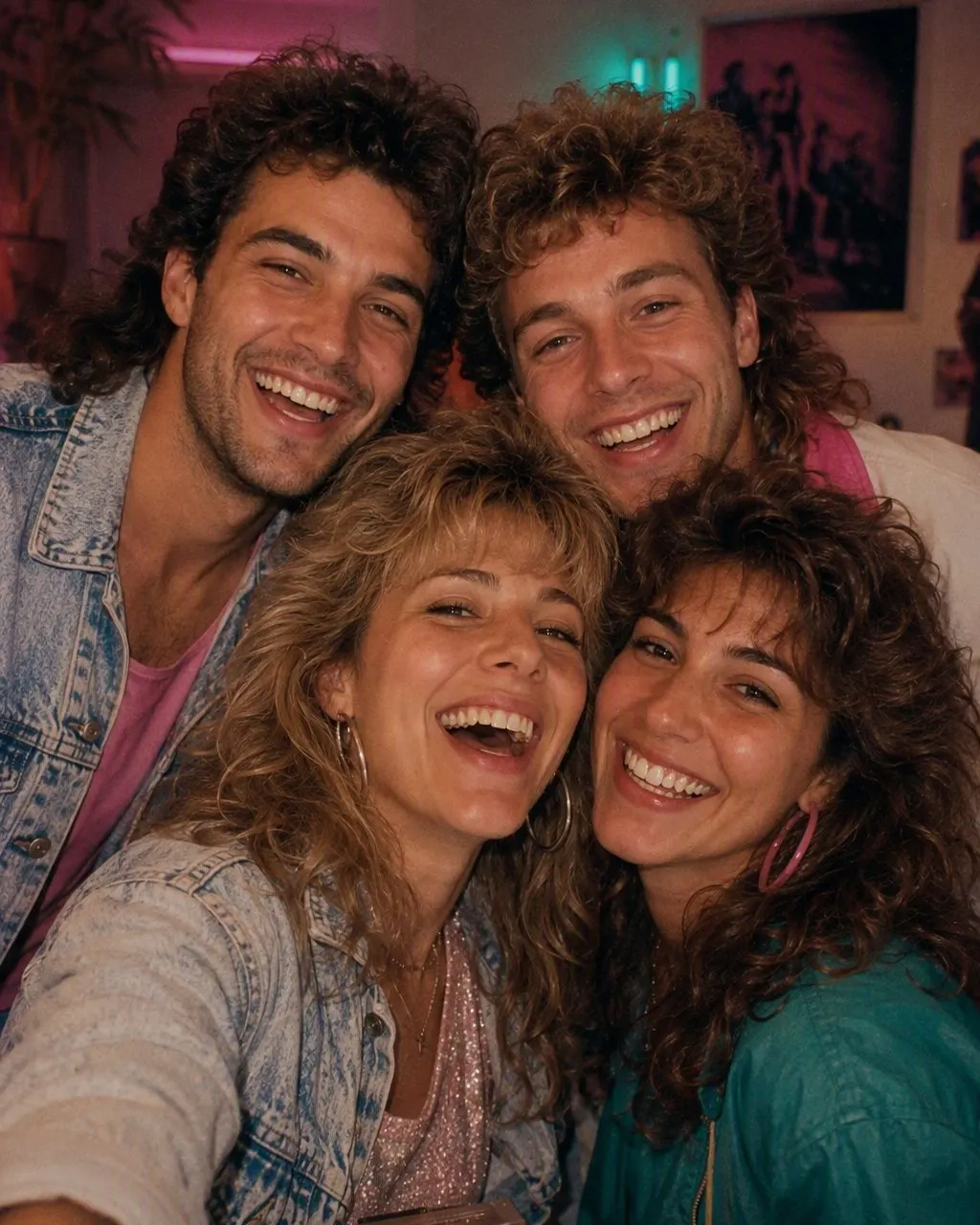
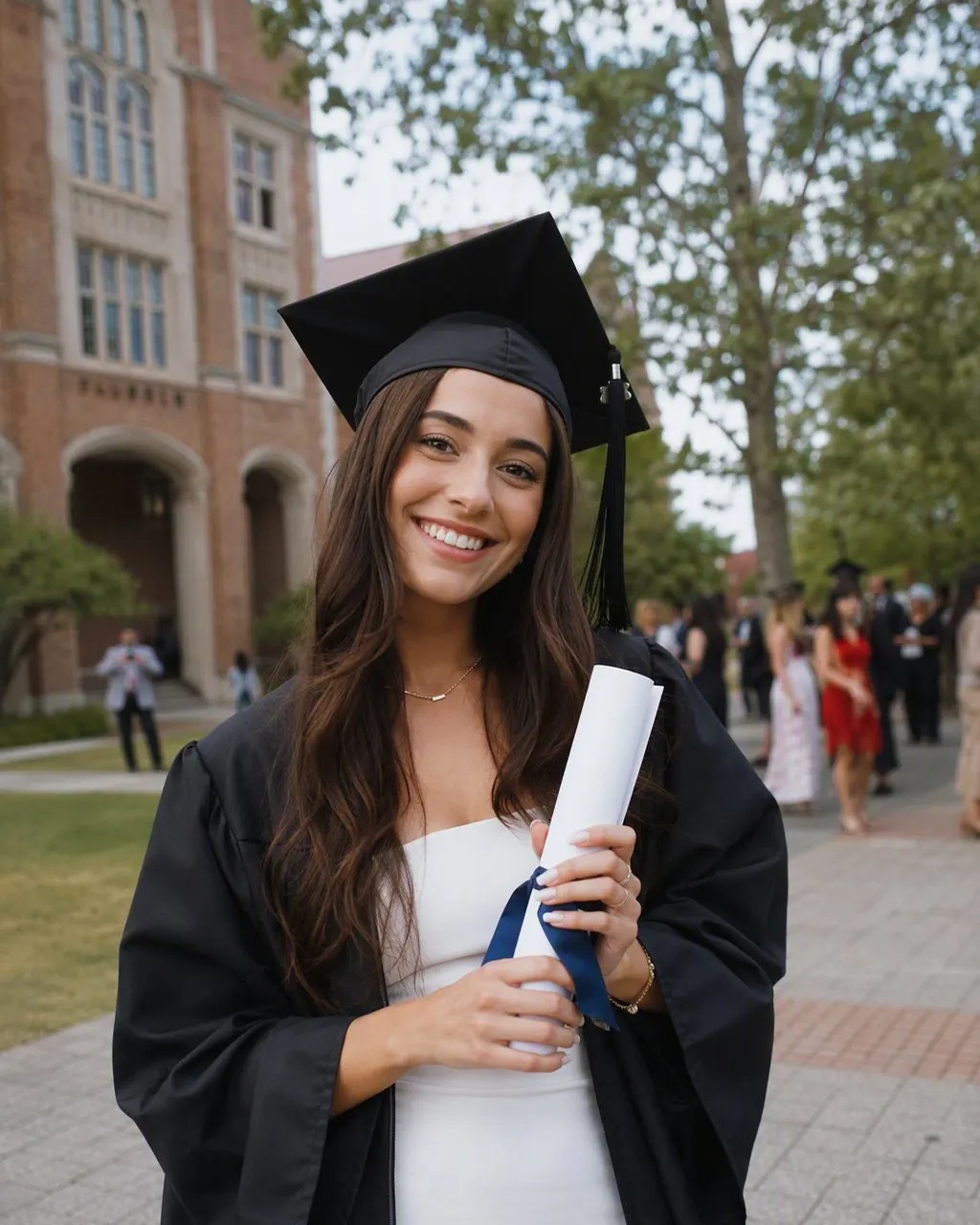
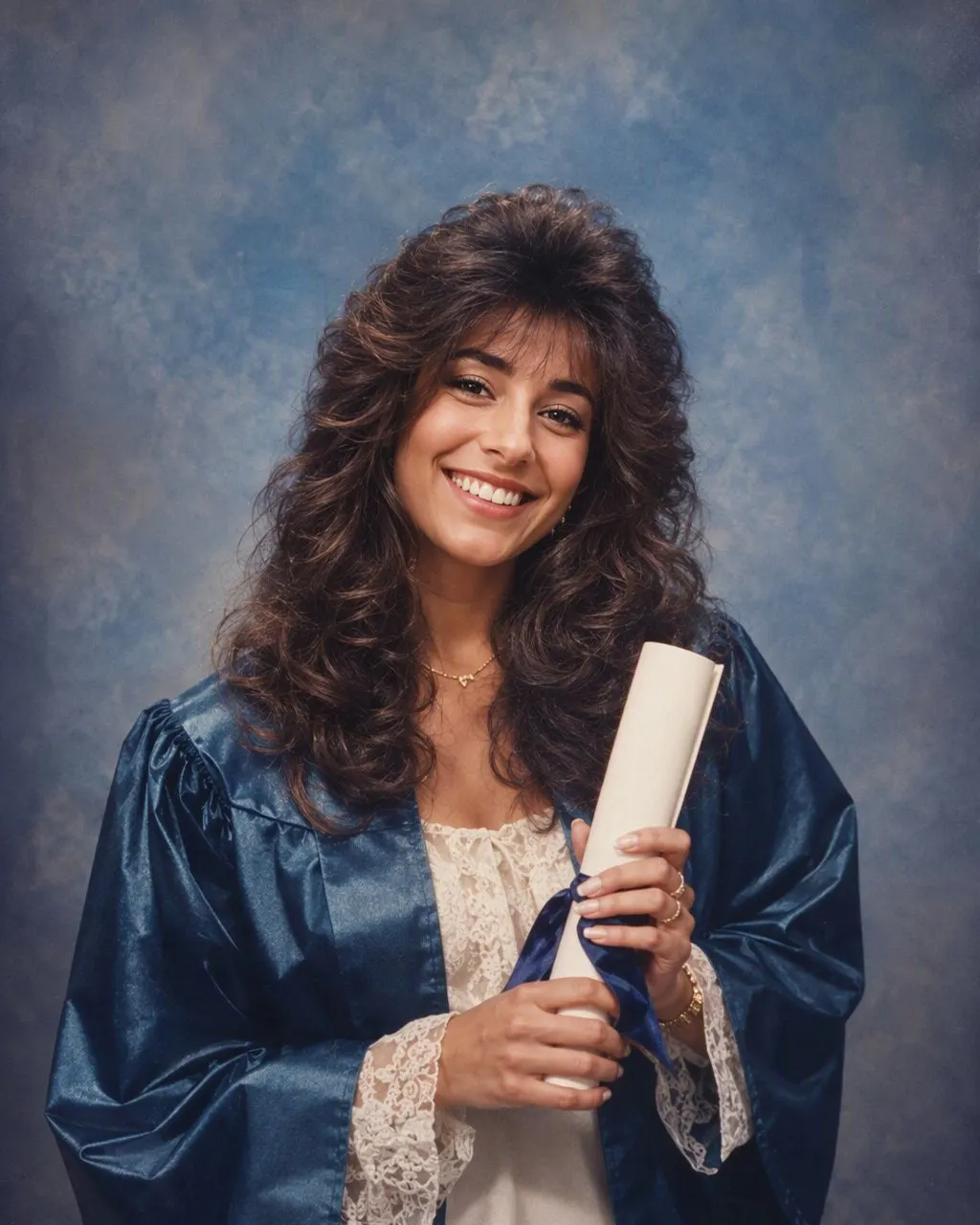
Making the 1980 photo in FaceCast
Pick a clear, recent pic
Face towards the camera, decent daylight, no heavy beauty filter. A phone photo taken on the balcony in the evening is perfectly fine.
Tap the 80s style
There is nothing to write. The style changes your hair, clothes, backdrop, light and grain, and keeps your face as it is.
Save and share
Save the image to your gallery and post it. A short “made with AI” line in the caption saves your relatives from thinking you found a lost album.
What the 1980 photo trend is, and why it is not a filter
Like the vintage saree craze on Gemini before it, the trend spread through reels and WhatsApp forwards, and the searches show how people describe it: 1980 ka photo banane wala app, 1980 photo trend app, 80 wala photo. Everyone wants the same thing, a picture of themselves that could sit in their parents' album without looking out of place.
A colour filter cannot do that. A filter only tints what is already in the frame, so your phone, your printed T-shirt and your modular kitchen stay exactly where they were. The trend needs the objects themselves to change: the hair has to gain volume, the collar has to widen, the wall behind you has to become a painted studio backdrop. That is why it needs an AI tool that rebuilds parts of the picture, and why the face is the part you have to watch.
What an 80s photo in India actually looked like
Most families did not own a camera through much of the decade, so photos were taken at the neighbourhood photo studio and saved for occasions: a birthday, a new job, a passport, the photo for the marriage biodata. The studio had a painted backdrop, often a garden, a lake or a curving staircase, a plastic flower vase on a wooden stand, and one or two harsh lights. The print came back in a paper folder with the studio's name embossed in a corner. Early in the decade plenty of these were still black and white; colour prints took over as the years went on, and many of them have since faded towards yellow or magenta.
Colour television arrived around the 1982 Asian Games in Delhi, and with it came a sharper idea of what looked modern. Hindi film set the rules for hair and clothes, and every region added its own version. These are the details worth knowing if you want a convincing result, whether you use the app or write a prompt.
Men
Hair parted at the side and grown over the ears, a thick moustache, a wide-collar printed shirt or a safari suit for anything official, aviator glasses and a metal-strap wristwatch. The disco jacket from Disco Dancer was the party version.
Women
A long plait or a low bun with a gajra, a printed silk or chiffon saree with a puff-sleeve blouse, kohl and a small bindi. Towards the end of the decade, salwar suits with padded shoulders and permed or crimped hair became common in the cities.
Kerala
Cream and gold kasavu, a settu mundu, jasmine in the hair, and on the men a moustache worthy of a Malayalam film poster. With so many families having someone in the Gulf, a studio print often travelled abroad in a letter.
The print itself
A direct flash, a hard little shadow behind the shoulder, soft grain and colours slightly off. Most of what reads as “80s” is in the print, not the person.
What the FaceCast 80s style changes, and what it will not give you
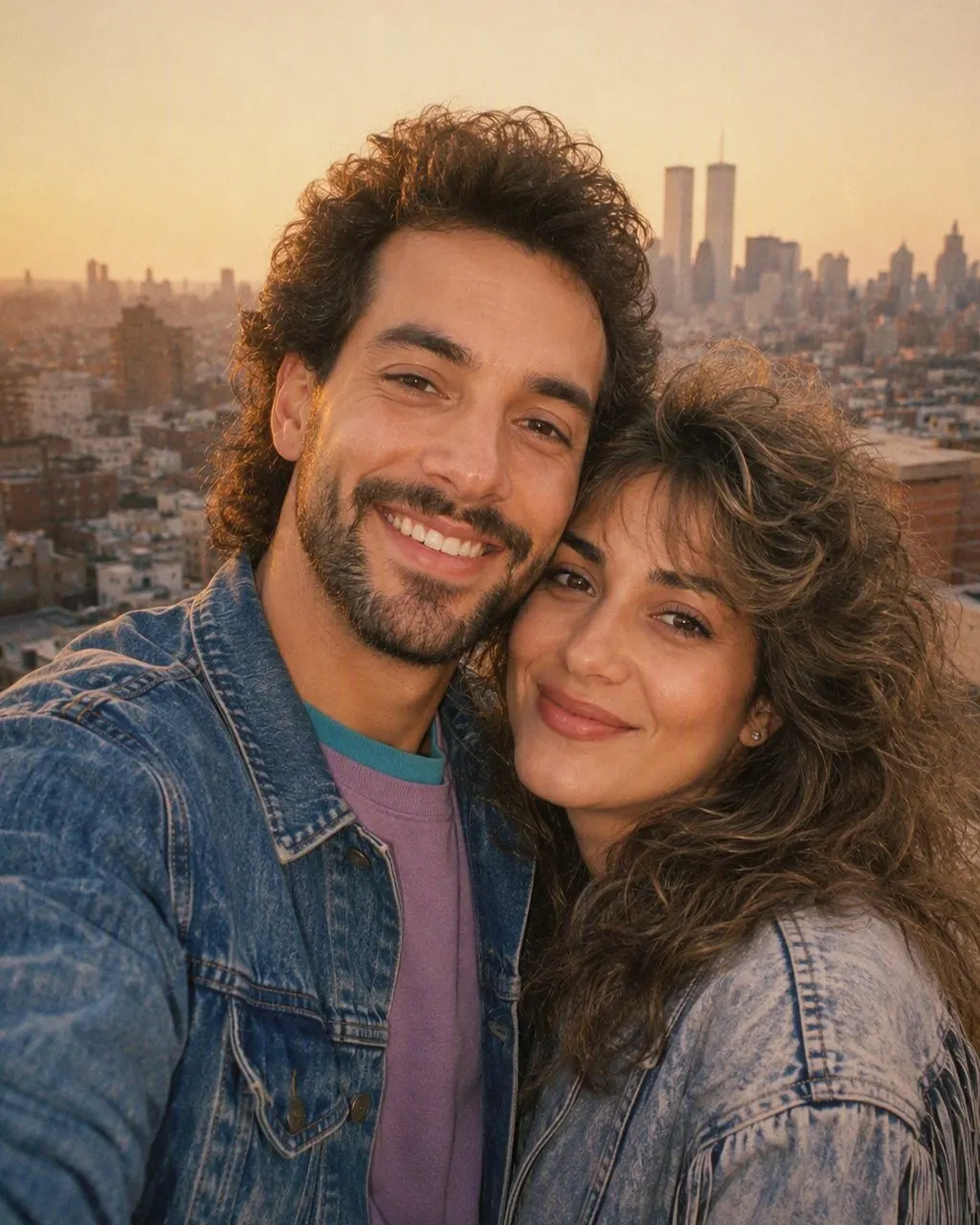
The 80s style in FaceCast is the international mid-80s look you can see in the examples on this page: volume and curls, denim jackets, pastel knitwear, puff sleeves, a hard flash and warm grain. It keeps your face, your skin tone and your expression, and it changes only what is around them.
Be clear about the trade-off. The style chooses the clothes for you, so it will not reliably put you in a kasavu saree or a safari suit, and a wedding photo in a lehenga may come back in a different 80s outfit. If the desi costume is the point of your picture, the Gemini route is the better choice. If you mostly want to see your own face in the decade without writing anything, the app is quicker.
Some things it does not do at all. It makes a still image, not a video or a reel. It does not make you look older or younger. It does not put a film star's face on yours or yours on theirs, it does not restore torn or faded originals, and the result is not usable as a passport or ID photo.
App or Gemini prompt: an honest comparison
Your face
A prompt redraws the whole image every time, so the face is only as safe as your wording, and it can shift between attempts. Skin tone is the thing that most often moves, usually lighter. The app applies the same face-keeping style on every run.
The outfit
With a prompt you can name a Banarasi saree, a Nehru jacket or a Bajaj Chetak in the background. In the app the style decides the outfit.
Effort
The prompt route means pasting, comparing, correcting and pasting again. The app route means choosing a photo and tapping once.
Cost
Gemini and ChatGPT let free accounts generate a limited number of images. FaceCast costs nothing to install, and a few features are paid inside the app.
Couple, wedding and friends photos
Couple photos are the most popular version of the trend here, and they are also where prompts struggle most, because the model has to hold two faces at once. In the app both faces go through the same style, so you get a matching 80s pair, usually in coordinated denim or knitwear like the example above.
For wedding photos, think about what you want first. If you want your actual wedding look moved into an 80s album, with the lehenga, the sherwani and the mandap, write a prompt and name them. If you are happy for the style to reinvent the outfits, the app works on a wedding photo like any other.
Group photos of friends work best when every face is reasonably large in the frame. A tight selfie of four people works better than a wide shot of twelve at a reunion. And if you came looking for an 80s yearbook photo, remember that most Indian schools did not have yearbooks; the period equivalent is the class photo, with rows on benches and the class teacher seated in the middle, or the convocation portrait in a gown against a studio backdrop.
Small things that improve the result
Light from the front
Window light or evening light on your face beats a dark room lit by a tube light from above.
Face big enough
Your face should fill a fair part of the frame. Cropped full-body shots give the style less to work with.
No sunglasses or masks
Anything covering the eyes or mouth makes the face harder to keep.
Skip the beauty mode
A heavily smoothed selfie comes back looking waxy. A plain photo ages better into film grain.
What happens to your photo
Your photo is uploaded and processed to create the 80s image. FaceCast uses outside providers for the AI processing and for storage, and the privacy policy says photos are kept only as long as needed to provide the feature, with face-related data deleted within one year at most. It also says photos are not sold or rented for marketing. Read the policy linked below if you want the full detail.
Use your own photo, or one where everyone in it has agreed. That matters more than usual with family pics, where an aunt or a cousin may not want to turn up in a reel. The app itself is in English and a handful of other languages, not in Hindi, Tamil, Malayalam or other Indian languages yet.
Questions people ask about the 80s trend app
1980 ka photo banane wala app kaun sa hai?+
Any app with an 80s photo style can make it. FaceCast is one: choose a photo, tap the 80s style, and save the still image. You can also make it without an app by pasting a prompt into Gemini.
Is the 80s trend app free?+
Installing FaceCast is free; certain features are paid inside the app, and you see the price before confirming. Gemini's free tier can also make these images, with a daily cap and more variation in the face.
Is it a 1980 photo editing app with sliders?+
No. There are no grain or colour sliders to adjust. The 80s look is one fixed style that changes the hair, clothes, backdrop and light together.
Can it make an 80s yearbook photo?+
It makes an 80s-style portrait from your photo, which is close to what people mean. For a specific class-photo or convocation setup with a named backdrop, a Gemini prompt gives you more control.
Will it work on a couple photo?+
Yes. Use a photo where both faces are clear and similar in size. Both faces are kept and both people are restyled.
Does it change my face or make me look older?+
No. Your face, complexion and expression are what the style leaves alone; hair, clothes, backdrop, lighting and grain are what it changes. Your age stays the same too.
Make your 1980 photo in FaceCast
One photo in, a still 80s image out, no prompt to write. Free to download on iPhone and Android; some features are paid in the app.