
Couples
80s couple photos: ideas, poses and how to make yours
The couple pictures people remember from the 1980s, why the awkward ones are the fun ones, and how to turn a photo of the two of you into one.

The short answer
An 80s couple photo is a picture of two people styled the way couples posed in the 1980s: big hair on both, coordinated outfits, a studio backdrop or a prom setting, and the flash and film color of the time.
To make one, start from a single photo with both of you in it. A one-tap 80s style in an app like FaceCast keeps both faces and restyles everything else. You can also attach the photo to ChatGPT or Gemini with a prompt that keeps both faces, like the one further down this page.
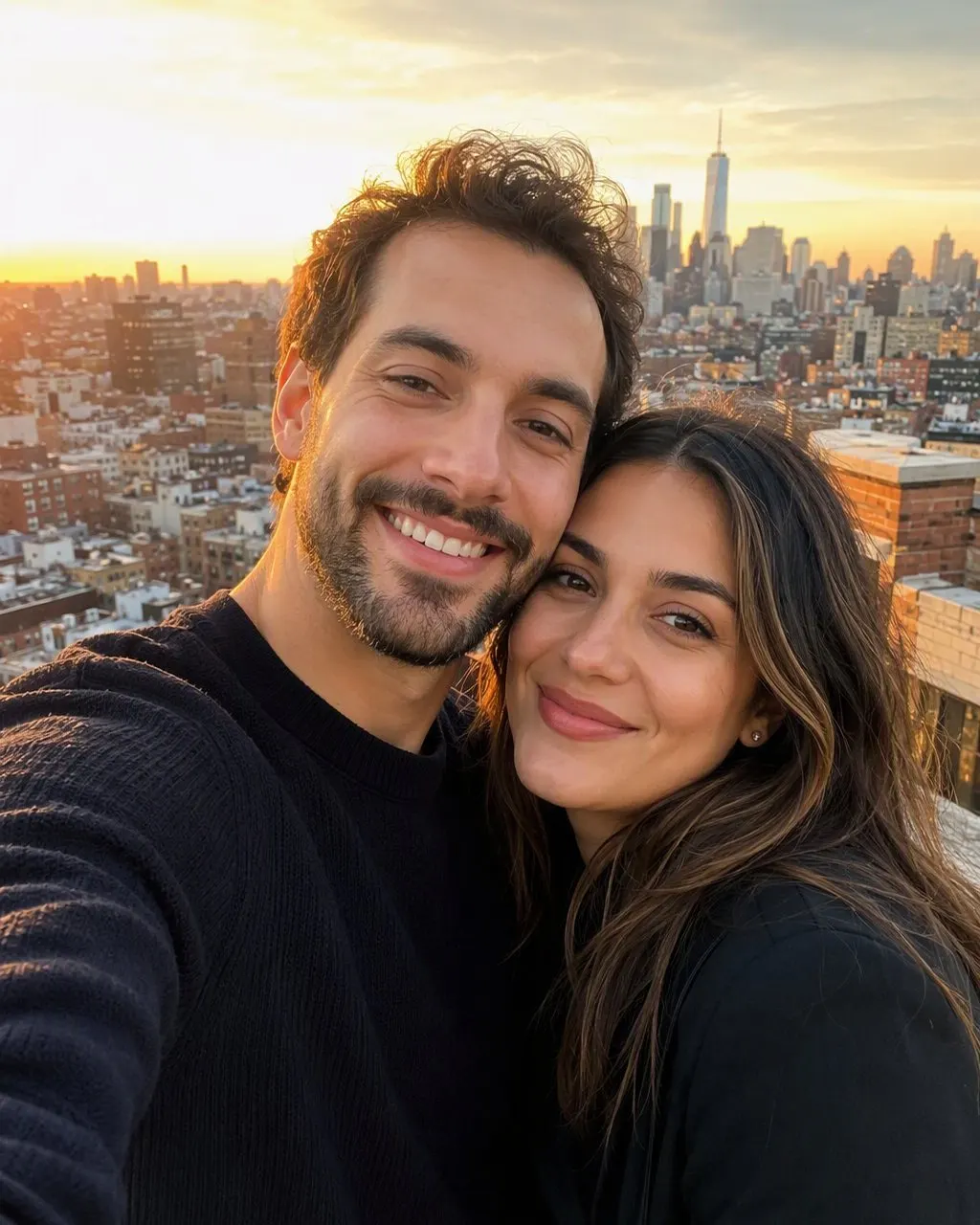
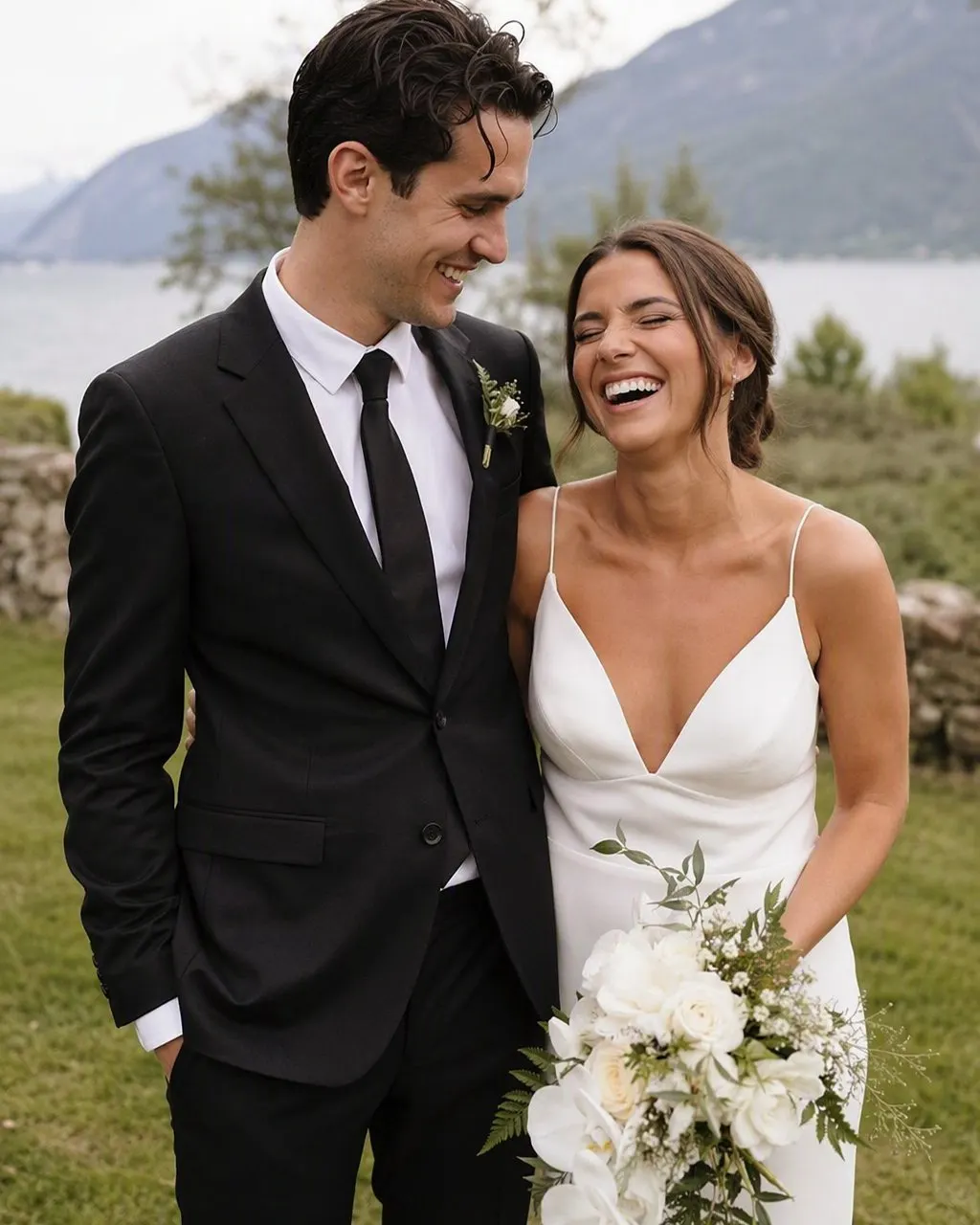
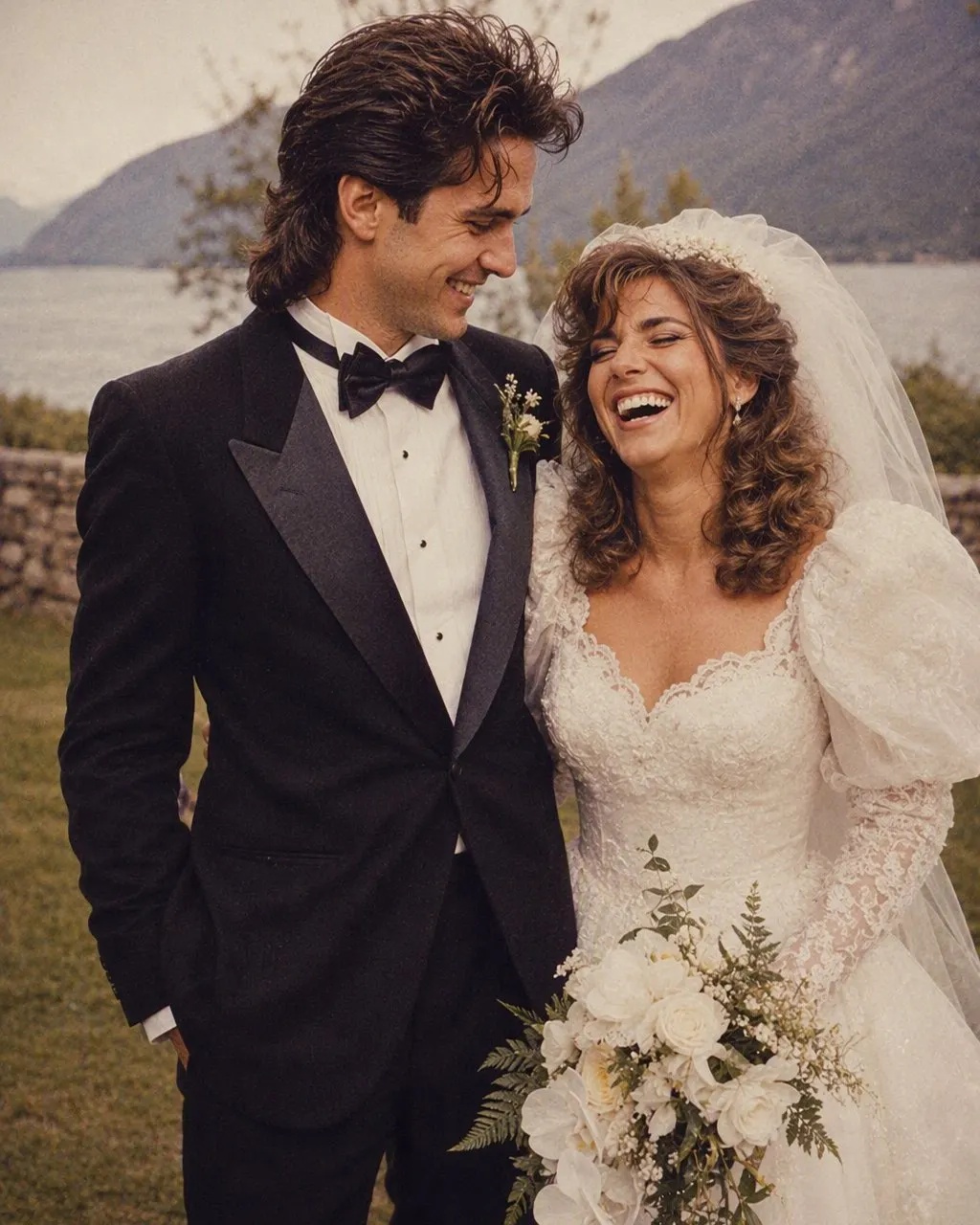
From one photo to an 80s couple picture
Use one photo of you both
Faces close to the camera and clearly visible. Two separate selfies do not combine well.
Apply the 80s style or a prompt
In FaceCast, tap the 80s style. In ChatGPT or Gemini, paste a prompt that keeps both faces.
Check both faces
With prompts, the second face is the one that tends to drift. Retry if either of you looks off.
The 80s couple photos people remember
The department-store portrait is the classic. A painted backdrop, soft light, matching sweaters or a coordinated color, and a pose that looks odd now: one person seated, the other standing behind with a hand on the shoulder, or both heads tilted toward each other until they almost touch. Some studios added a soft vignette or a faint second image of the couple in the background, the kind of double exposure that now turns up in collections of awkward 80s couple photos.
Prom is the other one. A taffeta dress with puffed sleeves, a tuxedo with a ruffled shirt and a colored cummerbund to match, a corsage, and a backdrop of balloons, lattice or a printed night sky. The standard pose had him behind her with his hands at her waist. Then there are the everyday pictures: a 35mm snapshot on the hood of a car, at a county fair, or on the couch with the flash bouncing off both foreheads.
Ideas that read as the 80s
Matching denim
Two denim jackets, or a denim jacket and acid-wash jeans. Simple, and instantly from the decade.
The awkward studio pose
Seated and standing, heads tilted together, hands placed with care. Lean into how posed it looks.
Prom night
Puffed sleeves, a pastel or black tux, big hair and a balloon arch.
80s wedding
Huge sleeves, lace, a long veil and a tuxedo with wide lapels, shot with soft focus.
Car and boombox
A boxy car, a parking lot at dusk, a jean jacket over the shoulders.
Taking a photo that restyles well
Stand or sit close together with both faces roughly the same size in the frame and turned toward the camera. Even light on both of you helps; if one face is in shadow, it is more likely to change. Leave a little space around your heads so the AI has room for big hair.
Skip photos where one of you is wearing sunglasses or a hat that hides the hairline. Hats can stay, but they limit how much of the 80s hair can appear.
An 80s couple picture prompt
For ChatGPT or Gemini, attach the photo and paste this: "Keep both faces in the attached photo exactly the same, same features, skin tones and expressions, same positions. Restyle the photo as a 1987 couple portrait: big permed hair on both, matching denim jackets, a soft blue studio backdrop, gentle studio lighting with a slight glow, faded film color and grain. Photorealistic." Our 80s photo prompt page has a department-store version and notes for prom.
Check both faces before you post. If one of you no longer looks right, reply that both faces must match the original exactly and run it again.
What the result will and will not be
You get a single still image with both of you in it. It will not add a person who was not in the photo, swap you with a celebrity couple, age you or make a video. The faces come from your photo; the hair, clothes, backdrop, light and grain are new.
Your photo is processed to create the image. If you are restyling a photo of someone else, ask them first, and mention that the picture was made with AI if you post it.
Couple photo questions
How do I make 80s couple photos?+
Use one photo with both of you in it, then apply a one-tap 80s style in an app like FaceCast, or attach it to ChatGPT or Gemini with a prompt that keeps both faces.
Can an 80s photo have two faces in it?+
Yes. As long as both people are clearly visible in the original, the result keeps both faces. Separate selfies of each person do not merge well; use one photo together.
What did couples wear in 80s photos?+
Coordinated outfits: matching sweaters, denim jackets, pastels, and for formal events taffeta dresses with puffed sleeves and tuxedos with ruffled shirts and colored cummerbunds.
Why are 80s couple photos so awkward?+
Studio photographers used stiff, formal poses, heavy soft focus and painted backdrops, and outfits were often coordinated. It looked elegant then and looks staged now, which is the appeal.
Turn a photo of you two into an 80s couple picture
FaceCast keeps both faces in one tap. Free to download; some features need a purchase or subscription.