
Trending now
Gemini 80s Photo Prompt: The Full Text for Nano Banana
Gemini is where half of India is running the 80s trend now, under the nano banana name. Here is the prompt in full, the variants for men, women and couples, and what to do when Gemini hands back somebody else’s face.
4.6average rating · 4,109 App Store

The Gemini 80s Photo Prompt
Paste this into Gemini with your photo attached: “Edit the attached photo. Keep my face, facial features, skin tone and expression exactly as they are — same person, same angle, do not lighten the skin, do not change my age. Change only the hair, the clothes, the accessories and the setting. Make it a mid-1980s Indian studio portrait: voluminous hair with height at the crown, feathered or lightly permed; a shoulder-padded blazer or a wide-collar shirt, or a printed silk saree with a matching blouse; large earrings or a thin gold chain; direct on-camera flash with a small hard shadow behind the shoulder; soft film grain; slightly faded warm colour; a plain mottled studio backdrop. Photorealistic, like a 1986 studio print.”
Nano banana is the nickname of the image model inside Gemini, so a nano banana 80s prompt and a Gemini 80s prompt are the same thing. Gemini edits the photo you attach rather than describing a new one, which is why it tends to hold a face slightly better than a plain text-to-image run — but it still regenerates the image every time, and the identity line is still the part that decides whether the result is you. For men, swap the hair line for “a fuller side-parted style, a light moustache only if I already have one, a safari suit or a blazer”; for women and girls, “feathered layers or a soft perm, a silk saree or a puff-sleeved dress, large earrings”; for couples, write one identity line per person.
If you would rather not type at all, FaceCast has the 80s look built in as a fixed style: upload one photo, tap the style, and the portrait comes back in seconds with your face, skin tone and expression kept and only the hair, clothes, accessories and background moved to the mid-80s. Free on iOS and Android, one tap, no prompt.


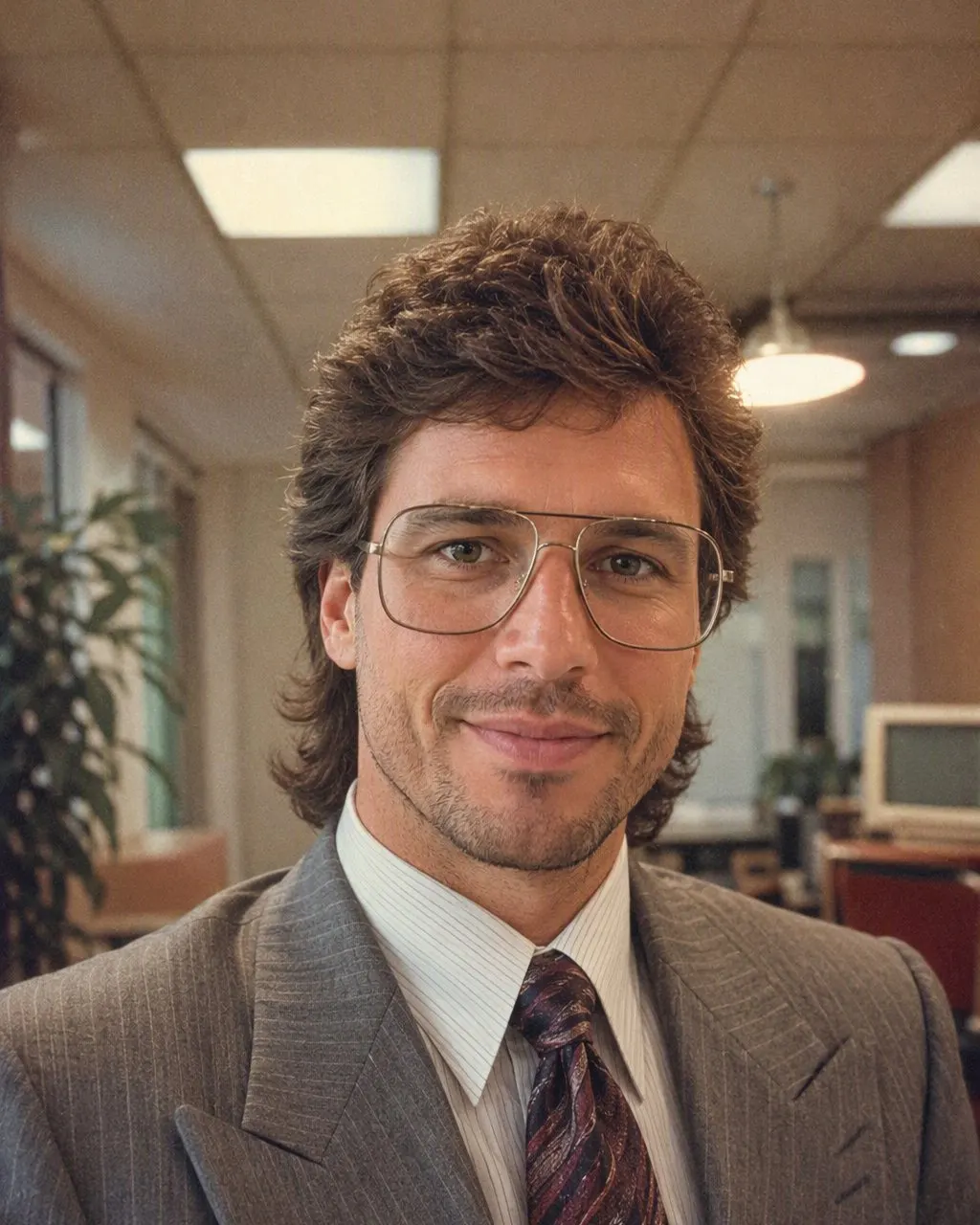

How to Run the 80s Prompt in Gemini
Attach the photo before you paste
Open Gemini, add a clear front-facing photo with the plus button, then paste the prompt in the same message. Gemini treats an attached photo as the thing to edit; a prompt sent on its own generates a new person from scratch.
Keep the first sentence, adapt the rest
The identity line stays first and unchanged. Edit the middle for your own photo: a kurta, a bindi, a specific saree print, a moustache you already wear. Do not add “make me look younger” or “make me look like a film star” — both quietly permit a face change.
Check three points, then correct or skip
Compare the result to your original at the jawline, the nose and the eye spacing. If one has moved, reply “keep the face identical to the attached photo” and regenerate. Or use FaceCast, where the face is kept on every run and there is nothing to type.
What Gemini Does Differently With an 80s Prompt
The recipe does not change between Gemini and ChatGPT: identity line first, then hair, clothes and accessories, then the flash, the grain, the faded colour and the backdrop. What changes is the housekeeping around it.
It edits, rather than describes
With a photo attached, Gemini treats your picture as the starting image. That makes the first attempt more likely to be you, but the face still moves between runs, because each run is a fresh generation.
It takes corrections in the same thread
If the jaw has moved, a reply of “keep the face identical to the attached photo” usually pulls it back. Each correction costs another image from your daily allowance.
It has a daily image limit on the free plan
Three or four attempts on a couple photo can use up a day. This is the practical reason people move to a fixed style once they know what they want.
It responds to “do not lighten the skin”
Gemini’s warm retro grade can pull skin paler; naming the skin tone in the identity line stops it on most photos.
Why Gemini Changes the Face Between Attempts
A prompt is a description, not a measurement. Gemini reads your photo and your words together and generates a new image; how tightly it keeps the original geometry depends on the wording, on the rest of the sentence and on the run. The same prompt run three times gives three slightly different jawlines on most photos, and it drifts most on group photos where one line has to hold several faces.
A fixed style is built differently: the identity handling is the same code on every run, so what varies between two results is the photo, not the sentence. That is a difference in mechanism, not a claim about which looks better. Gemini gives you control over every costume detail; a fixed style gives you the face back on every attempt.
The Route With Nothing to Type
FaceCast has the 80s look built in: one photo, one tap, a result in seconds, with the hair, clothes, accessories and backdrop moved to the mid-80s and the face left where it was. It makes a still image only — no video, no ageing anyone up or down, no celebrity faces. Your photo is used only to generate your result; it is not sold or shared for marketing. Upload your own picture, or one everyone in it agreed to, and add a short “made with AI” note when you post it.
Frequently Asked Questions
What is the Gemini 80s photo prompt?+
It is a text you paste into Gemini with your photo attached that keeps your face, features, skin tone and expression exactly as they are and changes only the hair, clothes, accessories and setting to a mid-1980s studio portrait, with a direct flash, soft grain, faded warm colour and a plain studio backdrop. The full text is at the top of this page.
What is the nano banana 80s prompt?+
The same thing. Nano banana is the nickname of the image model inside Gemini, so a nano banana 80s prompt is the Gemini 80s prompt. There is no separate technique hiding behind the name.
What is the Gemini 80s photo prompt for men?+
Use the same prompt and swap the hair and clothes lines: a fuller side-parted style, a light moustache only if you already have one, a safari suit or a shoulder-padded blazer with a wide-collar shirt, a thin chain and a steel watch. Keep the identity line first and unchanged.
What is the Gemini 80s photo prompt for a couple?+
Write one identity line per person — “keep both faces, features, skin tones and expressions exactly as they are” — then describe the hair and clothes for each. Couple photos drift more than single portraits, so check both jawlines after every run.
Why does Gemini change my face with the 80s prompt?+
Because Gemini regenerates the image on every run and holds the face only as tightly as the wording instructs. Keep the identity line first, add “do not lighten the skin” and “do not change my age”, and reply “keep the face identical to the attached photo” if it drifts. A fixed style like FaceCast’s keeps the face every time.
Is there an 80s photo generator that needs no prompt?+
Yes. FaceCast has the 80s look as a built-in style: upload one photo, tap it, and the portrait is ready in seconds with your face kept. Free on iOS and Android, nothing to write.
Skip the Prompt Entirely
Upload one photo, tap the 80s look, and the portrait is ready in seconds. Nothing to write, nothing to fix — free on iOS and Android.
4.6average rating · 4,109 App Store