
80s photo trend
The 80s Photo App
The reason some people’s 80s photos appear in seconds while others are still rewriting a prompt: the style is already in the app. Upload, tap, done — and your face comes through unchanged.
4.6average rating · 4,109 App Store
What the app does
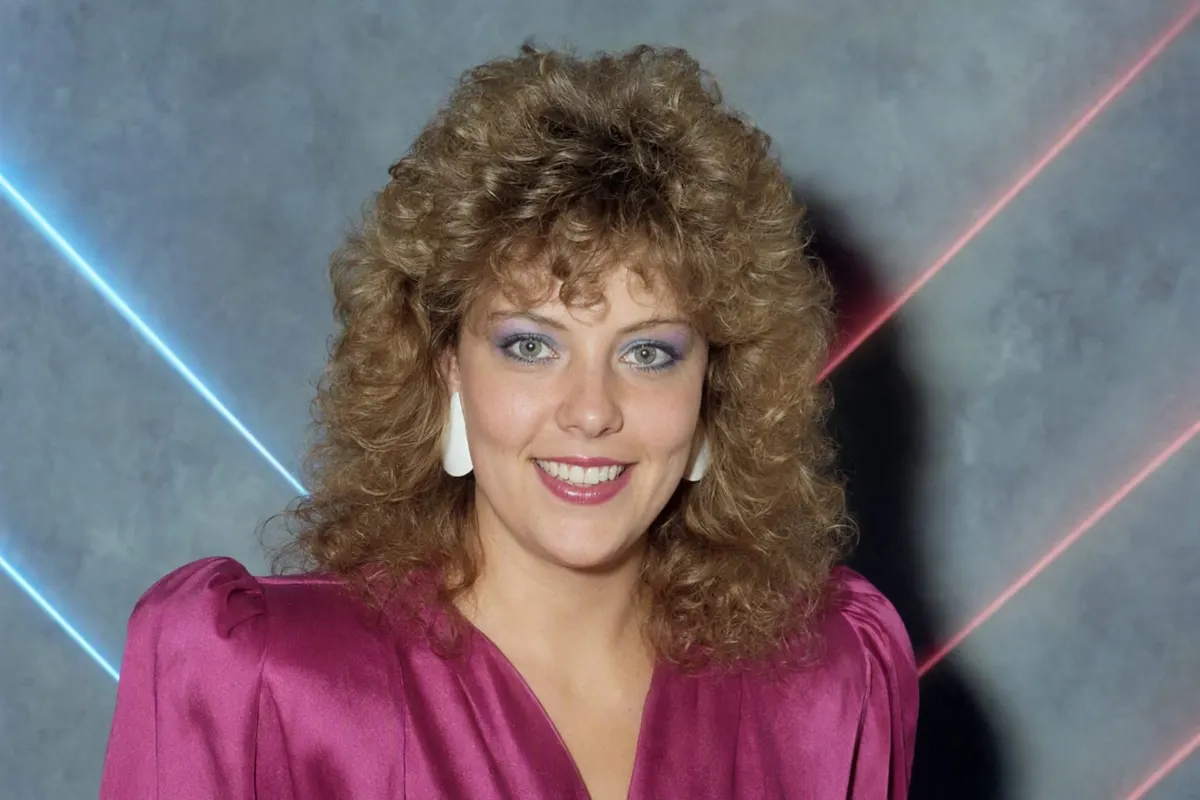
FaceCast turns one photo into an 80s portrait: hair, clothing, background, lighting, colour and grain all shift to 1986 while your features, skin tone and expression stay exactly as they are. There is no text box, no prompt to write and no settings to balance. It takes a few seconds, and the result is saved at full resolution.
It is free to download on iOS and Android. Alongside the 80s style there are thirteen use cases built in — mirror selfie, portrait, couple, mother and daughter, friends, wedding, graduation, gym, holiday, office, pet, car and maternity — so you are not starting from a blank screen.
The difference from a vintage filter is the part people actually want. A filter adds grain and a date stamp and leaves you dressed as you are today. This restyles the photo: the hair gains volume, the jacket gains shoulders, the backdrop becomes the mottled blue canvas from a portrait studio, and the light becomes a hard on-camera flash.
How to use it
Download and open
Free on the App Store and Google Play. No sign-up is needed to try the style.
Upload one photo
Face front-on and sharp, daylight, no sunglasses, no beauty filter. A selfie works. Couples, families and groups all work in one pass.
Tap the 80s style
A few seconds later you have the result. Slide between before and after, save it at full resolution, and share it with an AI label.
Why an app instead of a prompt
Your face is preserved by design
Identity preservation is part of the style rather than something you have to ask for in the first sentence of a prompt — which is the single most common reason a ChatGPT result comes back as a stranger.
Consistent between attempts
A prompt gives a different image every run. The style gives the same treatment each time, so the version you post is the version you saw.
No period research needed
The hair, clothing, backdrop, flash, grain and colour shift are already specified. You do not need to know that blues drift green in an aged print for the result to look right.
Groups in one pass
Everyone in the frame is restyled together, with faces and positions kept. Prompting a group photo usually takes two passes.
What else is in the app
Besides the 80s style, FaceCast generates a portrait of a couple’s future baby from both parents’ photos, turns an ultrasound scan into a photo-realistic portrait, builds AI family portraits and maternity shoots, and has Pixar, anime and PS2 styles. The same rule applies across all of them: your features are preserved, and photos are processed only to produce your result.
No video, no age progression and no celebrity faces. If you want the ChatGPT route instead, the exact prompt text is on the prompt page linked below.
What happens to your photos
Photos are processed only to create your result. They are not sold and not shared with third parties for marketing purposes; the details are in the privacy policy.
Upload only photos of yourself or of adults who have agreed to it. Please do not upload photos of children.
Common questions
What app does the 80s trend?+
FaceCast has the 80s style built in — upload one photo, tap the style, and the result is ready in seconds with your face preserved. It is free on iOS and Android.
Is the 80s photo app free?+
FaceCast is free to download on the App Store and Google Play, and you can try the 80s style there.
Does it work without writing a prompt?+
Yes — that is the point of it. There is no text box. The hair, clothing, background, lighting and film look are all part of the style.
Will it still look like me?+
Yes. Features, skin tone and expression are preserved; hair, clothing, accessories and background are what change. Start from an unfiltered, front-on photo for the strongest likeness.
Does it work for couples and groups?+
Yes, in a single pass — everyone in the frame is restyled and keeps their position. Just make sure no face is hidden behind another.
Is there a web version?+
The 80s style runs in the iOS and Android apps. The examples on this site are real before-and-after pairs produced with the same style.
Get the 80s photo app
Upload one photo, tap the 80s style, save the result. Free for iOS and Android.
4.6average rating · 4,109 App Store