
Trending now
FaceCast 80s Photo Style: Send Your Photo Back to 1986
The 80s versions of the photos you would actually post. Pick an example, watch it process, then download the app to see the result from your own photo.
4.6average rating · 4,109 App Store
80s Photo Style
Pick a use case
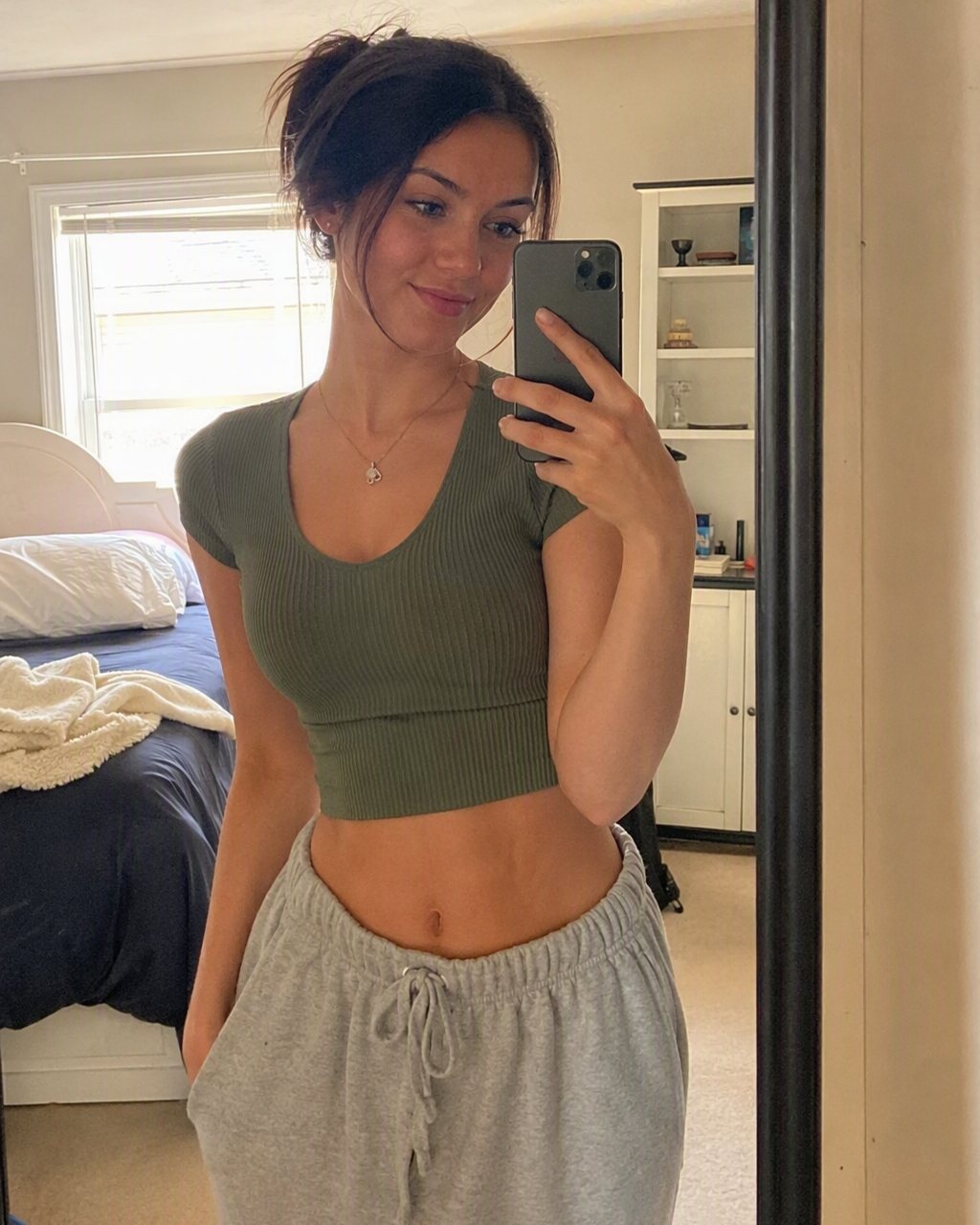
0% · Uploading photo
Processed with FaceCast AI
Download FaceCast to see your own resultSample result ready
Your 80s version is ready. See it at full resolution, save it and share it in the free app.This is a sample photo. Download FaceCast free to get the same result from your own photo in seconds.
Every use case
Real photos you would actually post, next to their 80s versions. Hover to see the result, tap to try the same example.
The Short Answer
The FaceCast 80s photo style turns one photo into a mid-1980s portrait in seconds: upload the photo, choose the 80s look, and the result comes back with your face, features and expression unchanged while the hair, clothes, accessories and backdrop move to 1986, finished with a direct flash and film grain. There is no prompt to write, and the app is free on iOS and Android.
Below are 13 use cases, from a bedroom mirror selfie to a wedding photo, a maternity shot, an office headshot and one taken with the dog. Each one shows a real “before” photo next to its 80s version. Try an example here, then download FaceCast free to see the result from your own photo.
It works on selfies, couples, family portraits, maternity photos and even the future-baby portrait FaceCast builds from two parents’ photos, so a whole family can land in 1986 in one go.
How It Works
Upload a photo
One clear, front-facing photo works best: good light, no sunglasses. A selfie, a couple shot or a group photo all work.
Choose the 80s look
Pick the 80s style and the hair, clothes, backdrop and lighting are set for you. There is no prompt to write and nothing to describe.
Save and share
The result is ready in seconds. Save it at full resolution and post it, with a quick “made with AI” note when you do.
Which Photos Work Best
Face front-on and sharp
Mirror selfies, portraits and couple photos give the strongest transformation; profiles and distant shots lose detail.
Natural light
Window light or daylight is plenty. The hard flash and the dark studio come from the 80s styling itself.
No beauty filters
Filters reshape facial features; a raw photo produces a more believable 80s result.
Everyone in frame for groups
For friends and family shots, all that matters is that no face is hidden behind another.
The 80s Styles in the App
The styling follows the use case: a studio backdrop and direct flash for portraits and selfies; an 80s family-portrait layout for couples and families; puff sleeves and a wide-lapel tuxedo for weddings; a blue studio backdrop for graduations; the aerobics era for gym photos; a wide-shouldered suit and oversized frames for office and LinkedIn headshots; a period sports car and an evening street for car photos.
Your photos are used only to generate your result and are not sold or shared for marketing. Upload your own photos, or a family photo where everyone is happy to take part, rather than a picture of someone else. FaceCast makes still images only — there is no video, no face ageing and no celebrity likeness.
Frequently Asked Questions
Is the 80s photo style free?+
Yes. FaceCast is free to download on iOS and Android, and the 80s photo style is there in the app. One photo, one tap, result in seconds.
Does my face stay the same?+
Yes. Your facial features, skin tone and expression are kept exactly; only the hair, clothes, accessories and background are restyled to the mid-1980s.
Do I need a prompt?+
No. Unlike ChatGPT, the style is ready-made: upload a photo and pick the 80s look. That is the whole process, with nothing to type.
Does it work for couples and families?+
Yes. Everyone in the frame goes to the 80s. The couple, mother-and-daughter, wedding, graduation and friends examples above are all group photos, and it also handles maternity photos and the future-baby portrait built from two parents’ photos.
Why is the sample result blurred here?+
The interactive demo shows the result locked, because the full-resolution version lives in the app. The use-case gallery below it shows the real before-and-after pairs unblurred.
Are my photos safe?+
Your photos are used only to generate your result and are not sold or shared with third parties for marketing. The details are in the privacy policy.
See Your Own 80s Photo
One photo, 1986 in seconds. Free on iOS and Android — no prompt to write.
4.6average rating · 4,109 App Store