
Trending now
80s Portrait Generator
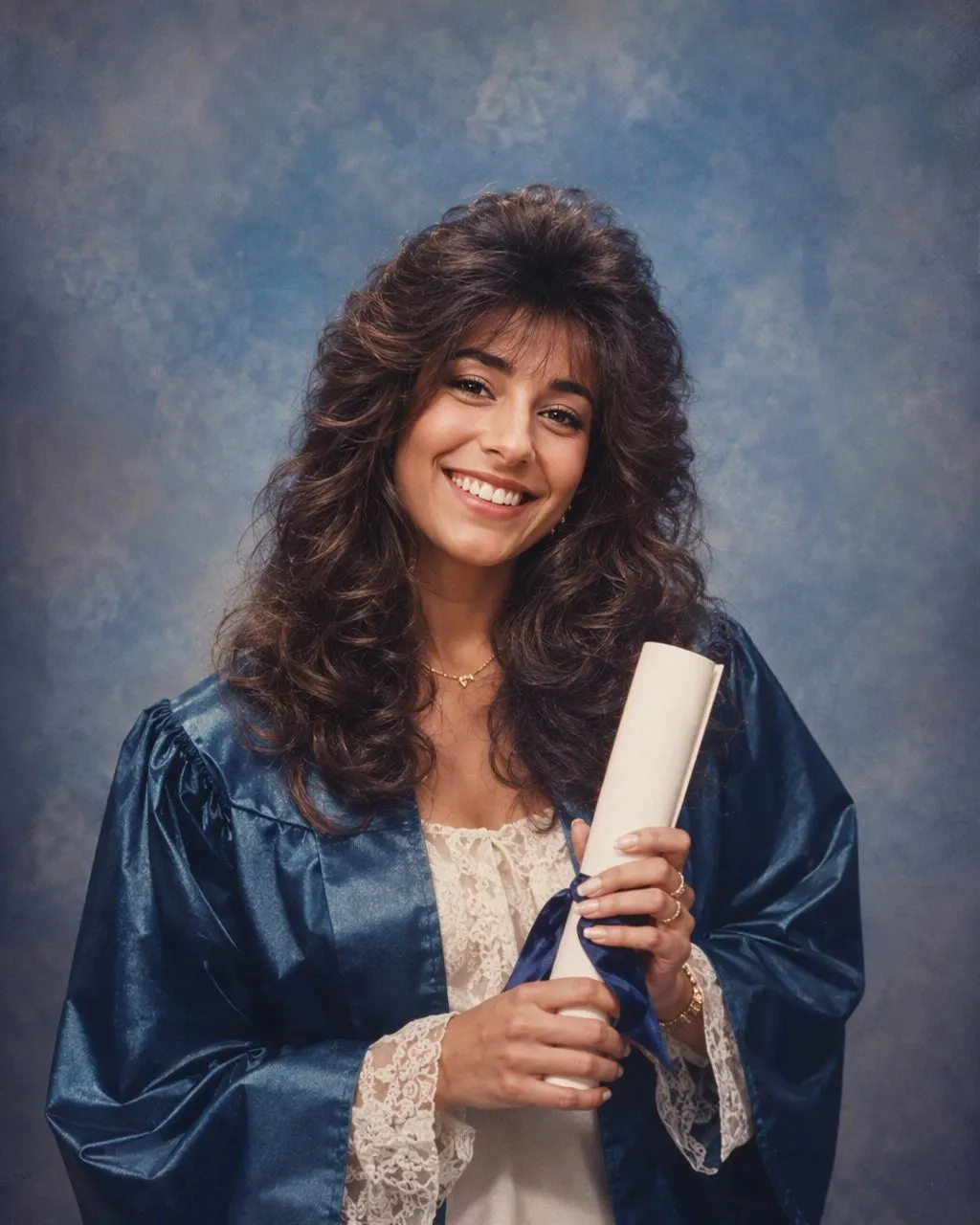
The single-person studio portrait: soft glamour lighting, a blue-and-pink laser backdrop, big permed hair and shoulder pads — built from one photo of you.
4.6average rating · 4,109 App Store

The Short Answer
An 80s portrait generator turns one photo of one person into a mid-1980s studio portrait: permed or feathered hair, shoulder pads, blue eyeshadow, a laser or mottled backdrop, soft glamour lighting and film grain. FaceCast builds it from a single photo in seconds, free on iOS and Android.
This is the narrow version of the look — one sitter, framed head-and-shoulders, the way a portrait studio would have posed you in 1985. Your face, skin tone and expression are kept; the hair, wardrobe, accessories and backdrop are what change.
The quality of the result depends almost entirely on the photo you feed it. One person, face fully visible, even light, nothing already smoothed over: get that right and the rest takes care of itself. There is no prompt to write and no account to create.

How to Generate an 80s Portrait
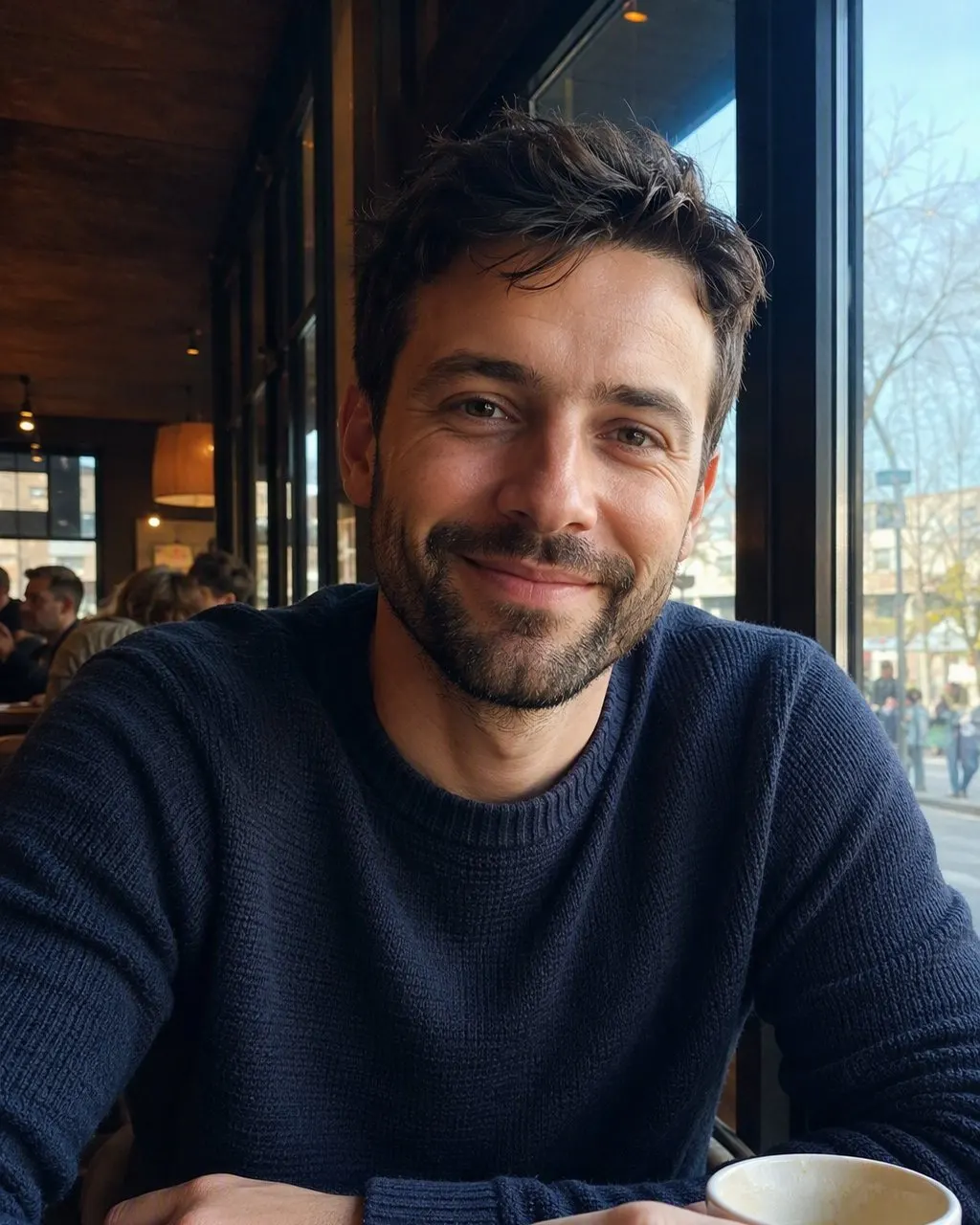
Pick a photo with one face in it
A single sitter, front-on, head and shoulders in frame. If the photo has other people in it, crop them out first — a portrait generator gives its full attention to one face.
Tap the 80s style
Nothing to type and nothing to set. The backdrop, the lighting, the hair and the wardrobe are part of the style.
Save the portrait
It arrives in seconds at full resolution. Save it, post it, and say it was made with AI when you do.
What a Mid-1980s Studio Portrait Looked Like
The mall and school studios of the mid-1980s worked from a small, fixed kit, which is why every portrait from those years looks related. Reproducing that kit is what makes a generated portrait read as period rather than as a costume.
The laser backdrop
Blue-and-pink laser grids and starbursts on black — the single most recognisable backdrop of the decade, and the one people picture first.
The mottled canvas
The alternative: a hand-painted grey, blue or brown cloud-textured canvas, lit brighter behind the head than at the edges.
Soft glamour lighting
A big diffused key light, a soft-focus filter over the lens and a gentle glow around the highlights, so skin reads smooth and the edges bloom slightly.
Big permed hair
Height at the crown, curls or feathered layers falling to the shoulders, held with enough hairspray to catch the light.
Shoulder pads and blue eyeshadow
A structured blazer or a ruffled blouse; blue or pink eyeshadow to the brow, bright blush, glossy lips, big plastic earrings.
Film grain
Fine grain across the whole frame and slightly faded, warm colours, the way a print looks after forty years in an album.
The Best Photo to Give an 80s Portrait Generator
One person only
Two faces in the source means attention split between them. For a studio portrait, crop to the single sitter before you upload.
The whole face visible
No sunglasses, no cap, no hand across the chin, no hair falling over one eye. The hairline needs to be readable, because that is where the 80s volume gets built.
Even light, front-on
Window light or open shade. Strong side light and deep shadow fight the soft glamour lighting the style adds afterwards.
No filter already applied
A beauty or smoothing filter has already erased the detail the portrait needs, and the output comes back soft and plasticky.
Reasonable resolution
A recent phone photo is plenty. A heavily compressed screenshot of a screenshot is not.
Why an 80s Portrait Still Looks Like You
The whole appeal rests on recognition. If the generator redrew your features, the portrait would just be a stranger in period clothing and nobody would care. So the face, the skin tone and the expression are preserved, and the era is built around them.
That also sets the boundaries. FaceCast makes still images only — no video, no ageing a face forwards or backwards, no celebrity likenesses. Your photo is used only to generate your result and is not sold or shared for marketing, and you should only upload your own photo or one the person in it agreed to.
Frequently Asked Questions
What does an 80s portrait generator do?+
It takes one photo of one person and returns a mid-1980s studio portrait: permed or feathered hair, shoulder pads, blue eyeshadow, a laser or mottled backdrop, soft glamour lighting and film grain, with the sitter’s own face, skin tone and expression kept.
Is the 80s portrait generator free?+
Yes. The 80s style is free in FaceCast on iOS and Android. There is no prompt to write, no account to create and no payment before your first portrait.
What photo gives the best 80s portrait?+
One person, front-on, whole face visible, in even light, with no beauty filter already applied and nothing covering the eyes or hairline. Crop other people out first, and a normal recent phone photo is more than enough resolution.
Can I use a mirror selfie?+
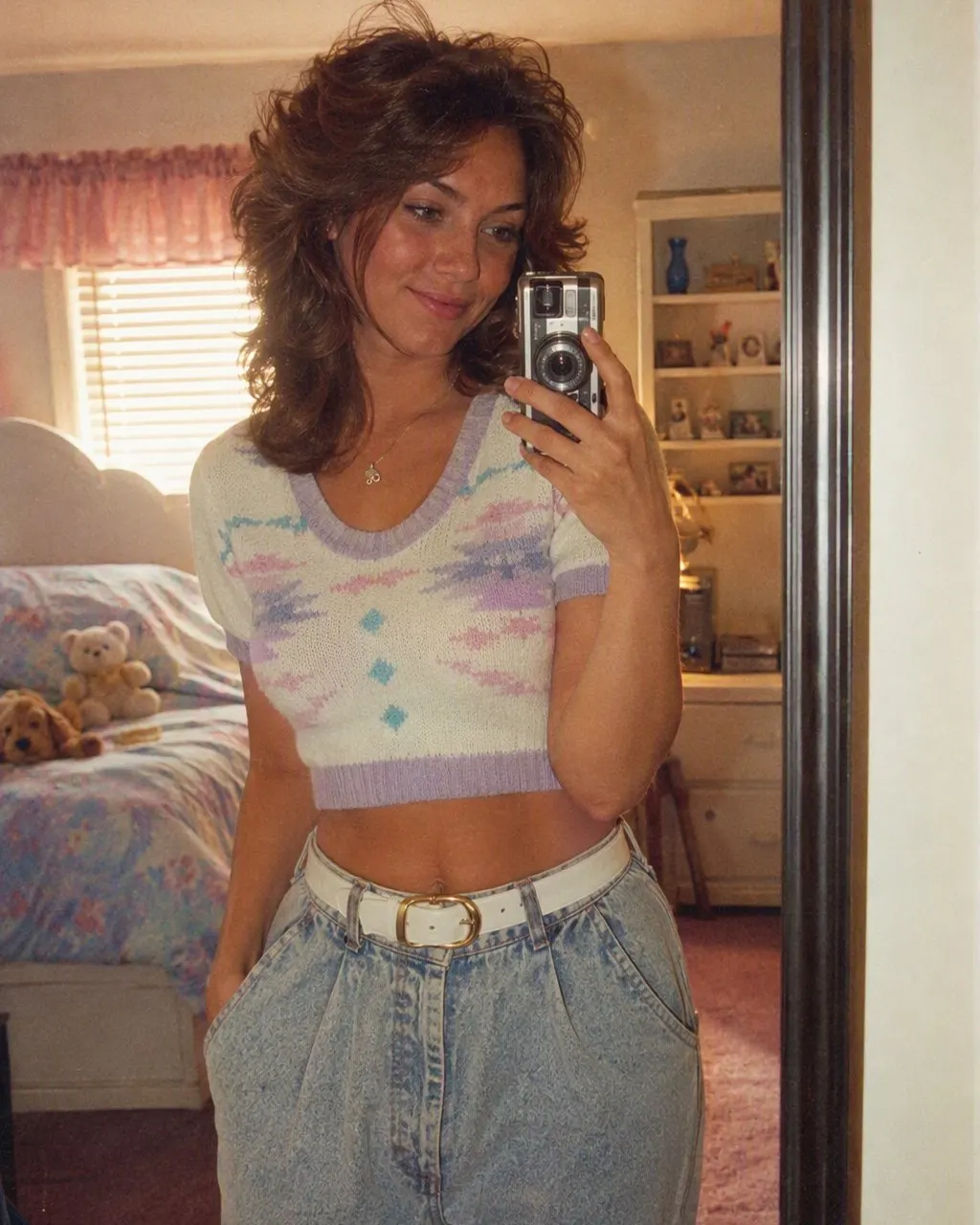
Yes, as long as your face is clearly visible and lit. The phone and the mirror do not survive into the portrait — what comes back is a studio sitting.
Can I choose the backdrop?+
No, and that is deliberate: the style picks a period-appropriate backdrop for you, usually a laser grid or a mottled canvas. Running the same photo again is the way to see a different treatment.
Does it change my face?+
No. Features, skin tone and expression are preserved. What changes is the hair, the clothes, the make-up, the accessories and the background, plus the flash, soft focus and grain that make it read as a print from the era.
Sit for a Portrait You Never Booked
One photo, one tap, a 1985 studio portrait in seconds. Free on iOS and Android.
4.6average rating · 4,109 App Store