
Trending now
How to Make an 80s Prom Photo With AI
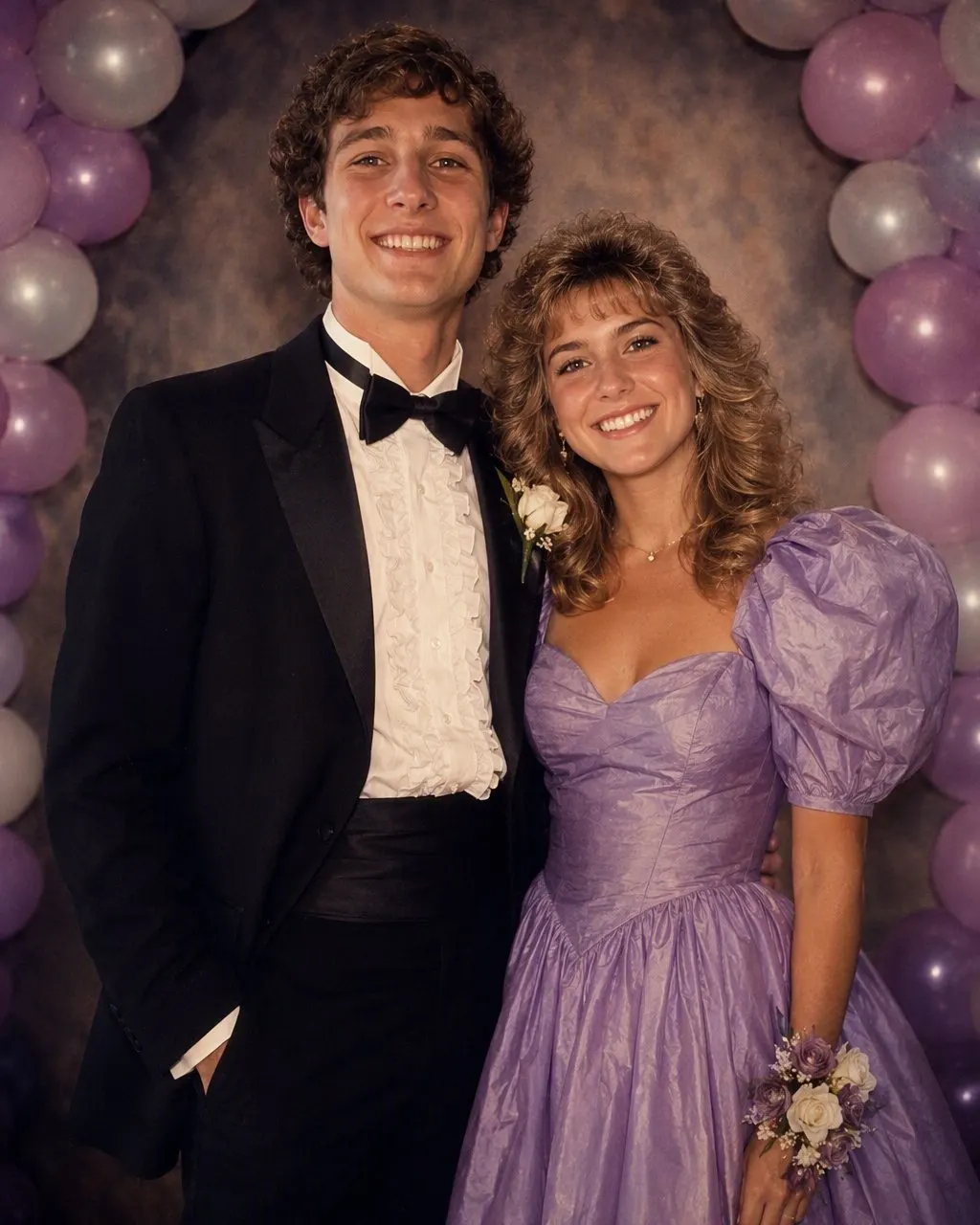
Taffeta and puffed sleeves, a ruffled tuxedo shirt and a wide bow tie, a wrist corsage against a balloon arch, and a flash straight down the lens — with your own face, exactly as it is.
4.6average rating · 4,109 App Store
The Short Answer
To make an 80s prom photo with AI, upload one picture — of the two of you, or of the whole group — and choose the 80s look. The portrait is ready in seconds with every face, skin tone and expression kept as it is, and the hair, formalwear, flowers and backdrop restyled to the mid-80s under a direct flash.
The pieces that make it read as prom rather than as a generic 80s portrait are specific: taffeta with puffed sleeves and a full skirt, a ruffled tuxedo shirt with a wide bow tie and a pastel jacket, a wrist corsage and a matching boutonnière, and a balloon arch or a mottled canvas behind the couple. Add film grain and warm, faded colour and the picture stops looking edited and starts looking found.
Nothing about this needs prom season. It works as a throwback for a reunion, a themed party, an anniversary post or a wedding-season joke, on any photo where people are dressed up — or on one where they are not, since the clothes are part of what gets restyled. The night has different names in different places — prom in the United States, the Year 12 formal in Australia, the school ball in New Zealand — but the picture is the same everywhere: everybody dressed up, a photographer working a queue in front of a backdrop, one flash-lit frame each.


How to Make Your 80s Prom Photo
Choose one photo
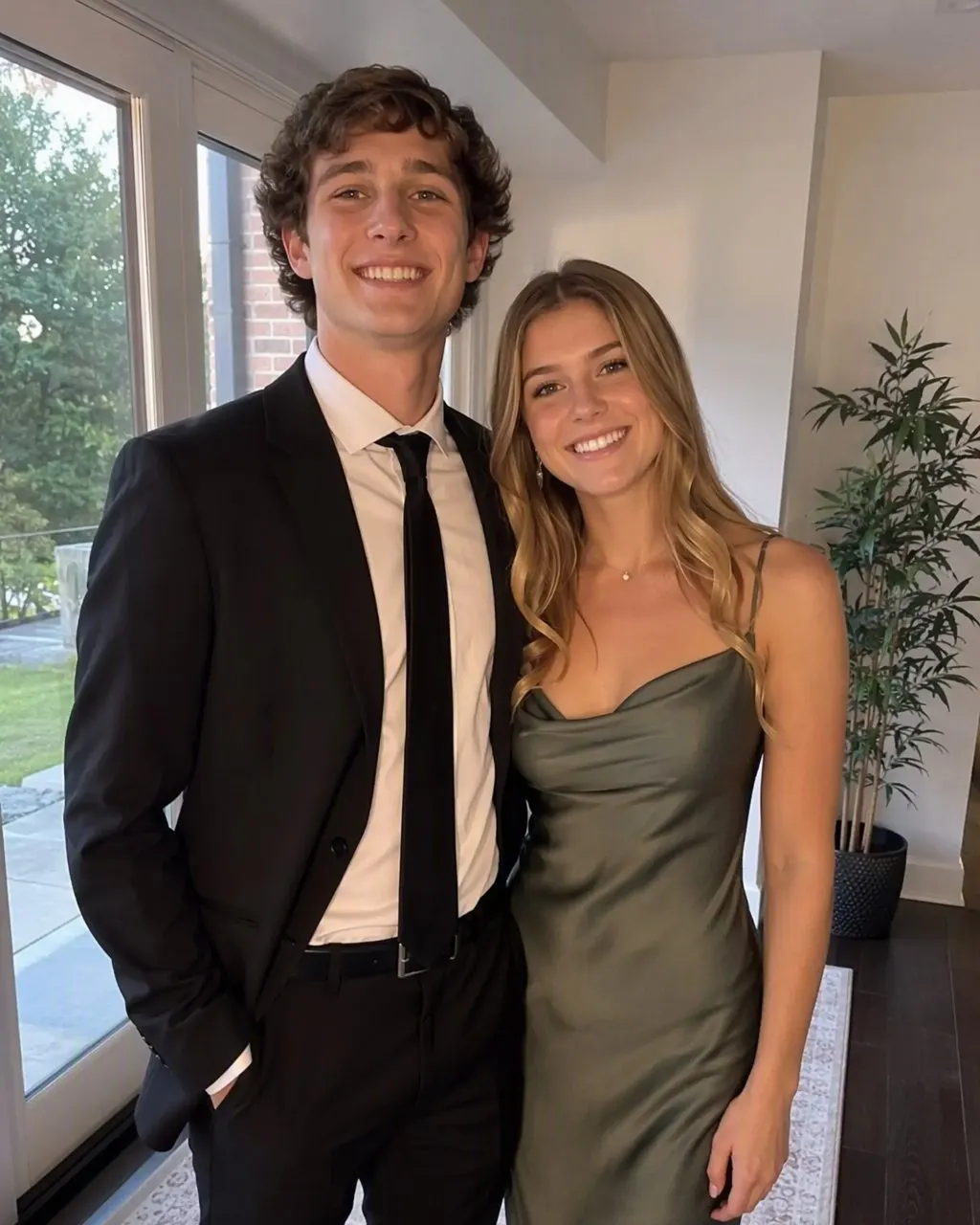
One frame with everyone in it: the couple, or the whole group. Faces front-on and visible, even light across everybody, no sunglasses and nothing covering the hairline. A plain phone photo is fine; a dark or heavily filtered one is not.
Choose the 80s look
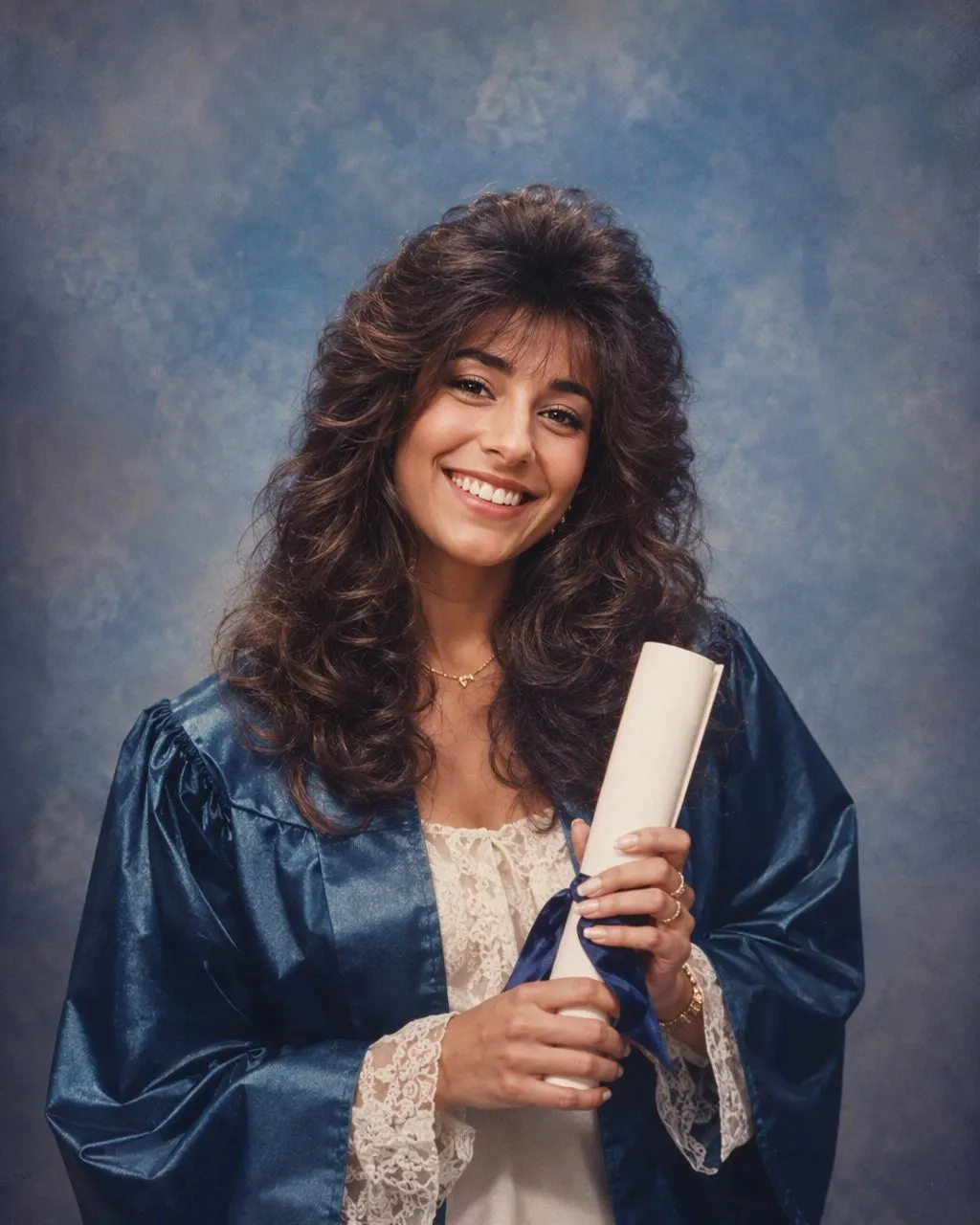
Tap the 80s style and the formalwear, the flowers, the hair and the backdrop are applied to everyone at once. Free, one tap, no prompt to write, no account.
Save and share it
The portrait comes back in seconds. Save it, post it, and add a short “made with AI” note — the look is convincing enough that people will otherwise ask which school you went to.
What an 80s Prom Portrait Is Made Of
An 80s prom portrait is a costume, a flower, a backdrop and a flash, and the flower is the part people forget. Get these six elements right and the picture reads as a real photograph from a real school gym rather than as a filter applied to a modern night out.
The dress
Taffeta with a slight sheen, puffed sleeves, a dropped waist or a sash, a full skirt, and a colour on the sweeter end — dusty pink, mint, peach, electric blue.
The tuxedo
A ruffled tuxedo shirt front, a wide bow tie, a cummerbund, wide lapels, and a jacket in black or in an unapologetic pastel: powder blue, cream, grey with a sheen.
The flowers
A wrist corsage on a ribbon or elastic band, and a matching boutonnière pinned to the lapel — usually a carnation or a small rose, often dyed to match the dress.
The backdrop
A balloon arch in two colours, a mottled studio canvas, a foil curtain, or a hand-painted scene set up at one end of the gym with a photographer working through a queue.
The hair and make-up
Height at the crown, curls held with a lot of hairspray, an updo with tendrils left loose; blue or pink eyeshadow, strong blush and glossy lips.
The camera
Direct on-camera flash straight down the lens, a hot foreground and dark corners, soft focus, visible film grain and warm, faded colour like a print in a plastic sleeve.
The Couple Photo and the Group Photo
The couple version is the classic 80s prom picture, and its pose is half the joke: one person standing behind the other, hands at the waist, both turned slightly towards the camera, chins up, the corsage deliberately visible. You do not have to reproduce the pose to get the look — the styling does the work — but a photo where you are already standing close, shoulders touching and heads at a similar height, restyles into it far more convincingly than one with a gap between you.
The group version is the other half of the tradition: everybody in their formalwear crammed into one frame before splitting up for the night. It restyles one picture, so everyone has to be in the frame you upload; separate photos cannot be merged into a group. Check every face is visible and turned towards the camera before you upload, because one person looking away is the flaw you will notice every time you look at the result afterwards.
Either way, one sharp, unfiltered photo beats a flattering one. The look adds its own flash, grain and faded colour, and a beauty filter underneath fights it. Even light matters more than good light: one person in sun and one in shade is the hardest case for any restyle, and it is fixed by turning slightly or moving into open shade before you take the shot.
Adults Only, and Agree Before You Post
Keep this one to adults. The examples and imagery on this page are all adults, and that is the version worth making and sharing: a reunion group, a couple’s anniversary throwback, a themed party. A photo of a minor in AI-restyled formalwear is not a good thing to put on the internet, and no filter is worth that decision.
Everyone in a group photo should agree before it is uploaded or posted — not just before it goes public, but before it goes into the app at all. Upload your own picture, or one every person in it has said yes to. It takes one message in the group chat and it is the difference between a joke everybody is in on and a picture somebody has to ask you to take down.
The rest is short. FaceCast makes a still image only: no video, no ageing anyone up or down, no celebrity faces dropped into your picture. Your photo is used only to generate your result and is not sold or shared for marketing. And a quick “made with AI” line when you post keeps the picture honest, which matters more with this look than most — a grainy prom photo with a balloon arch behind it is exactly the kind of image people believe without checking.
Frequently Asked Questions
How do I make an 80s prom photo with AI?+
Upload one photo — of a couple or of a group — and choose the 80s look. The portrait is generated in seconds: faces, skin tones and expressions are kept exactly as they are, and the formalwear, flowers, hair and backdrop are restyled to the mid-80s with a direct flash and film grain. There is no prompt to write, and it is free on iOS and Android.
Do we need two separate photos for a couple prom picture?+
No. Upload a single photo that already has both of you in it. Standing close, shoulders touching and heads at a similar height gives the best result, because the classic 80s prom pose was tight and a big gap between two people leaves empty backdrop where the picture should be.
What did an 80s prom photo actually look like?+
Taffeta with puffed sleeves and a full skirt on one side, a ruffled tuxedo shirt with a wide bow tie and often a pastel jacket on the other, a wrist corsage and a matching boutonnière, and a balloon arch or a mottled studio canvas behind. It was shot with a direct on-camera flash, so the foreground is bright, the corners are dark and the whole print has warm, faded colour and visible grain.
Can a whole group of friends do it together?+
Yes. Upload one photo with everybody in it and the styling is applied to the whole group at once. It restyles a single frame, so separate photos of different people cannot be merged, and every face needs to be visible and front-on. Make sure everyone in the picture agrees before you upload it or post the result.
Does this work for a school formal, a school ball or a deb?+
Yes — it is the same night under a different name. Australia calls it the Year 12 formal or school formal, New Zealand and most Western Australian government schools call it the school ball, a deb or debutante ball is the same styling in a white gown, and in the Philippines it is the JS prom — the junior-senior prom — with the senior dance sometimes called the graduation ball. Upload one photo of the two of you or of the whole group and the mid-80s formalwear, flowers, hair and backdrop are applied the same way.
Do I have to be going to prom to make one?+
No, and most people making these are not. It works as a reunion throwback, an anniversary post, a themed party picture or a group joke, on any photo of adults. The clothes are part of what gets restyled, so the people in your photo do not need to be dressed up already.
Is it free, and what happens to our photo?+
The 80s look is free in FaceCast on iOS and Android and the result comes back in seconds. Your photo is used only to generate that result; it is not sold or shared for marketing. Upload your own photo, or one everybody in it has agreed to, and add a short “made with AI” note when you share the picture.
Take the Whole Group Back to 1985
One photo, one tap, and the taffeta, the ruffled shirt and the balloon arch are done in seconds. No prompt to write — free on iOS and Android.
4.6average rating · 4,109 App Store