
Trending now
How to Make an 80s Wedding Photo With AI
Your wedding or engagement picture, restyled as 1985: puffed-sleeve lace, a veil with real volume, a wide-lapel tuxedo and a bow tie — with both of your faces exactly as they are.
4.6average rating · 4,109 App Store
The Short Answer
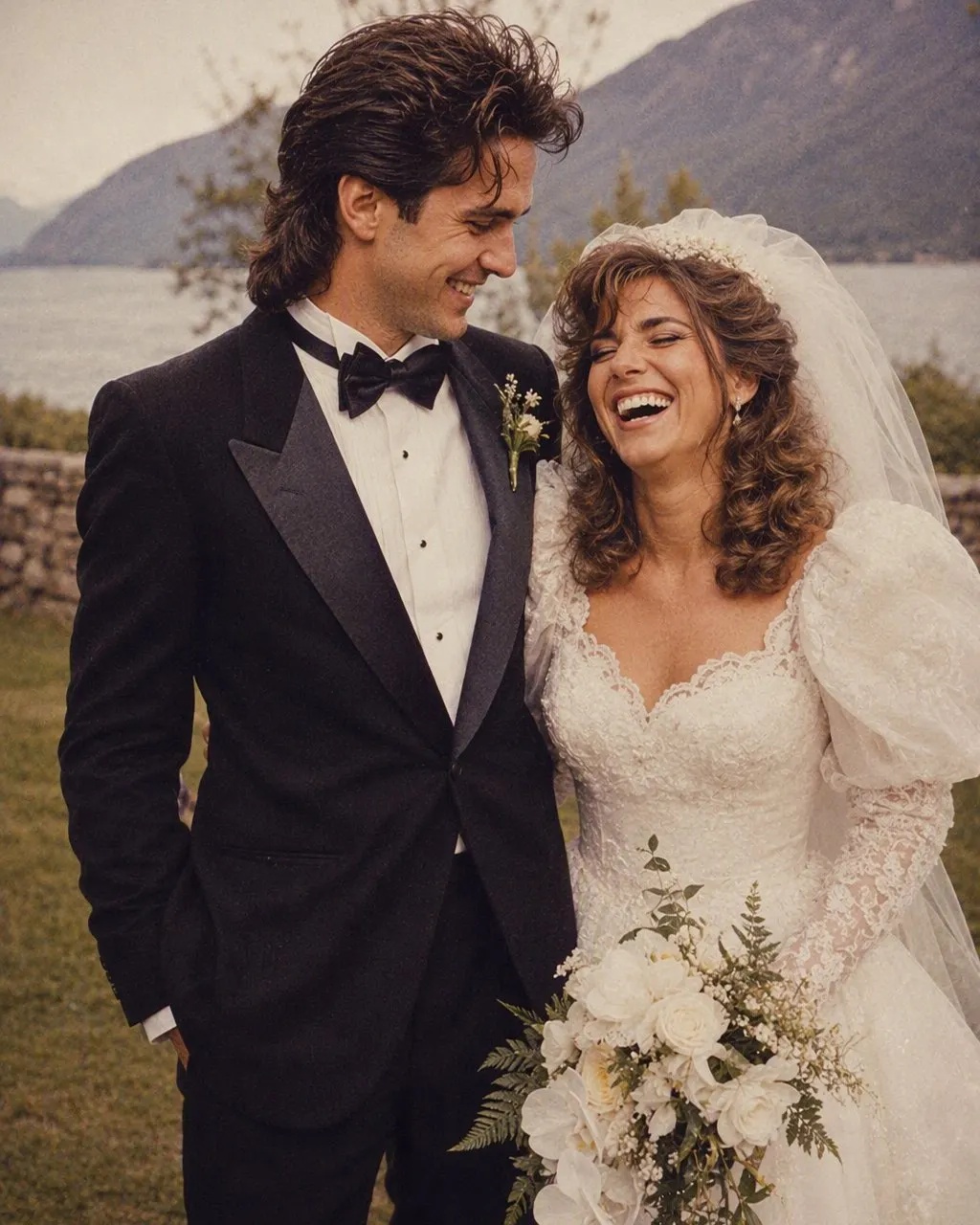
To make an 80s wedding photo with AI, upload one picture of the two of you, choose the 80s look, and the portrait is ready in seconds. FaceCast keeps both faces, skin tones and expressions exactly as they are, and restyles everything else to the mid-1980s: a puffed-sleeve lace dress, a veil with serious volume, a wide-lapel tuxedo with a bow tie, a studio backdrop, direct flash and film grain. It is free on iOS and Android and there is no prompt to write.
It works on a real wedding photo, an engagement shoot, a registry-office snap or a picture from the reception. You do not need the original outfits to be anywhere near 80s — that is what changes. The faces, the pose and who is standing next to whom all stay as they were.
The wedding version is the one people reach for after the trend caught them, because most couples already have exactly the right photo saved. It is a still image only: no video, no ageing, nobody else’s face added.


How to Make Your 80s Wedding Portrait
Pick the wedding or engagement photo
Choose a frame where both faces are clear and front-on, in even light. A posed portrait works better than a candid mid-laugh shot from across the room.
Choose the 80s look
Tap the 80s style. The dress, the veil, the tuxedo, the backdrop and the flash are all built in — nothing to describe and nothing to configure.
Save and post it
The 1985 version is ready in seconds. Save it, post it next to the real photo, and add a “made with AI” note so the side-by-side stays honest.
What the 80s Wedding Look Changes
Wedding photography in the mid-1980s had a very specific signature, which is why the restyle is so recognisable. Everything below is applied around the two faces in your photo; the faces themselves are left alone.
The dress
Puffed sleeves at the shoulder, high lace neckline, a fitted bodice with beading and a full skirt — the silhouette that defined the decade.
The veil
Long and voluminous, gathered high at the back of the head, often with a small headpiece or a band of flowers holding it in place.
The suit
A wide-lapel tuxedo, a bow tie, a boutonniere, and sometimes a pastel shirt under the jacket. Hair feathered or side-parted.
The setting
A studio backdrop — mottled grey canvas, a soft pastel gradient or a laser grid — rather than the venue you were actually standing in.
The camera
Direct on-camera flash, a soft-focus glow around the highlights, visible film grain and slightly faded warm colour, like a print in an album.
When to Use It
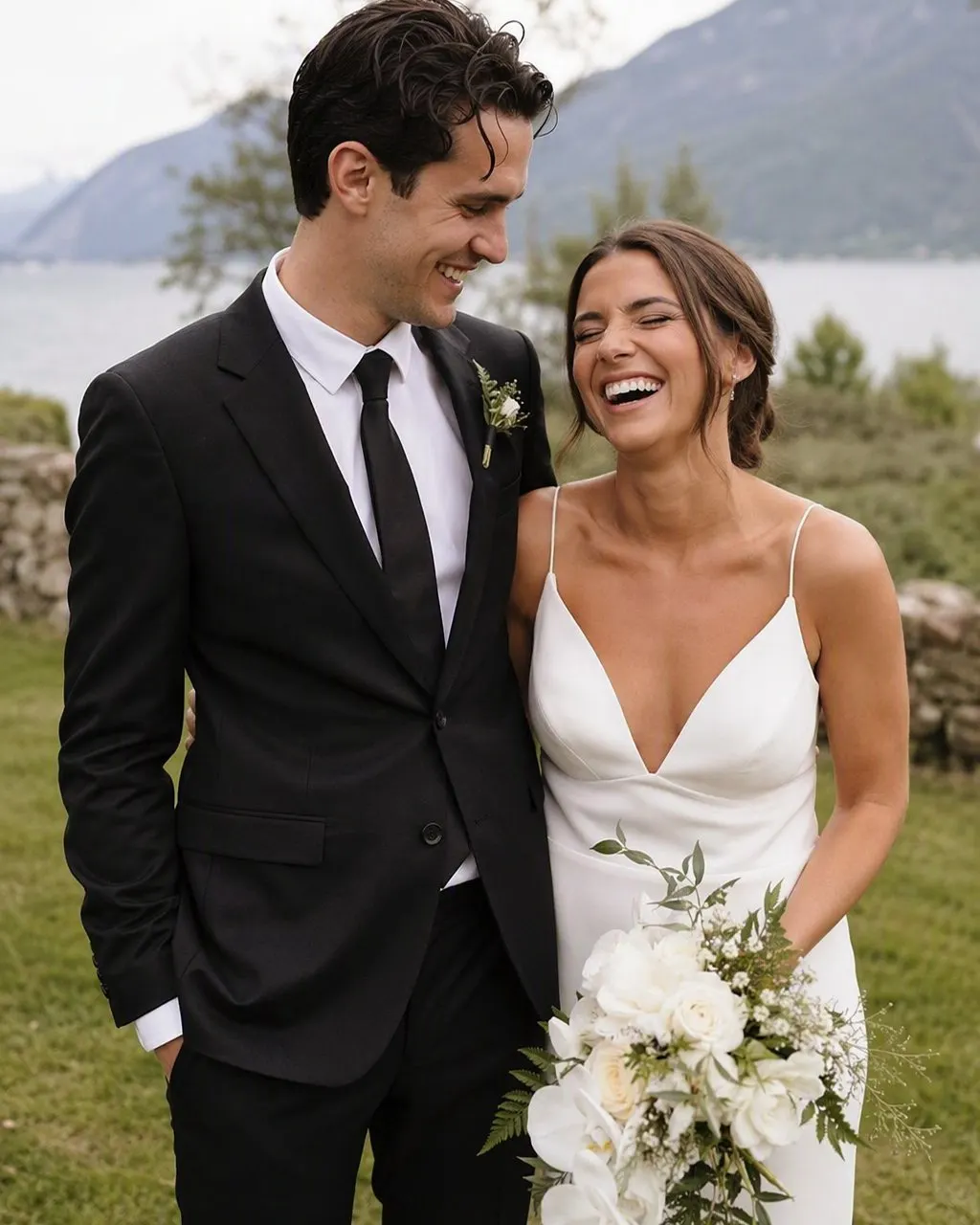
The obvious moment is posting your own wedding photo. Put the 1985 version beside the real one and the joke lands immediately: same two people, same pose, forty years of taste in between. It is the single best-performing format in this trend for couples who are already married.
Engagements are the second. If the wedding has not happened yet, run your engagement shoot or any decent photo of the two of you through the look and you get a wedding portrait for a wedding that does not exist yet. Some couples post it as the announcement itself.
Anniversaries are the third, and quietly the best. On an anniversary, the restyled photo works as a card: the picture you took this year, in the studio style your parents were photographed in. If you have a family portrait from the day — the two of you with a parent, or with an adult sibling — that restyles just as well.
Getting a Good Result, and the Fine Print
Choose the photo carefully and you will rarely need a second attempt. Both faces should be front-on, sharp and evenly lit, with no sunglasses, no veil across the face and no hands or bouquets covering anyone. Stand close, at similar heights. Upload the original file rather than a screenshot or a heavily filtered edit — the app supplies its own flash and grain, and stacking a modern filter underneath makes both look muddy.
The fine print is short. FaceCast uses your photo only to generate your result; it is not sold or shared for marketing. It makes still images, not video, and it does not age anyone or add a celebrity’s face. Upload your own wedding photo, or one you and your partner have both agreed to share — never someone else’s. And when you post, a quick “made with AI” line keeps a very convincing 1985 print from being mistaken for a real one.
Frequently Asked Questions
Does this work for pre-wedding photos?+
Yes. Pre-wedding shoot is what an engagement session is called across much of Asia — Hong Kong, Singapore, Malaysia, Taiwan and India — and it is the same job here: one photo of the two of you, faces kept as they are, with the clothes, hair and setting restyled to the mid-80s. It works whether the photo was taken at a studio session or on your phone.
How do I turn my wedding photo into an 80s photo?+
Upload one picture of the two of you, choose the 80s look, and the portrait is generated in seconds. FaceCast keeps both faces exactly as they are and changes the dress, the veil, the suit, the backdrop and the lighting to the mid-1980s. There is no prompt to write, and it is free on iOS and Android.
What does an 80s wedding photo actually look like?+
A puffed-sleeve lace dress with a fitted, beaded bodice and a full skirt; a long, voluminous veil gathered high at the back; a wide-lapel tuxedo with a bow tie and a boutonniere; a studio backdrop rather than a venue; and a hard on-camera flash with soft-focus glow and visible film grain.
Can I use an engagement photo instead?+
Yes. Any clear photo of the two of you works — an engagement shoot, a registry-office picture or an ordinary shot from a good day. The look supplies the wedding outfits, so the clothes in your original photo do not matter.
Will it change our faces?+
No. Faces, features, skin tone and expression are kept as they are. Only the clothes, hair, accessories, background and lighting move to 1985 — which is what makes the side-by-side with your real wedding photo work.
Is it free, and how long does it take?+
It is free in FaceCast on iOS and Android, and the portrait comes back in seconds. One photo, one tap on the 80s look, nothing to type and no settings to work through.
Is it safe to upload our wedding photo?+
FaceCast uses your photo only to generate your result; it is not sold or shared for marketing. Upload your own wedding photo, or one you and your partner have both agreed to share, and add a “made with AI” note when you post so the restyled version is not taken for the real print.
See Your Wedding Photo in 1985
Upload one picture of the two of you, choose the 80s look, and post the 1985 version in seconds. Free on iOS and Android.
4.6average rating · 4,109 App Store