
Trending now
The 80s Photo Trend: What It Is and How to Do It
Big hair, a denim jacket, a hard flash and the lasers backdrop from school photo day, with your face exactly as it is. Here is the look, the two ways to make it, and how to keep your photo safe.
4.6average rating · 4,109 App Store
The Short Answer
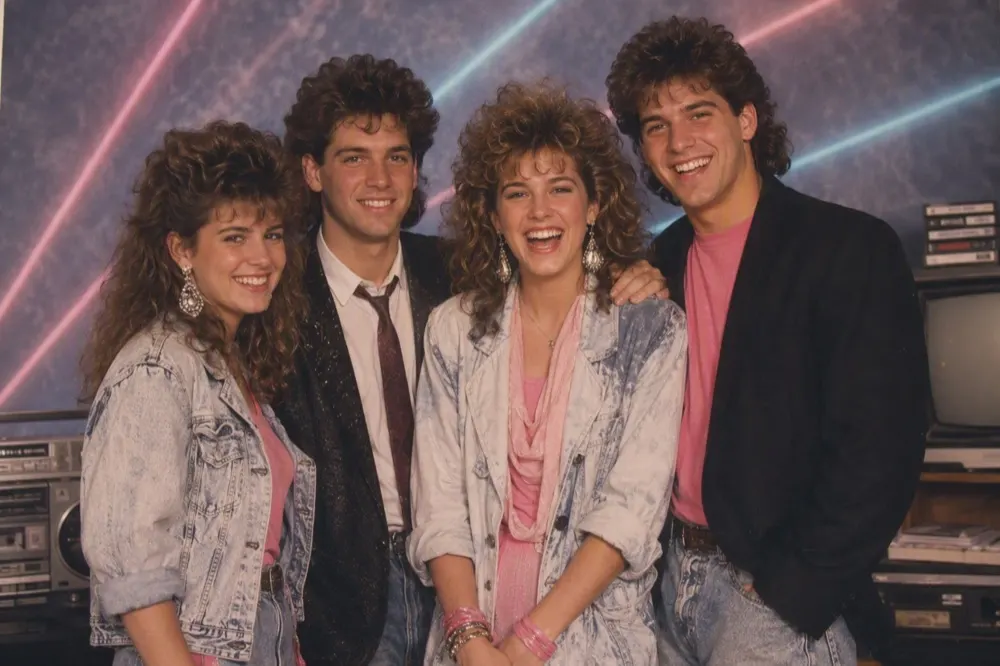
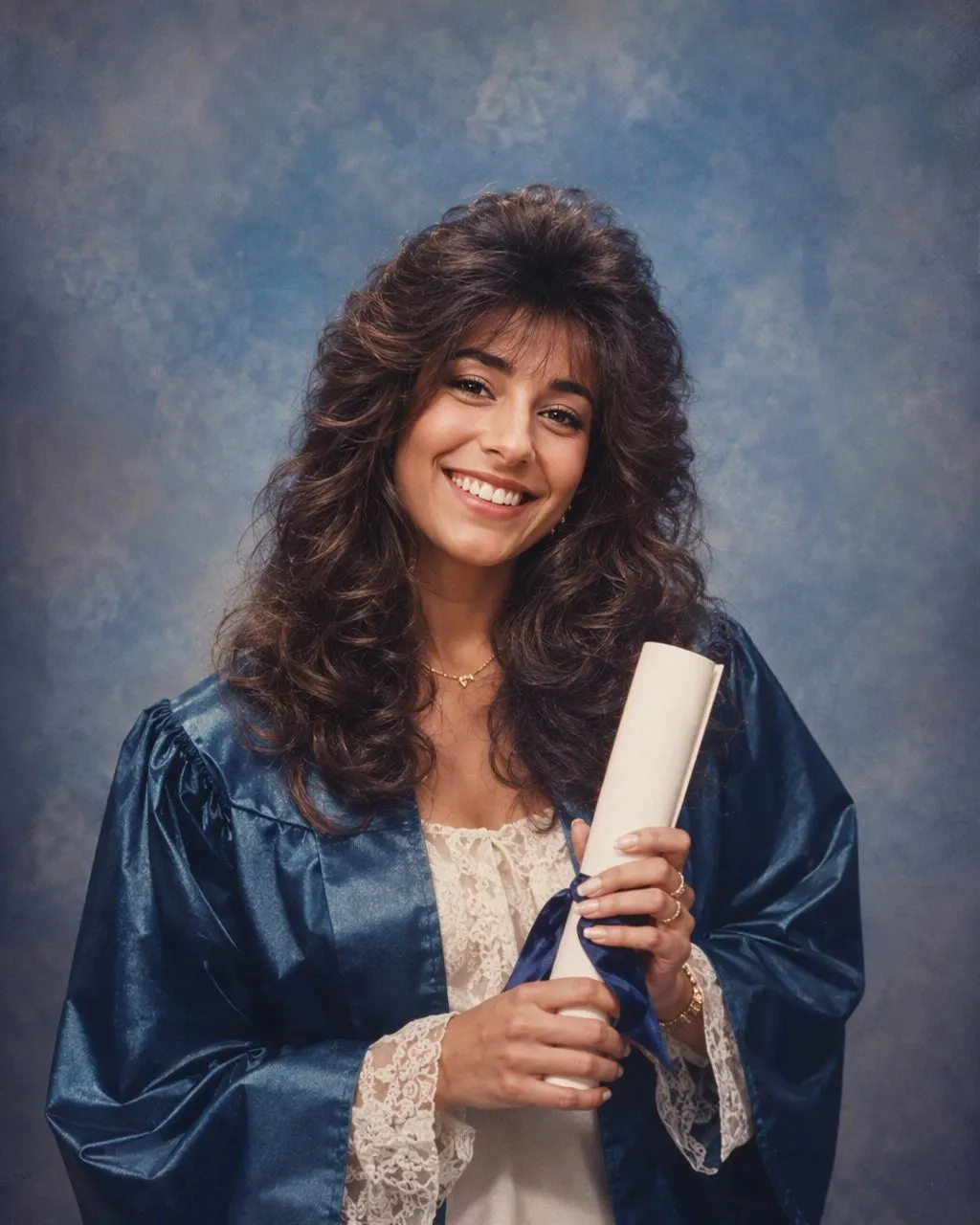
The 80s photo trend is a single AI-restyled portrait: you upload one photo of yourself and get back the same face in a mid-1980s studio photo, with a perm or a mullet, a denim jacket or shoulder pads, a hard on-camera flash and a school-photo backdrop. The quickest way to do it is FaceCast: upload one photo, tap the 80s look, and the result is ready in seconds, free on iOS and Android, with no prompt to write. The other route is ChatGPT or Gemini with a prompt that tells the model to keep your face and change only the hair, clothes, accessories and setting.
The trend is a still image, not a video, and it does not age anyone. Your face, skin tone and expression stay as they are; the era changes around you. It works on a selfie, a couple photo, a group of mates or a family portrait, and the reason it spread is simple: everyone who knows you can tell it is you, and everything else is 1985.
It started as a Latin American and Turkish Instagram wave in early September and reached Australian feeds a few days later, mostly through couples and family accounts. Most English-language results are still prompt lists, which is why this page gives you both routes: the app if you want it done in seconds, the prompt if you like tinkering.


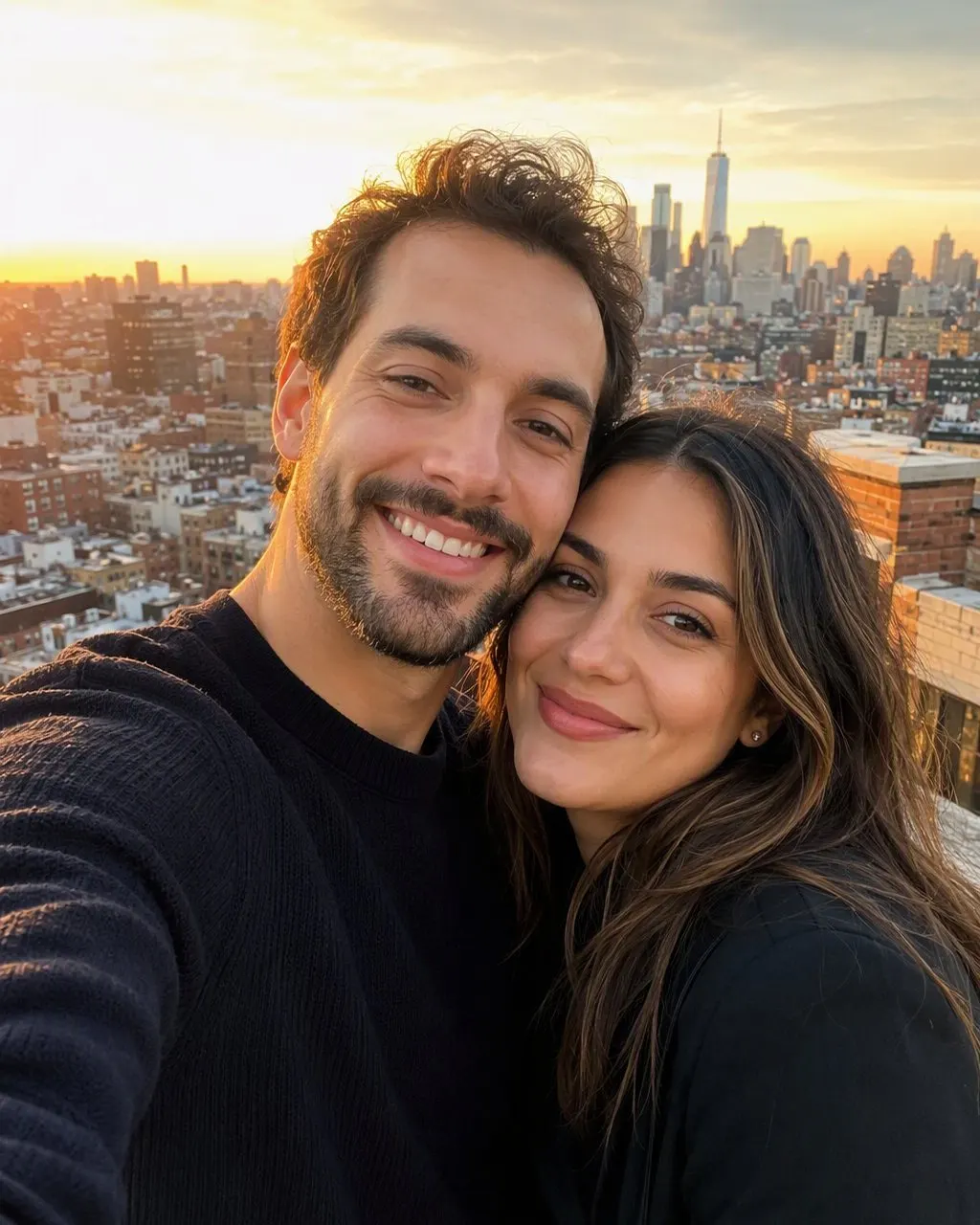



How to Do the 80s Photo Trend in FaceCast
Upload a photo
A clear, front-on photo works best: a selfie, a couple photo, a group of mates or a family portrait. Good light, no sunnies, no beauty filter.
Tap the 80s look
Pick the 80s style from the list. There is no prompt to write and nothing to describe; the hair, clothes, backdrop and flash are built in.
Save and share
Your 80s portrait is ready in seconds. Save it, post it, and add a quick “made with AI” note so nobody mistakes it for a real find from a shoebox of prints.
What the 80s Look Actually Is
The look going around is a mid-1980s portrait-studio photo — the kind the school photographer took in the hall once a year, or a shopping-centre studio took for a family sitting. The person is the same; everything around them is 1985. Get these details right and the picture reads as 80s straight away, whether an app or a prompt makes it.
Hair
A big perm or feathered layers with height at the crown; a mullet, a rat’s tail or a side-swept fringe for the boys; plenty of hairspray shine.
Clothes
A denim jacket, a blazer with shoulder pads, a pastel polo with the collar up, a windcheater, or a jumper with a bold geometric pattern.
Make-up and accessories
Bright blush, blue or pink eyeshadow, glossy lips; big plastic earrings, aviator frames, a thin chain or a digital watch.
Backdrop
The lasers backdrop from school photo day, a pastel gradient, or the mottled blue-grey canvas — sometimes with a ghosted second profile in the corner.
Camera
Direct on-camera flash, soft focus, visible film grain and slightly faded, warm colour, as if the print has sat in a drawer since the mid-80s.
Two Ways to Make It: FaceCast or a Prompt
FaceCast: open the app, upload one photo, tap the 80s look, and the portrait is generated in seconds. It works for a selfie, a couple, a group of mates, a family with kids and a maternity photo. It is free on iOS and Android and there is nothing to type.
ChatGPT or Gemini: upload a clear photo and paste a prompt. The parts that matter are telling it to keep your face and identity exactly, listing what it may change, naming the year, and asking for flash and grain. Copy this as it is:
“Restyle this photo as an authentic mid-1980s portrait-studio photograph, year 1985. Keep the person’s face, facial features, skin tone, expression, body shape and identity exactly as they are; do not change the face. Change only the hairstyle (big permed or feathered 80s hair), the clothes (a denim jacket or a blazer with shoulder pads, pastel or neon accents), the make-up and the accessories (large earrings, aviator glasses, a digital watch). Put them in front of a school-photo laser backdrop. Use direct on-camera flash, soft focus, visible film grain and faded, slightly warm colours like an old print.”
The honest difference between the two routes is the face. A prompt re-decides the whole picture on every run, so the jaw or the nose can drift between attempts, and you fix it by replying “keep the face identical to the original”. A fixed style handles the face the same way every time, which is why the app route needs no correction round. Neither route makes prettier pictures than the other; one just needs no typing.
Two Things to Keep in Mind
Say it is AI when you post. A line like “me in 1985, according to AI” takes a second, keeps the picture honest, and is now expected on most platforms for realistic edited images. A convincing fake school photo is exactly the kind of picture that gets passed around as a real one.
And a calm word on privacy. Your face is biometric data, so it is worth knowing what happens to a photo after you upload it. FaceCast uses your photo only to generate your result; it is not sold or shared for marketing. Whichever tool you use, upload your own photo, or a group photo where everyone is happy to take part, rather than a picture of someone else.
Frequently Asked Questions
What is the 80s photo trend?+
It is an AI restyle of one photo into a mid-1980s studio portrait. Your face, skin tone and expression are kept; the hair, clothes, accessories, backdrop, flash and film grain change to 1985. It is a still image, not a video, and it works on selfies, couples, groups and families.
How do I do the 80s photo trend?+
Upload one clear photo of yourself and restyle it to the mid-1980s. In FaceCast you upload the photo, tap the 80s look and get the result in seconds with nothing to type. In ChatGPT or Gemini you upload the photo and paste a prompt that keeps your face exactly and changes only the hair, clothes, make-up, accessories and setting.
What is the prompt for the 80s trend?+
Ask for an authentic mid-1980s portrait-studio photograph, year 1985; keep the face, features and identity exactly as they are; change only the hairstyle, clothes, make-up and accessories; use a school-photo laser backdrop, direct flash, film grain and faded colours. The full copy-paste version is in the section above.
Is the 80s photo trend free?+
Yes. FaceCast’s 80s look is free on iOS and Android and the result arrives in seconds. ChatGPT and Gemini can also do it with a prompt; how many images you can make there depends on your plan.
Can couples, mates or families do it together?+
Yes. Upload one photo with everyone in it. FaceCast keeps each person’s face, including the kids, and styles the whole group in 80s hair and clothes. It also works on maternity photos.
Is it safe to upload my photo?+
Your face is biometric data, so check what any tool does with it. FaceCast uses your photo only to generate your result and does not sell it or share it for marketing. Upload your own photo or a group photo where everyone agrees, never a picture of someone else, and label the result as AI when you post it.
See Yourself in 1985, in Seconds
Upload one photo, tap the 80s look and share it. No prompt to write — free on iOS and Android.
4.6average rating · 4,109 App Store