
80s photo trend
How to Do the 80s Trend
This is how everyone is making those photos that look like prints from 1986. There are three routes, they take between ten seconds and five minutes, and the one you pick decides how often you have to try again.
4.6average rating · 4,109 App Store
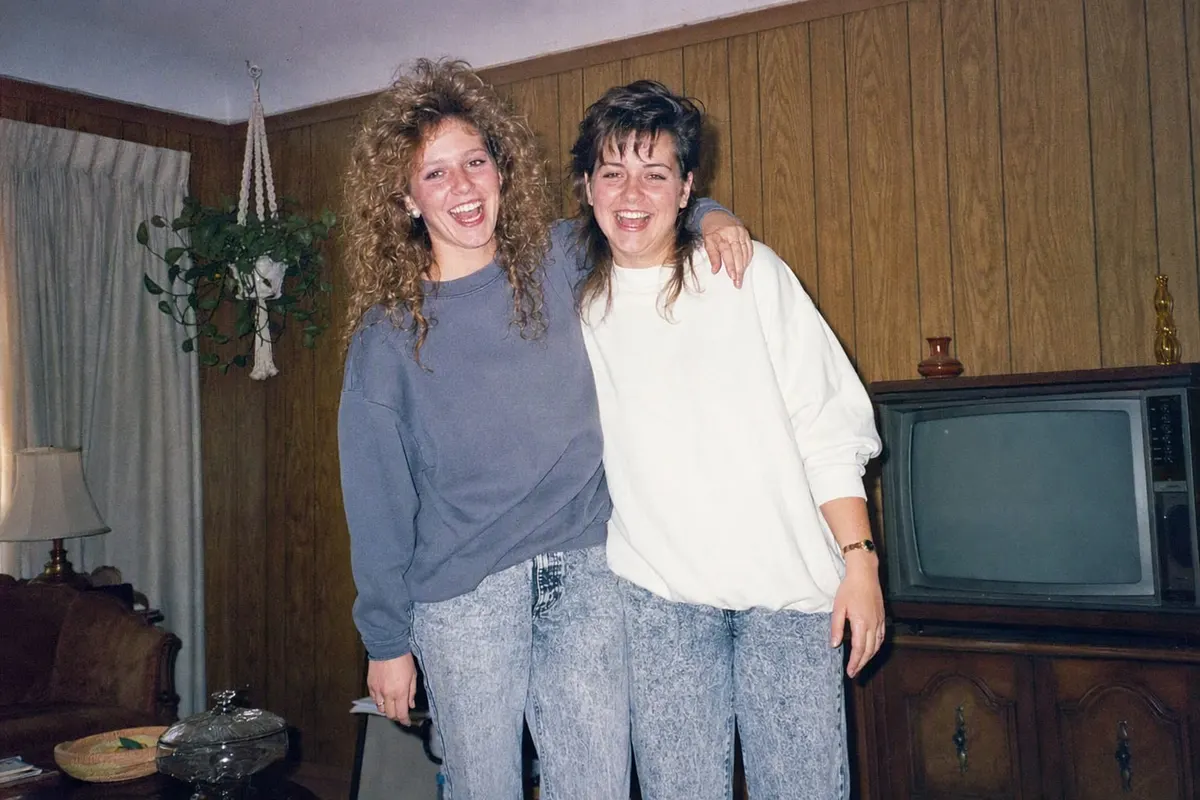
How everyone is doing the 80s photo
Three ways, and they differ mainly in how much you have to type. The fastest is an app with the style already built in: upload one photo, tap the 80s style, and the result is ready in seconds with your face preserved. That is FaceCast, free on iOS and Android, and it is the route most people mean when they say a photo "just took a second".
The second is ChatGPT: attach a photo and write a prompt that pins your identity first and then lists what may change — hair, clothes, background, light. The third is Gemini, which takes the same prompt. Both are free to try and both take a few attempts, because the result changes every time and the face tends to drift if the prompt is vague.
Whichever you use, the photo you start with matters more than the tool: face front-on, sharp, daylight, no sunglasses, no beauty filter. Below are the steps for each route, the fixes for the two things that usually go wrong, and how to label the result when you post it.
The three-step version
Choose the right photo
Your face front-on and sharp, taken in daylight, with no sunglasses and no smoothing filter. A selfie at a window beats a posed shot in dim light. For couples and groups, make sure no face is hidden behind another.
Run it through one tool
In FaceCast: upload, tap the 80s style, wait a few seconds — no prompt. In ChatGPT or Gemini: attach the photo and paste a prompt that says your face stays exactly as it is and only hair, clothing, background and lighting change.
Post it as a before-and-after
The after first, the original second — a carousel or a two-frame story. Add the AI label when you post; on Instagram that is the built-in AI tag plus a line in the caption.
The three routes, and what each one costs you
An app with the style built in
Ten seconds, no typing, face preserved by design, consistent between attempts. Works on couples, families and groups in one pass. This is FaceCast; it is free on iOS and Android.
ChatGPT
Two to five minutes including corrections. Free tier works. Sticks closely to a clothing description, but drifts off your face unless the prompt locks identity in its first sentence. Each run gives a different result.
Gemini
Similar to ChatGPT and often closer on the face, but more likely to change the crop. Adding "portrait, 4:5, head and shoulders" fixes that.
A plain vintage filter
Not the trend. Filters add grain, light leaks and a date stamp but leave you dressed as you are today. The trend is a restyling, not an overlay.
The two things that go wrong, and the fix
It does not look like you
Almost always a prompt problem. Open with "keep my face, my features, my skin tone and my expression exactly as they are", then "change only the hair, clothing, background and lighting". Fix one thing per message afterwards — three requests at once sends the model back to the face.
It looks modern in a costume
You described clothes but not light. Add the three lighting lines: hard direct on-camera flash with a short shadow behind the shoulder, fine film grain, and faded warm colour with blues drifting green. Those are what make a photo read as 1986.
The crop went wide
Say "portrait orientation, 4:5, head and shoulders". Without it the tools like landscape, and your face ends up small and soft.
A group came back rearranged
Add "keep every face and its position in the frame, add nobody and remove nobody". With more than four people, change hair first, then clothing in a second pass.
Which photos give the best result
Mirror selfie
The clearest transformation of all. The phone disappears, the hair gains volume, a studio backdrop appears behind you.
Portrait and headshot
Most detail in the face, so the strongest likeness. A plain background helps.
Couples
You get the studio portrait couples genuinely sat for in 1986 — both faces travel.
Groups and parties
Turns into a flash-lit house party. Works best when every face is visible.
Weddings and graduations
Puffed sleeves and a wide-lapel tuxedo; the blue backdrop from the graduation studio.
Labelling it when you post
Instagram offers an AI label when you post, and Meta applies one automatically to some images that carry provenance data. Do not rely on the automatic case — it does not catch every tool, and the responsibility to disclose is yours.
In the EU, Article 50 of the AI Act has applied since 2 August 2026: AI images realistic enough to be mistaken for a real photograph must be identifiable as AI-generated. An 80s portrait that looks like a genuine print is exactly that. The label plus a line in the caption covers it.
Common questions
How do you do the 80s trend?+
Pick a clear front-on photo, run it through a tool that restyles it to 1986 — an app with the style built in, or ChatGPT or Gemini with a prompt that preserves your face — then post the before and after together with an AI label.
How is everyone doing the 80s photo so fast?+
The ones that take seconds are apps with the style preloaded, so there is no prompt to write and no retries. The ChatGPT and Gemini routes take a few minutes because the prompt has to be written and usually corrected.
What app are people using for the 80s trend?+
FaceCast has the 80s style built in: upload a photo, tap the style, done in seconds, free on iOS and Android. ChatGPT and Gemini also work but need a prompt.
How do I make 80s photos that still look like me?+
Start with an unfiltered, front-on photo in daylight, and use a tool that preserves facial features. If you are prompting, the first sentence must lock your face before anything else is described.
Is the 80s trend free?+
FaceCast is free to download on iOS and Android. ChatGPT and Gemini both have free tiers that can do it.
Do I have to label it as AI?+
Yes. Use Instagram’s AI label when posting and say so in the caption. In the EU it has been required since 2 August 2026 for realistic AI images under Article 50 of the AI Act.
Do the 80s trend in about ten seconds
Upload one photo, tap the 80s style, save the result. Free for iOS and Android.
4.6average rating · 4,109 App Store