
80s picture trend
80s Trend App: Which App Makes the 80s Picture?
Half the comments under every 80s picture on Facebook ask the same thing: which app? Here is a plain answer, the prompt alternative, and what a Bangladeshi photo from the 1980s actually looked like.
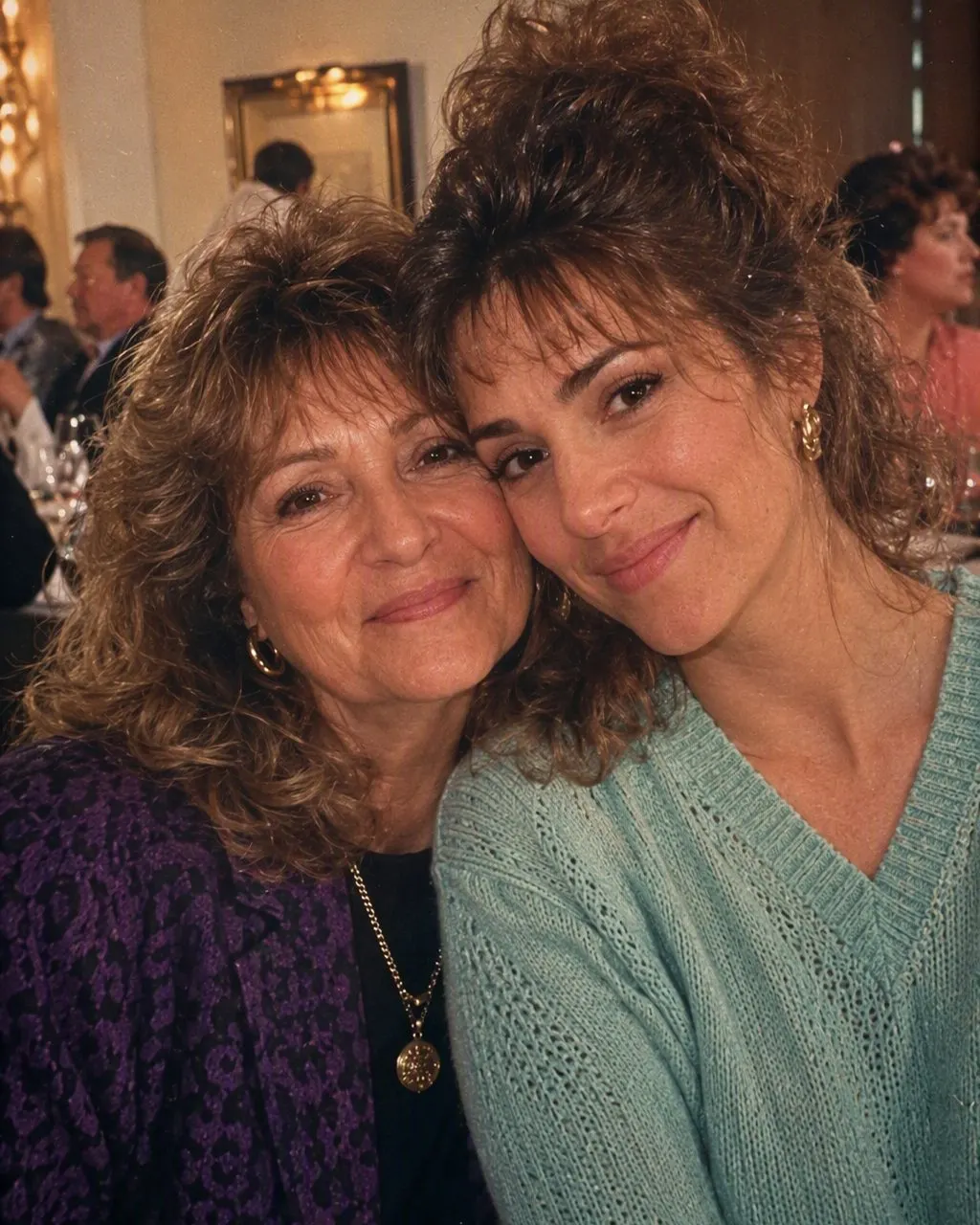
Which app is used for the 80s trend?
There is no single official 80s trend app. The pictures you see are made either with an app that has a ready 80s style, or by pasting a prompt into Gemini or ChatGPT together with a photo. Both take a recent picture and redraw the hair, clothes, background, light and film colour so it looks like it was taken around 1985, with the face kept.
FaceCast is an app that does it with one tap. Pick a single photo, apply the 80s style and you get back one still picture; nothing has to be typed. You will find it in Apple's App Store (iPhone and iPad, iOS 16 and up) and on Google Play for Android. Installing it costs nothing; certain features are unlocked by paying in the app, either once or by subscription, and you see the cost on screen before you commit.
The prompt route costs nothing to try but needs more patience, and the face can change between attempts. Our 80s look prompt page has copy-ready text written for Bangladesh.
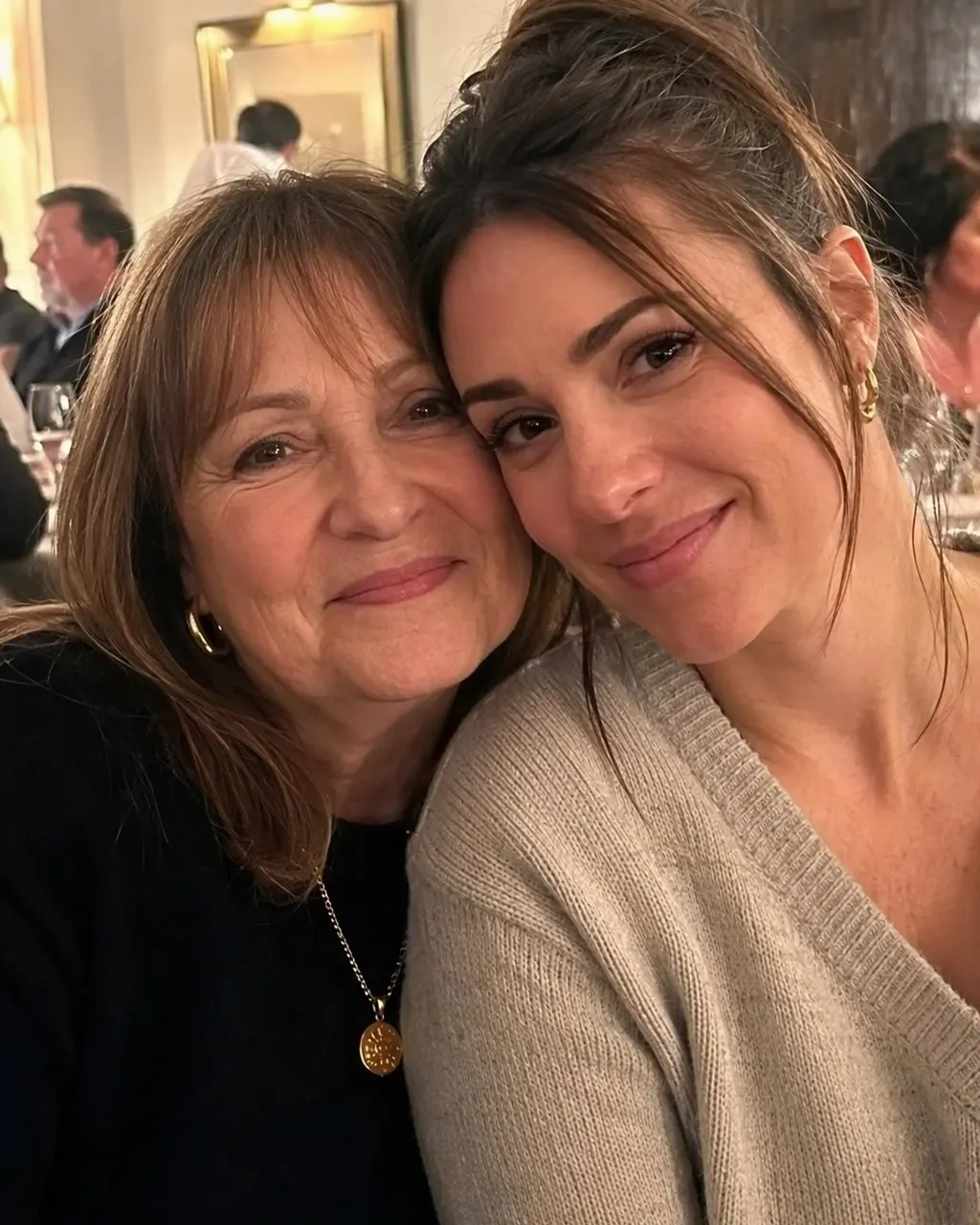
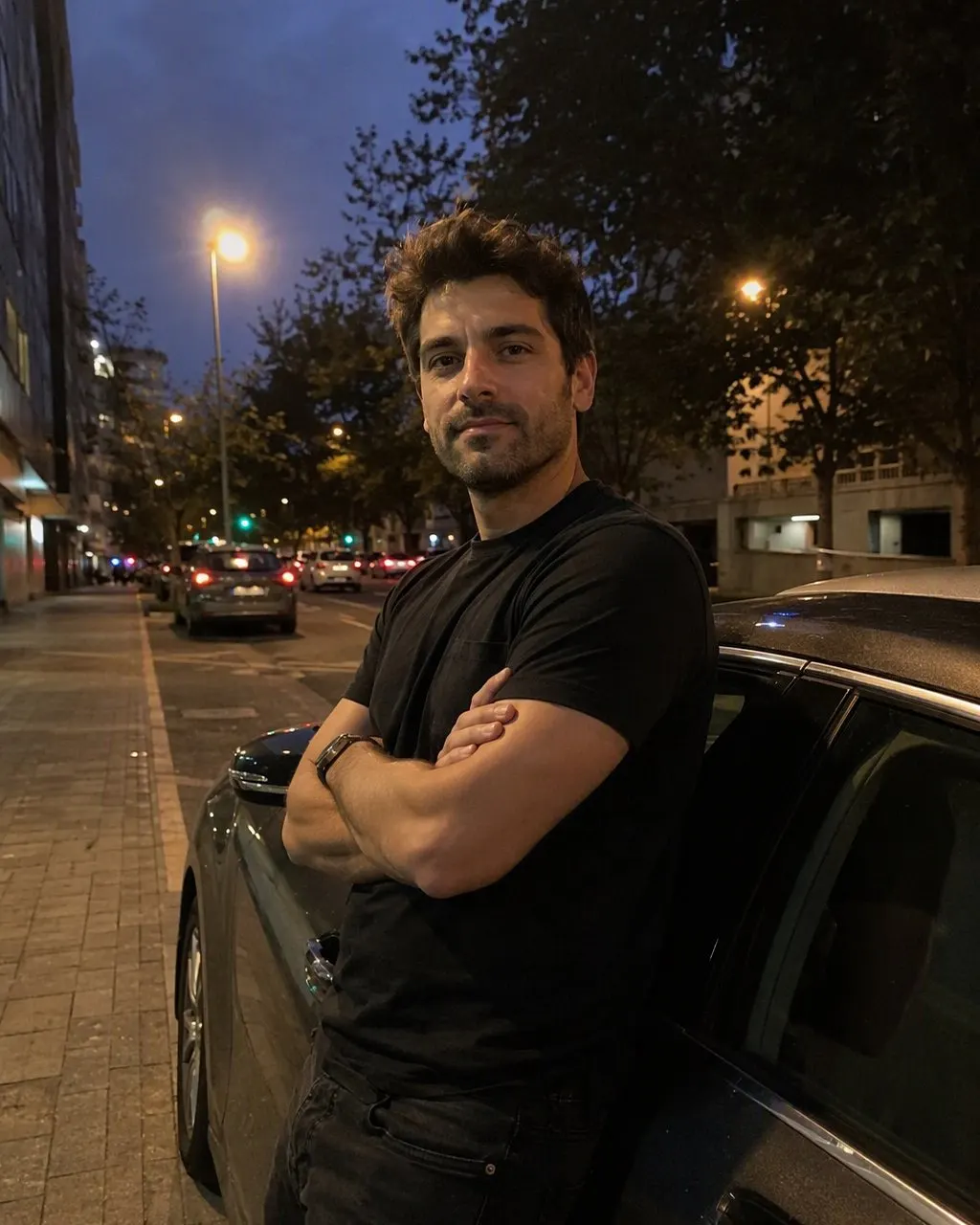
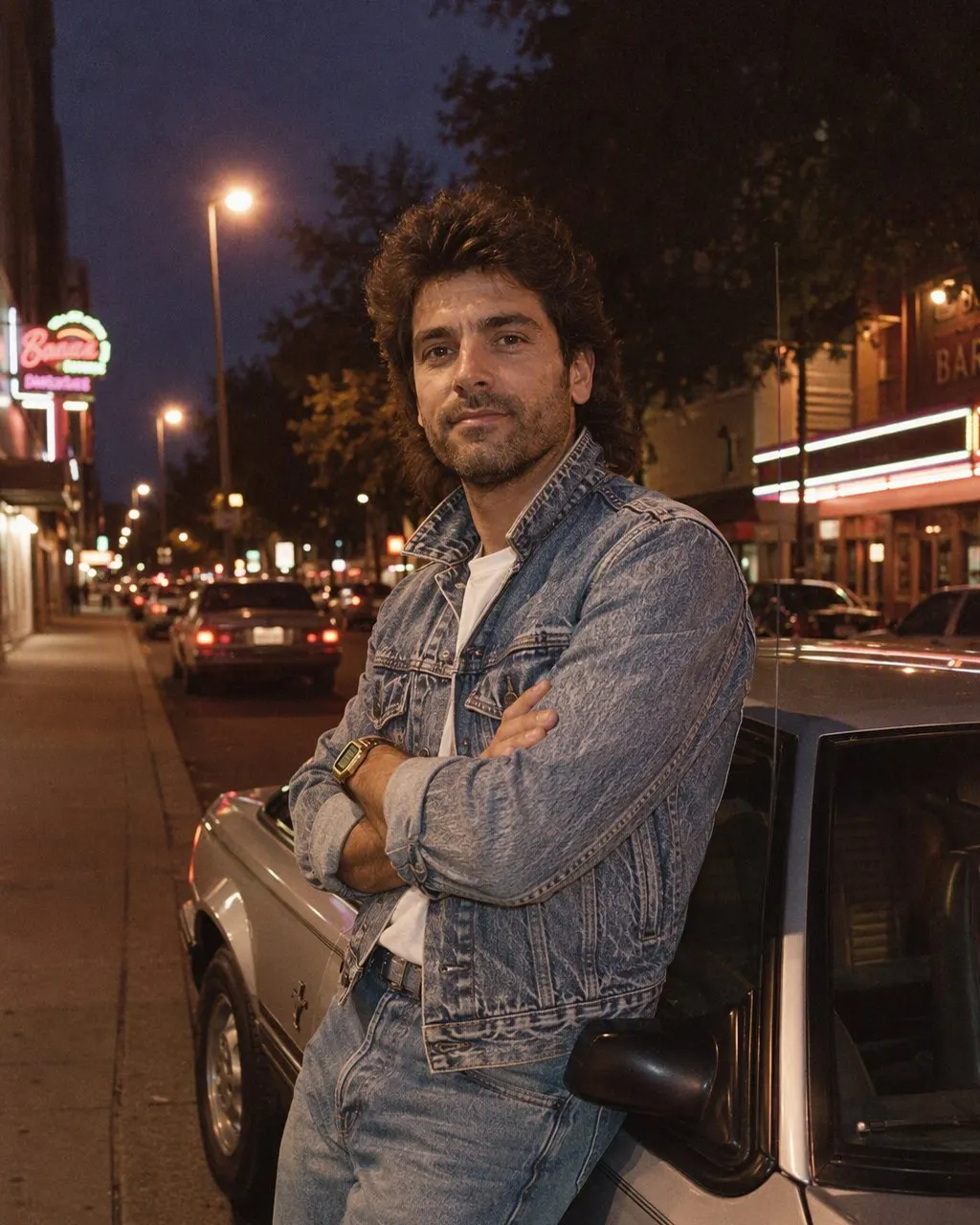
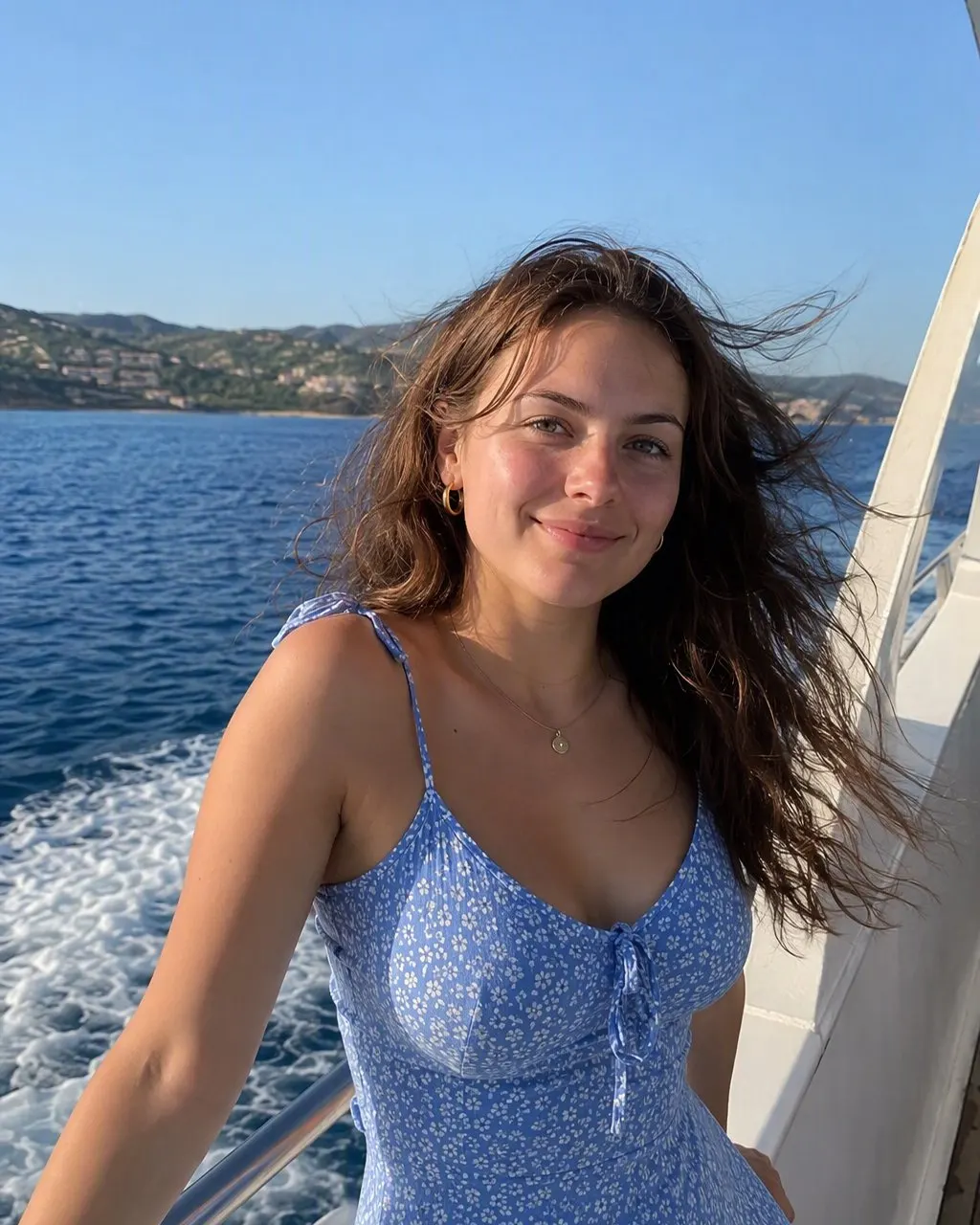
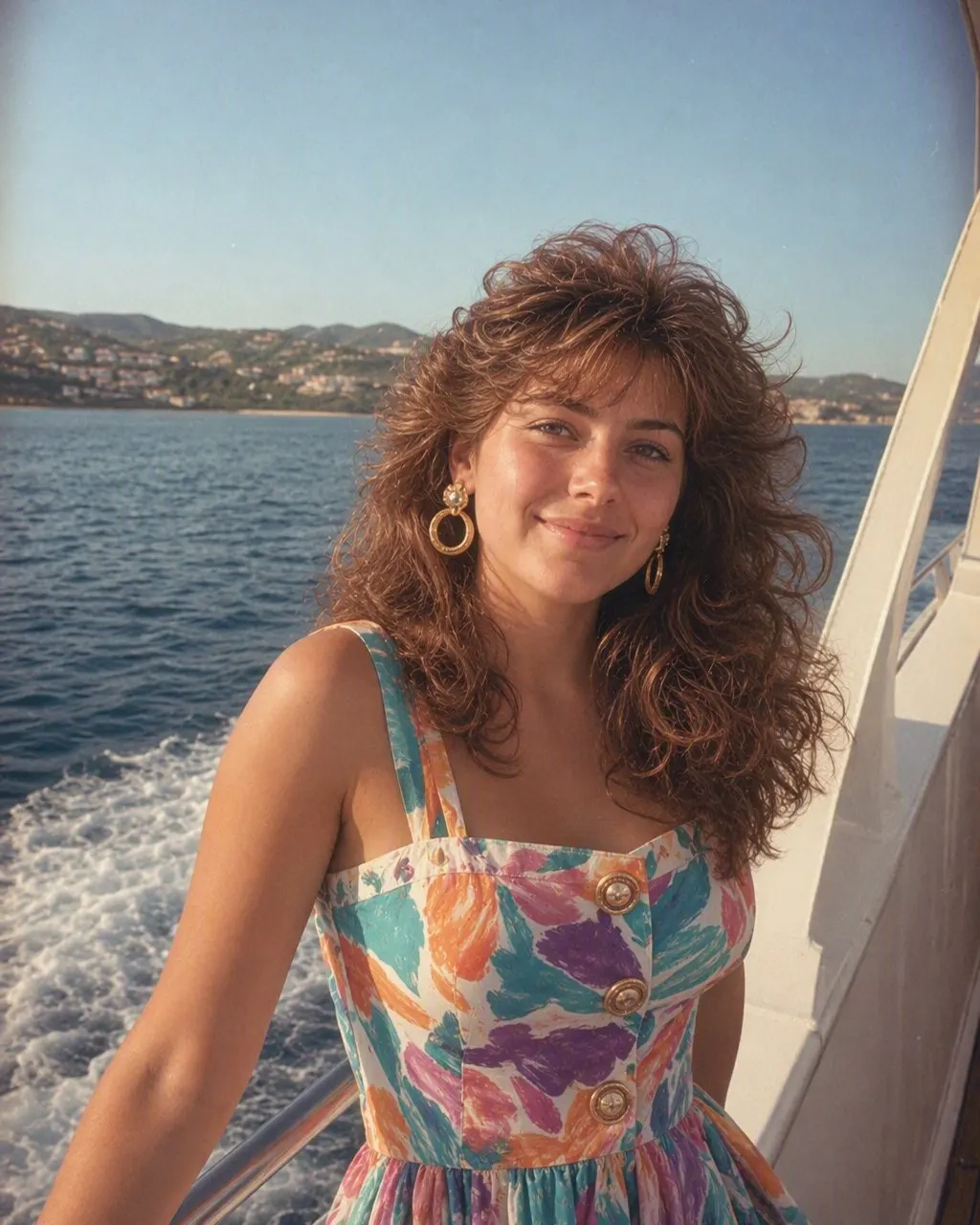
Three steps in the app
Choose one photo
A clear, front-facing picture works best: your face in daylight, not too small, no sunglasses.
Select the 80s style
No text, no settings. The style changes hair, clothes, backdrop, light and grain and leaves your face alone.
Save the picture
It goes to your gallery as a normal image, ready for Facebook, Messenger or a WhatsApp family group.
How the 80s picture trend reached Bangladesh
The trend travelled the way most things do here: a few reels, then a flood of profile pictures, then cousins in the family group asking how it was done. The searches tell the story. People type 80s trend app, 80s picture app, 80s photo application, 80s trend in which app, often with the apostrophe, sometimes with a space in the middle of “80 s”.
What they are after is not an old-photo filter. Instagram and phone galleries can add grain and a warm cast, but they cannot replace your hoodie with a wide-collar shirt or swap your flat's wall for a painted studio backdrop. The 80s picture needs those objects changed, which is why it takes an AI tool and why the face is the thing to check afterwards.
What a Bangladeshi photo from the 1980s looked like
Ask anyone's parents and the same scenes come up. A camera at home was a luxury for most families, so pictures were taken at the local photo studio, usually for a reason: Eid in new clothes, an exam result, a job application, a wedding proposal, a passport. The studio had a painted backdrop with a soft gradient or a garden scene, a stool, sometimes a telephone or a vase as a prop, and a strong flash. The prints went into albums with clear plastic sleeves, and many have since turned yellow or pinkish.
At home, the evening revolved around BTV on a television in a wooden cabinet, and the city's colours came from hand-painted cinema banners and rickshaw art. Dhaka Stadium filled up for Abahani against Mohammedan. That mix of bright paint, cotton and flash-lit studio portraits is what the trend is trying to bring back.
Men
A side parting with plenty of volume, a thick moustache, a shirt with a wide pointed collar tucked into high-waisted trousers, square tinted glasses. For Eid, a crisp white or cream panjabi.
Women
A tant or jamdani sari, or a cotton salwar kameez with a long dupatta. Hair in a long plait or a khopa bun with beli flowers, a round teep, glass bangles.
Weddings
Yellow saris and marigolds at the gaye holud, a red Benarasi for the bride, a sherwani and pagri for the groom, and a studio portrait of the couple afterwards.
The print
Direct flash, a dark edge around the frame, coarse grain and colours that have drifted with the years.
What the FaceCast 80s style does, and where it stops
What FaceCast's 80s style delivers is the global mid-80s fashion shown in the pictures above: permed or feathered hair, denim jackets, pastel knitwear, floral dresses, a hard flash and warm grain. Your features, complexion and expression are left alone; everything around them is redone.
It decides the outfit itself, so do not expect a jamdani sari or an Eid panjabi from it. If the Bangladeshi costume is what you want, use a prompt and name the clothes. If you just want to see yourself in the decade, the app is quicker and more consistent.
The output is one still picture. You will not get a video clip from it, it will not make you look older or younger, it will not swap in a star's face, and it cannot fix a torn or faded print. Do not use the result for an NID or passport application either.
App or prompt: how to choose
Choose the prompt route if you care about the exact clothes, a particular colour or a local setting, and you do not mind running it a few times. Gemini and ChatGPT both have free tiers, within daily limits that change. Because they redraw the whole picture on every attempt, the face can drift, especially in couple and family photos, and skin often comes back a shade lighter unless you tell it not to.
Choose the app if your face matters more than the costume. Every photo goes through the identical style, so your face is treated the same way each time. The cost is less control over what you wear in the result, and the paid features in the app.
Men, couples and family pictures
Men's 80s pictures are popular here partly because the look is so recognisable: moustache, volume, collar. A clear, front-facing photo with your hair visible gives the style the most to work with. A photo in a cap gives it the least.
For couples, use a picture where both faces are about the same size and neither is turned away. The style dresses both of you for the decade and leaves both faces as they were. If you want the result to look like a wedding portrait from a Dhaka studio, with a sari and a sherwani, the couple prompt on our prompt page is the better tool.
Family pictures work well when everyone faces the camera. Ammu and Abbu's recent photo can become an 80s picture as well, if they agree; just remember this restyles a new photo and does not repair an actual old print.
Is there a free 80s look app?
Many people search for an 80s look app that is free. Installing FaceCast costs nothing, though the 80s style may be part of what the in-app purchase or subscription unlocks, and you will see the cost before paying. The closest you get to fully free is a free Gemini or ChatGPT account, where you pay instead in retries and in faces that do not always come out right.
Before you upload
Daylight on the face
A photo by a window beats one under a single ceiling bulb.
One face, large enough
Crop so your face takes a good part of the frame.
No heavy beauty filter
Smoothed skin turns plasticky once film grain is added.
Your own photo
Use pictures of yourself, or of people who have said yes.
Privacy and language
Making the picture means sending your photo to FaceCast, where it is processed with the help of outside companies that handle the AI work and the storage. The privacy policy states that uploads are held only for as long as the feature requires, that face-related data is erased within a year at the latest, and that photos are not sold or rented out for marketing. You can read it in full from the link below.
One practical note: FaceCast has no Bangla version yet. Its menus come in English and ten other languages.
Common questions
80s trend in which app?+
It can be made in any app with an 80s photo style, or in Gemini and ChatGPT with a prompt. FaceCast is one app that does it with one tap and no prompt.
Is there a free 80s look app?+
Installing FaceCast is free, and the 80s style may need a paid in-app purchase or a subscription, with the price on screen. For no cost at all, try a prompt on a free Gemini or ChatGPT account and expect a few retries.
Can the app put me in a sari or a panjabi?+
Not on demand. The style chooses the 80s clothes itself. For a sari, a panjabi or a wedding look, use a prompt and name the outfit.
Does the 80s photo app change my face?+
No. Your features, complexion and expression are what the style is designed to leave untouched; only hair, clothing, backdrop, lighting and grain are redone, and your age stays as it is.
Is it the same as an 80s photoshoot app?+
Close. It turns one existing photo into an 80s-style picture. It does not take a new photo or make a video.
Make your 80s picture in FaceCast
Turn one photo into an 80s picture with one tap. Free to install on iPhone and Android, with certain features paid inside the app.