
Trending in Bangladesh
The 80s Picture Prompt: Full Text, Ready to Copy
The prompt everyone is passing around, with the parts in the order that matters: keep the face first, then what may change, then the flash and the film. Paste it in Gemini or ChatGPT, or skip the typing and tap the 80s style in FaceCast.
4.6average rating · 4,109 App Store
The Short Answer
An 80s picture prompt has three parts in a fixed order: an identity line that keeps your face exactly as it is, a list of what may change (hair, clothes, accessories, background), and a description of the camera and film (direct flash, grain, faded warm colour). Attach your photo and the text in the same message in Gemini or ChatGPT. The full copy-ready versions are below.
The order is not a formality. The tool reads the whole sentence and decides everything you did not name, so if the clothing list comes before the identity line, or the identity line is missing, you get a convincing 80s picture of someone who is not quite you: the clothes are right and the jaw is different. Put the identity line first, then name only what may change.
And there is a route with no typing at all. In FaceCast the 80s look is a fixed style: upload a photo, tap the style, and the picture comes back in seconds with your face, skin tone and expression kept and only the hair, clothes, accessories, backdrop, flash and grain changed. Free on iOS and Android, no prompt, no account to try.




How to Use the 80s Picture Prompt
Attach the photo and the text together
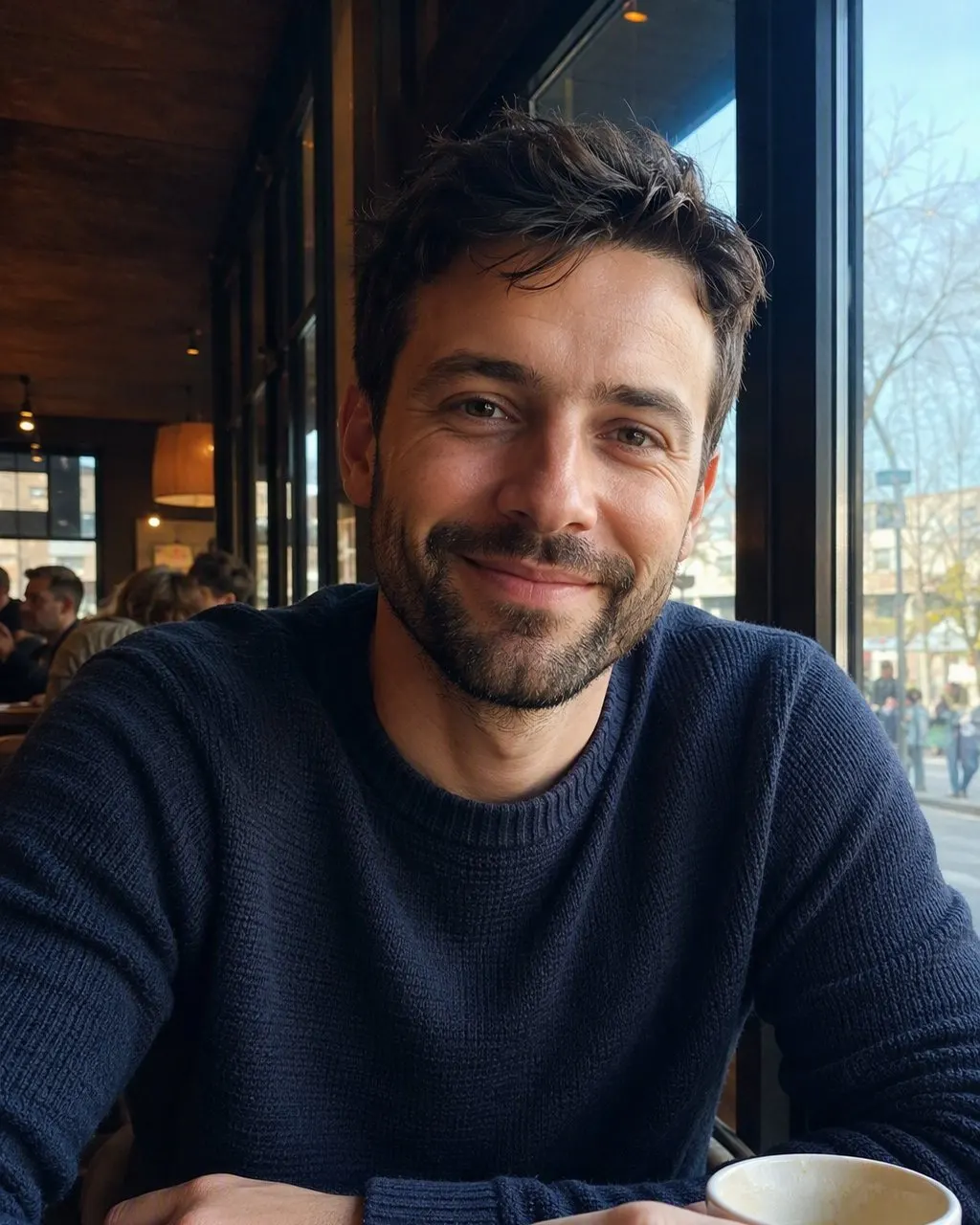
In Gemini or ChatGPT, attach one clear front-on photo and paste the prompt in the same message. Sending the text first on its own makes the tool start from imagination rather than from your photo.
Keep the first line, change the rest
Leave the identity line exactly as it is and edit what follows: a different shirt colour, a sari instead of a blouse, a Dhaka studio instead of a living room. If your hair is covered, add: keep the hair covered as in the original photo and change only the style of the scarf to the mid-1980s.
Compare three attempts before judging
Run the same text on the same photo three times and compare the jaw, the nose and the distance between the eyes. If one of them moved, that is the nature of a free-text prompt, not your wording, and the fixed style is the more consistent route.
The Prompts, Ready to Copy
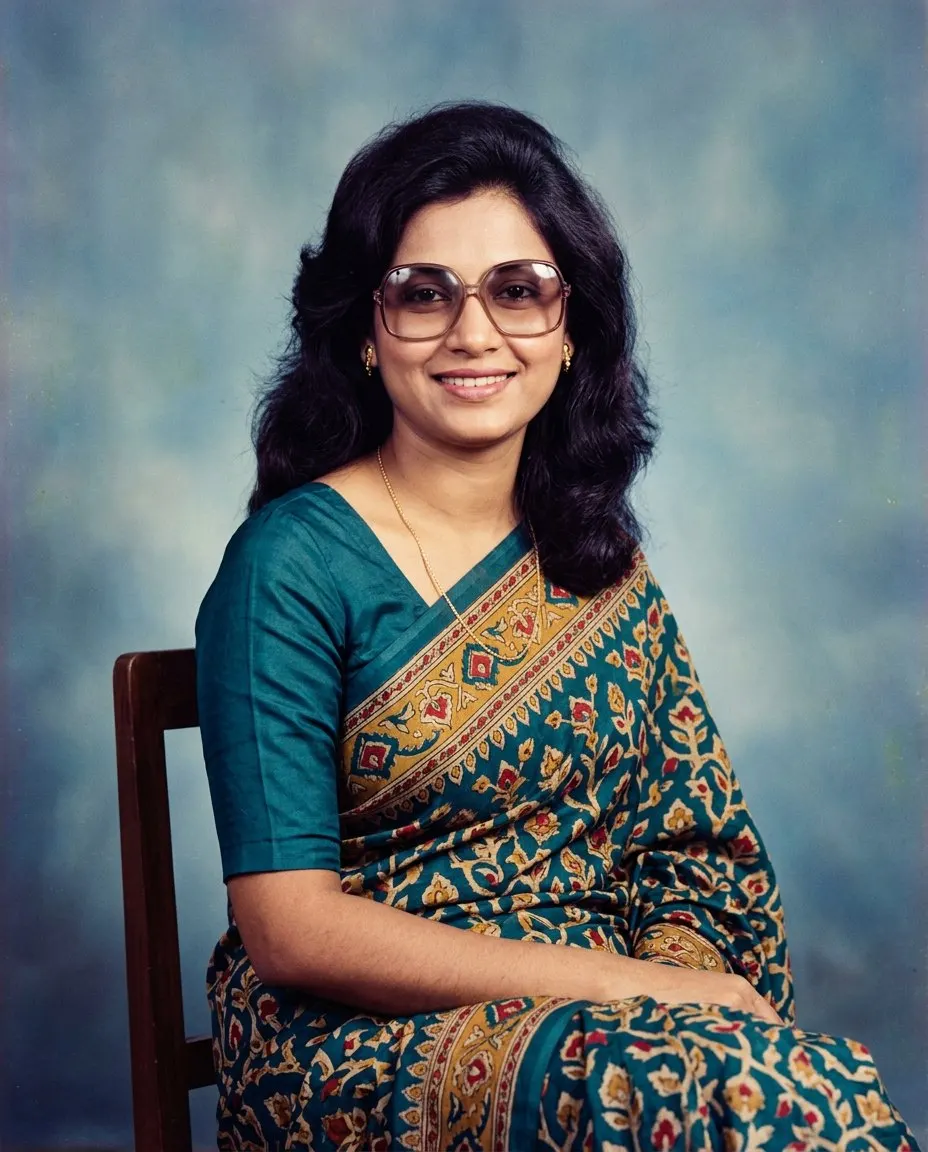
Using my uploaded photo, show me what I would have looked like around 1985. Keep my face, facial features, skin tone, age and expression exactly as they are; do not change the geometry of my face. Change only the hair, clothing, accessories and surroundings. Give me a mid-1980s hairstyle with volume and height at the crown, a wide-collared shirt or a blazer with padded shoulders in a bold colour, large tinted glasses and a thin gold chain. Place me in a mid-1980s portrait studio in front of a mottled blue-grey canvas backdrop. Light the picture with a hard direct on-camera flash, a slightly bright face and a short hard shadow behind the shoulder. Make it look like a colour film print from that time: visible grain, warm slightly faded colours, soft halation around the highlights. One still image, no modern objects, no text.
Swap “wide-collared shirt” for “a printed silk sari with a matching blouse” or “a cream panjabi”; swap “portrait studio” for “a living room with a wooden television cabinet, a cassette player and patterned floor cushions”.
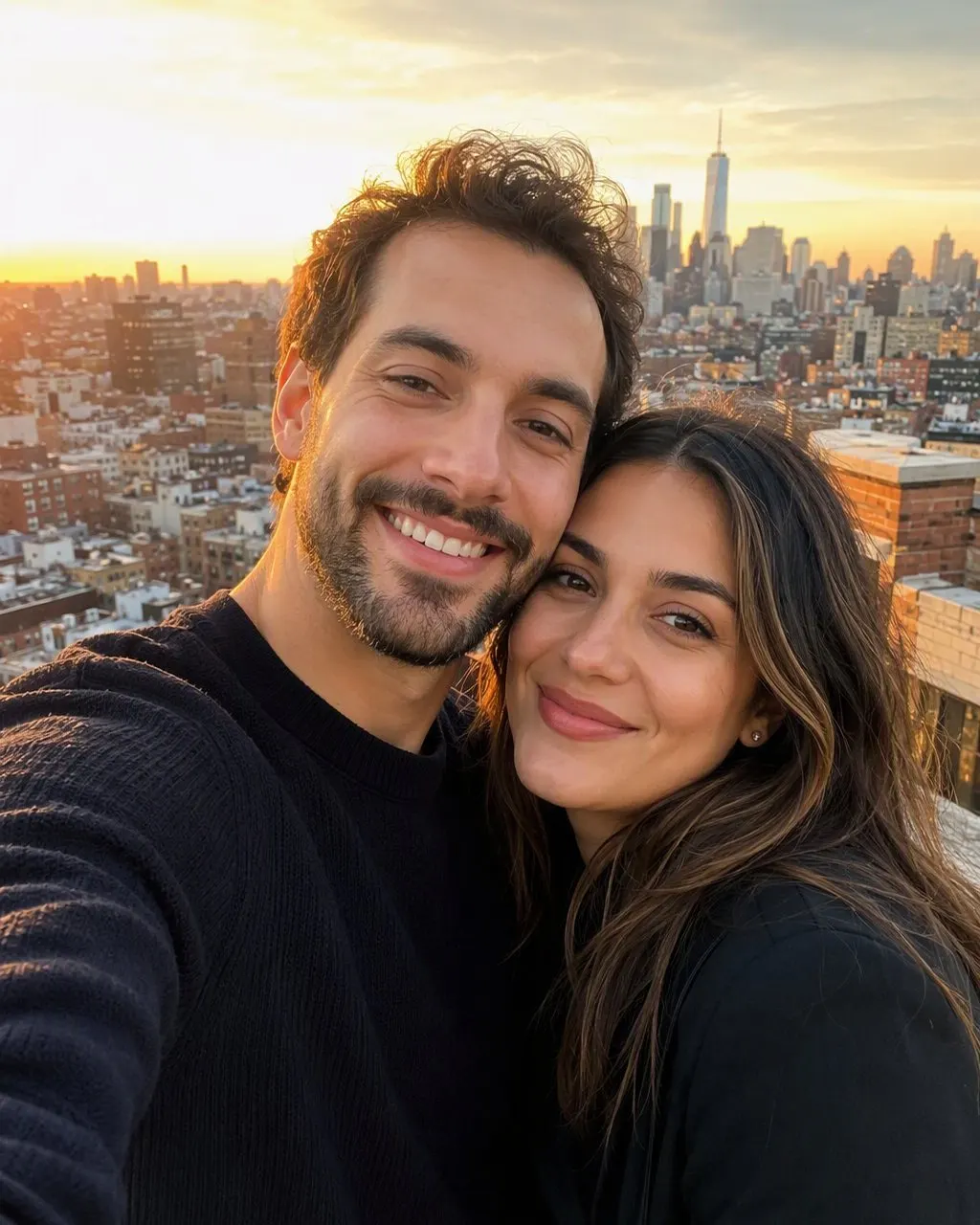
Using my uploaded photo of two people, show us what we would have looked like around 1985. Keep both faces exactly as they are: the same features, skin tone, age and expression for each person, and do not swap or blend the two faces. Change only the hair, clothing, accessories and surroundings. Give us mid-1980s hairstyles, period clothing in bold colours with wide collars and padded shoulders, and matching accessories. Place us side by side in a mid-1980s portrait studio in front of a mottled canvas backdrop, lit by a hard direct on-camera flash with short hard shadows. Make it look like a colour film print from that time with visible grain and warm faded colours. One still image, no modern objects, no text.
Couple pictures drift most. If one face comes back wrong, run it again with the identity line repeated at the end of the prompt as well as the start.
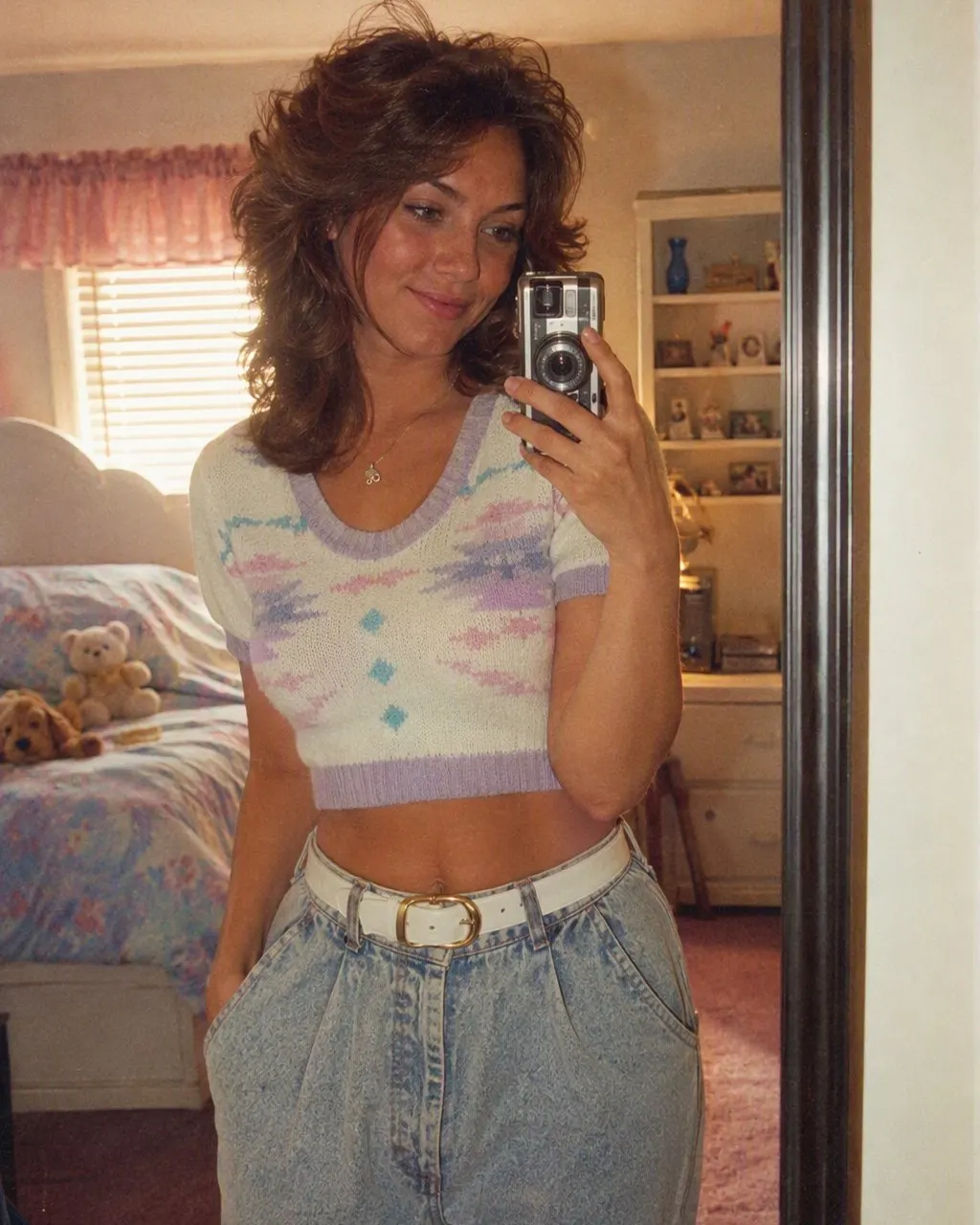
Using my uploaded photo, show me what I would have looked like around 1985 in a candid living-room snapshot. Keep my face, facial features, skin tone, age and expression exactly as they are. Change only the hair, clothing, accessories and surroundings: mid-1980s hair, an oversized sweater or a printed shirt, a digital watch. Behind me a wooden television cabinet, a cassette player, patterned curtains and a ceiling fan. Shot on a compact camera with a hard on-camera flash that throws a short shadow on the wall. Colour film look: visible grain, warm faded colours, slight softness. Add a small red-orange date stamp in the lower corner. One still image, no modern objects, no text.
Remove the date-stamp sentence if the tool prints it as readable text instead of a small stamp.
The Six Parts of the Prompt, in Order
The prompt is not a magic sentence, it is a checklist. Every item you leave out is a decision the tool makes for you, which is why two people with the same idea get different pictures.
The identity lock
Face, features, skin tone, age, expression and body shape exactly as they are. The only non-optional part, because the trend only works if people still know it is you.
The hair
A mid-1980s cut: volume and height at the crown for women, a side-parted cut with a thick moustache for men. Hair that is covered in the original stays covered.
The clothes
A wide-collared shirt, a blazer with padded shoulders, a printed sari, a cream panjabi. Name the piece precisely: “a printed silk sari” beats “old clothes”.
The accessories
Large tinted glasses, a thin gold chain, big earrings, a digital watch. This is what stops the result from being generic retro with no clear decade.
The place
A studio with a mottled canvas backdrop, a living room with a wooden television cabinet and a cassette player, or a street with a period sedan.
The camera and the film
Direct on-camera flash, a short hard shadow behind the shoulder, visible grain, warm faded colours, halation around the lights. This part carries the decade and it is the part people forget most.
Why the Face Moves Between Attempts
A free-text prompt moves the face because every run re-decides the whole picture. Your sentence is a description, not a measurement: the tool reads your photo and your words together and generates a new image, and how tightly it holds the original geometry depends on the wording, on the rest of the sentence and on the run itself. Swapping “keep my face exactly” for “make the person recognisable” loosens the constraint without you noticing.
The drift grows in group pictures, because the identity instruction has to hold on several faces at once. In a picture of friends or of a mother and daughter, one face often comes back right and another only close. You can check this in two minutes: three attempts and a simple comparison.
A fixed style behaves differently for a structural reason: the identity handling is the same code on every run, so what changes between two results is the photo, not the sentence you happened to type. That is a difference in how the two are built, not a claim that one makes prettier pictures.
The Route With Nothing to Type
If you do not want to paste text or repeat attempts, the ready-made style shortens all of the above: one photo, one tap on the 80s style, and the result in seconds. The clothes, accessories, backdrop, flash and film grain are all built into the style, and the face is kept on every run.
FaceCast produces a single still image only: no video, no changing anyone’s age, no celebrity faces, no restoring damaged prints, no colourising black-and-white. Your photo is used only to generate your result and is not sold or shared for marketing. Upload your own photo or one everyone in it agreed to, and add a short “made with AI” note when you post.
Frequently Asked Questions
What is the 80s picture prompt?+
It is the text you send with your photo so an AI tool restyles it as a mid-1980s picture. A good one starts by asking to keep the face, features, skin tone and expression as they are, then names the hair, clothes, accessories and place, then describes the direct flash, film grain and warm colours.
What is the most important line in the 80s picture prompt?+
The identity line, first: keep my face exactly as it is, the same features, skin tone and expression, and change only the hair, clothes, accessories and background. Without it you get an 80s picture of someone who resembles you rather than you.
Does the same prompt work in Gemini and ChatGPT?+
Yes. The same order works in any general chat tool that accepts a photo with the text: identity first, then what may change, then the camera and film. Results differ between tools, but the logic of the prompt is the same.
Why does the AI change my face in the 80s picture?+
Because a free-text prompt is a description, not a measurement, and each run generates the picture again. The wording, the rest of the sentence and the run itself all affect how tightly the original face is held, and the drift is bigger in group pictures.
Do I need a prompt in FaceCast?+
No. The 80s style is ready inside the app: upload a photo, tap the style, and the result comes back in seconds. No text box, no settings and no account before you try it.
How do I add a hijab to the 80s picture prompt?+
Add one explicit line: keep the hair covered as in the original photo and change only the style of the scarf and the clothes to the mid-1980s. In the FaceCast style this is the default behaviour: what was covered stays covered.
The 80s Picture Without Any Prompt
One photo, one tap, the result in seconds. Free on iOS and Android.
4.6average rating · 4,109 App Store