
Trending now
How to Make an 80s Mirror Selfie With AI
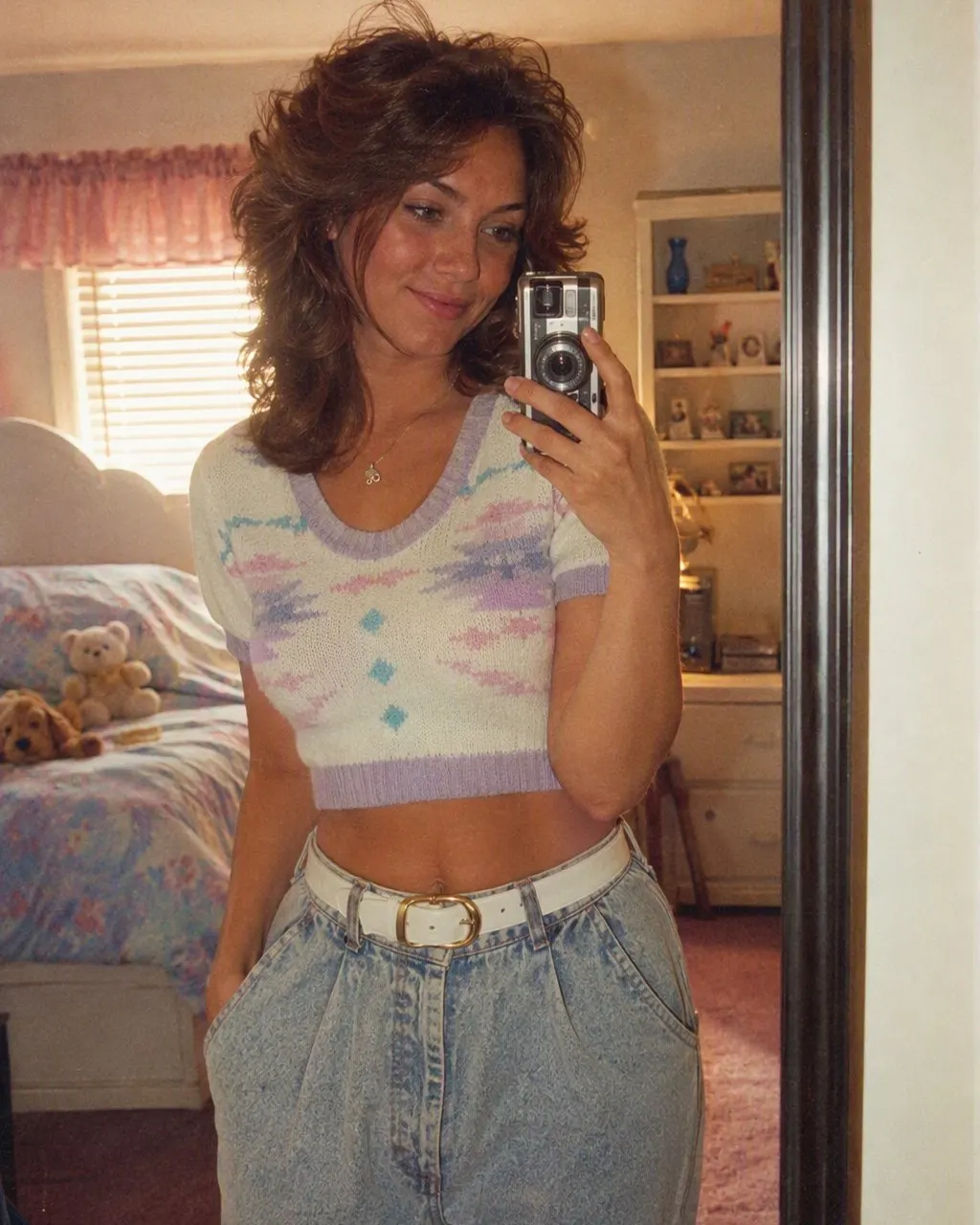
Your phone becomes a small chrome-and-black film compact, your bedroom gets wood panelling and a poster wall, and the flash bounces back off the glass exactly the way it did in 1985.
4.6average rating · 4,109 App Store
The Short Answer
To make an 80s mirror selfie with AI, upload the mirror selfie you already have and choose the 80s look. FaceCast keeps your face, skin tone and expression, turns the phone in your hand into a small 1980s film compact, and restyles your hair, clothes and the room behind you into a period bedroom.
The mirror shot is the one modern pose with a genuine analogue ancestor. People photographed themselves in mirrors long before phones existed, holding a compact camera at chest height and firing the flash straight into the glass — which is why the restyle works so naturally. The phone swaps for the camera, and the pose stays exactly where it was.
What arrives with it is the room. Wood panelling, a poster wall, a bedspread in a bold geometric print, a stack of cassettes, and the hard white star the flash burns into the mirror. It is one still image, your face unchanged, in seconds.



How to Make Your 80s Mirror Selfie
Take or pick a mirror selfie
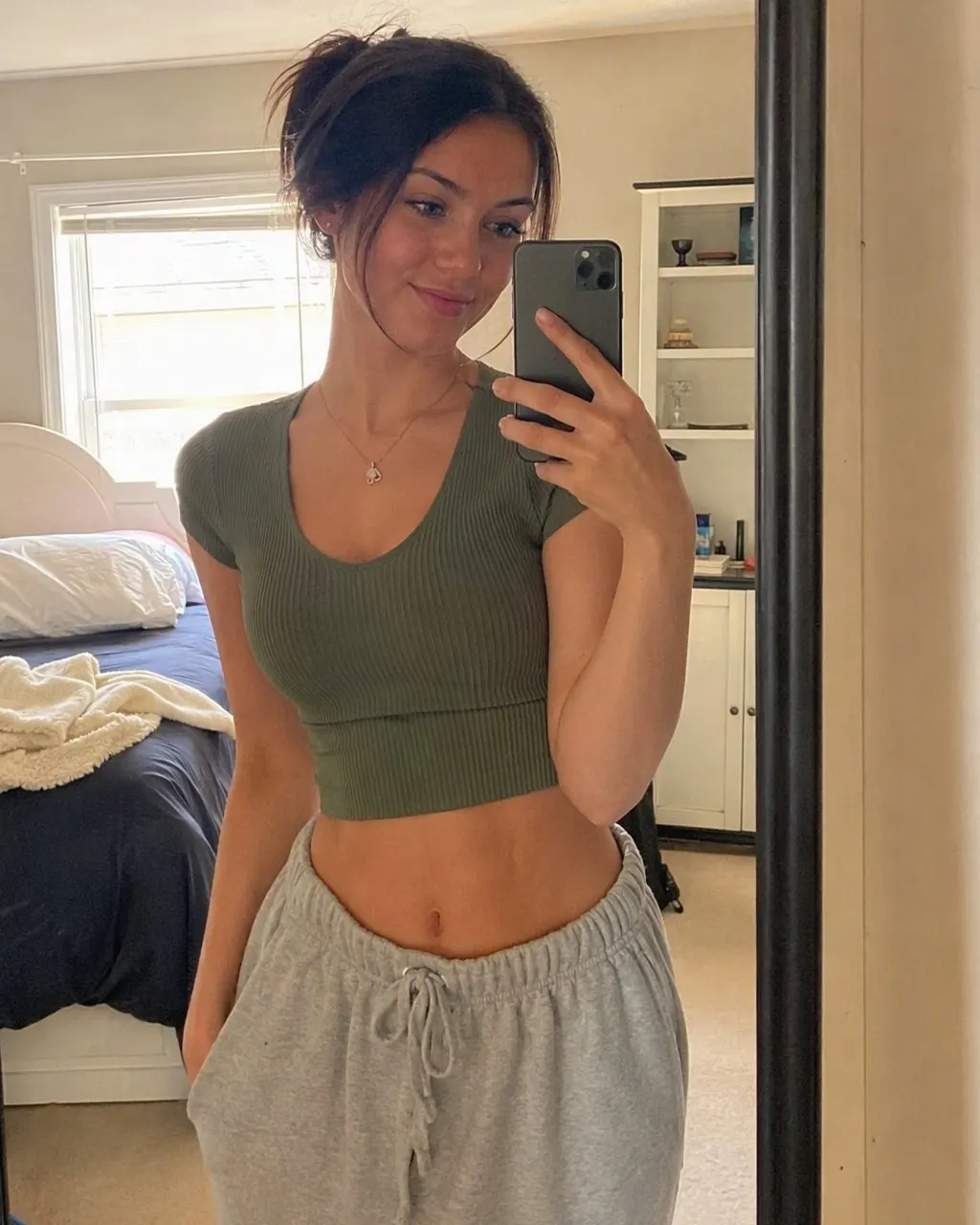
Stand square to the mirror with your face and the phone both clearly visible. A clean mirror and a steady hand matter more than the camera.
Choose the 80s look
Tap the 80s style. The camera swap, the wardrobe, the room and the flash come together — there is no prompt to write.
Save and share it
The restyled shot is ready in seconds. Post it with a short “made with AI” note, ideally beside the original.
What Changes in an 80s Mirror Selfie
The mirror selfie restyle moves more than a studio portrait does, because the whole room is in the frame rather than a backdrop. Five things change, and one important thing does not.
The phone becomes a film camera
A small chrome-and-black compact held at chest height, with a built-in flash firing straight into the mirror. The hand position stays where it was.
The room becomes a period bedroom
Wood panelling or patterned wallpaper, a poster wall, a bold geometric bedspread, a cassette deck and a stack of tapes on the shelf.
The hair goes up and out
Volume at the crown, feathered layers, a side part or a perm, with a great deal of hairspray holding it against gravity.
The clothes change decade
An oversized sweatshirt, a denim jacket, a bold-shouldered blazer, a bright track top or a patterned knit — chosen to match the shape of what you are wearing.
The flash burns the glass
A hard white starburst where the flash hits the mirror, blown-out highlights around it, film grain everywhere and slightly faded warm colour across the whole frame.
Your face does not change
Face, skin tone and expression stay exactly as they are. That is the only reason the picture is worth posting.
How to Take a Mirror Selfie That Restyles Well
A mirror shot has two extra failure points a normal selfie does not: the glass, and the fact that you are photographing a reflection rather than yourself. Both are easy to handle.
Clean the mirror first
Smears, toothpaste and dust all end up in the picture, and the restyle treats them as real detail rather than as dirt to remove. Thirty seconds with a cloth is the highest-value step here.
Hold the phone steady, away from your face
At chest height, elbow tucked in, and not covering your chin. The camera swap needs to see the shape of your hand and the device, and your face needs to be unobstructed.
Light the room evenly
Overhead bathroom light alone is harsh and casts shadows into the eye sockets. A lamp or daylight from the side gives the restyle far more to work with.
Skip the heavy filter
Upload the unedited shot. The 80s look adds its own flash, bloom and film grain, and a smoothing filter underneath turns all of that to mush.
Keep the frame simple
A tidy background restyles into a tidy period room. A cluttered one gives the model a lot to reinterpret and the result gets busy.
Stand square to the glass
A sharp angle to the mirror distorts your face and makes the reflection harder to read. Straight on, or a slight turn at most.
Before You Post an 80s Mirror Selfie
A mirror selfie shows your room, and a restyled one still shows its layout — the doorway, the window, what is on the shelf behind you. Take one look at the original before you upload it and check there is nothing in the reflection you would not put on a postcard: documents, a screen, an address, or somebody who did not know they were in shot.
The rest is straightforward. Upload your own photo, or one the person in it has agreed to. Say it was made with AI when you post it. FaceCast uses your photo only to generate your result and does not sell it or share it for marketing, and the 80s look makes one still image — no video, no ageing, no celebrity faces.
If you want the whole set, the same style runs on studio portraits, couples, friends and family photos, so a mirror shot and a posed portrait come back as a matching pair. Free, one tap, no prompt to write and no account to create.
Frequently Asked Questions
How do I make an 80s mirror selfie with AI?+
Upload a mirror selfie and choose the 80s look in FaceCast. Your face, skin tone and expression are kept; the phone becomes a small 1980s film compact, your hair and clothes change decade, and the room behind you becomes a period bedroom. It takes seconds, there is nothing to type, and it is free on iOS and Android.
Does the phone in my hand disappear?+
It is replaced rather than removed. In the restyled picture you are holding a small chrome-and-black compact film camera at the same height and angle, with its flash firing into the mirror — which is what a mirror self-portrait looked like before phones existed.
Do I need a full-length mirror?+
No. A bathroom mirror, a wardrobe door or a hallway mirror all work. What matters is that your face and the phone are both clearly visible and the glass is clean — marks on the mirror are treated as real detail and stay in the result.
Why does my mirror selfie come out blurry or strange?+
Almost always the source photo. Dim overhead light, a smeared mirror, camera shake, a hand across the chin, or a beauty filter applied before uploading are the five usual causes. Clean the glass, add a side light, hold steady, and upload the unedited version.
Can two of us be in the mirror?+
Yes. If both of you are in the reflection, both faces are kept as they are and both get the same era styling. Stand close together and square to the glass, and make sure neither of you is half out of frame.
Is it safe to upload a mirror selfie?+
Check the reflection first — mirror shots often catch more of a room than you intended. Beyond that, FaceCast uses your photo only to generate your result; it is not sold or shared for marketing. Upload your own picture, or one the person in it has agreed to.
Send Your Mirror Selfie Back to 1985
Upload the shot you already have, choose the 80s look, and the camera, the room and the flash change in seconds. Free on iOS and Android.
4.6average rating · 4,109 App Store