
Trending now
The 80s Class Photo Generator: Your Photo-Day Portrait, Forty Years Earlier
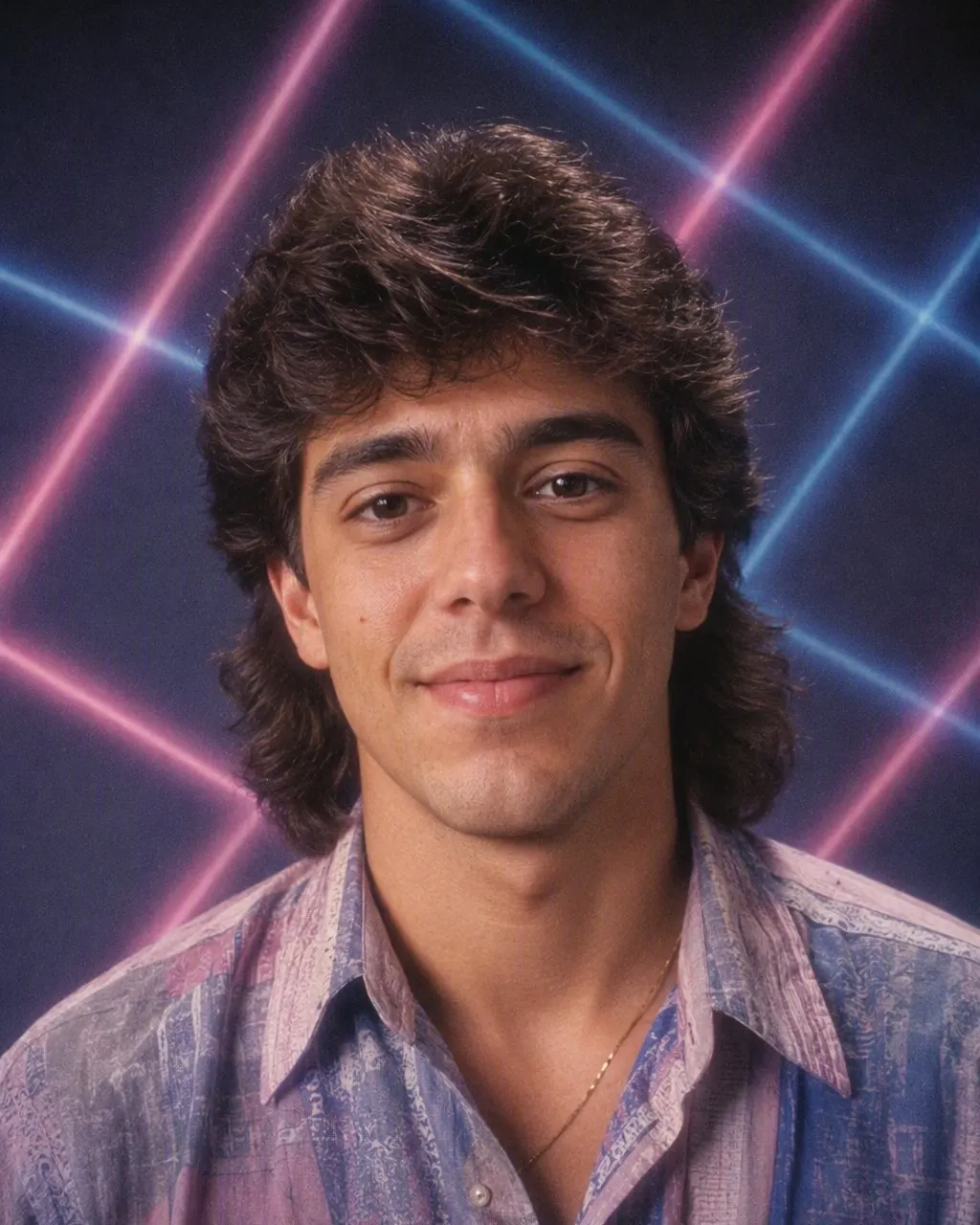
The individual portrait from school photo day — collar up, fringe sprayed solid, the lasers or the mottled canvas behind you — made from a photo you already have, with your face left exactly as it is.
4.6average rating · 4,109 App Store
The Short Answer
An 80s class photo generator takes one photo of you and returns the individual portrait the school photographer would have taken in the mid-1980s: the same face, with a mullet or a sprayed fringe, a collar up, a hard on-camera flash and the lasers or the mottled canvas behind you. FaceCast does this in seconds — upload one photo, tap the 80s look, save the result. It is free on iOS and Android, there is no prompt to write and no account to create.
Be clear about what it makes. It restyles the photo you give it; it does not invent thirty classmates and a teacher on the benches. Upload a solo portrait and you get the photo-day headshot; upload a photo of a group of mates and every person in it is restyled together, each keeping their own face. That group version is the closest thing to an 80s class photo you can make from a picture that exists.
The result is a still image, not a video, and nobody is made older or younger. What changes is the hair, the clothes, the accessories, the backdrop, the flash and the film grain — the parts that make a print read as 1986 rather than as a filtered selfie.



How to Make an 80s Class Photo
Upload a photo
A front-on head-and-shoulders portrait for the photo-day headshot, or one photo of a group of mates for the group version. Even light, no sunnies, plain background if you can.
Tap the 80s look
The hair, the collar, the backdrop and the flash come as a set. There is nothing to describe and nothing to configure.
Save and share
The portrait is ready in seconds. Post it with a “made with AI” note — a fake school photo from 1986 is exactly the picture a class reunion group will take for the real thing.
What the Generator Rebuilds: The Photo-Day Recipe
Australian school photos of the 80s all came off the same rig, which is why they are so easy to recognise and so easy to rebuild. The photographer’s company set up in the hall once a year, every kid sat on the same stool under the same light, and the envelope came home a few weeks later with the pack of wallet-sized prints. These are the parts the restyle puts back.
The hair
A mullet, a rat’s tail, a flat-top or a fringe teased and sprayed solid for the girls; a fresh perm on anyone whose mum had booked the hairdresser for the week before.
The top
Head-and-shoulders only: a polo with the collar up, a school shirt under a windcheater, or a jumper with a geometric pattern. The uniform, if there was one, sat just out of frame.
The backdrop
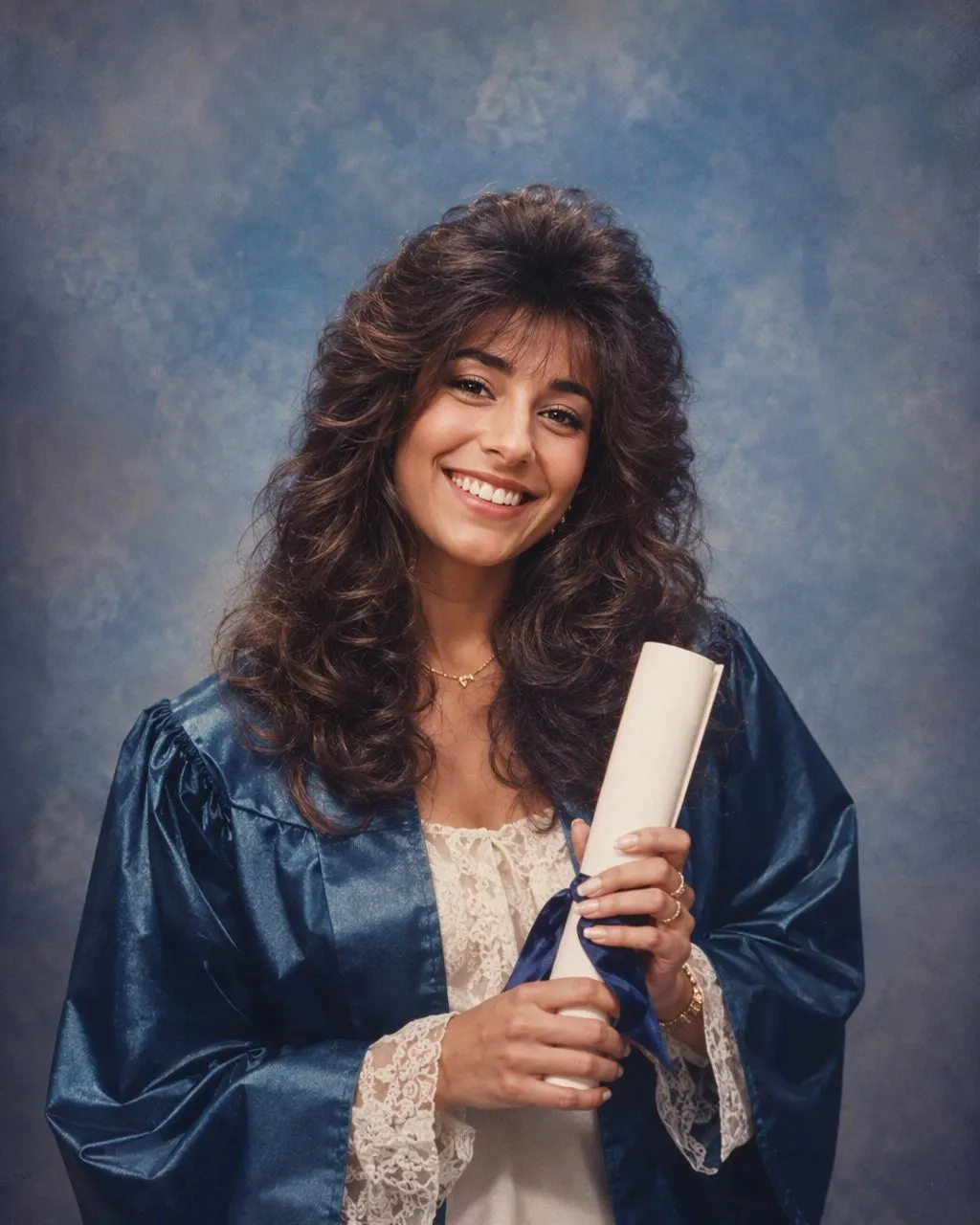
The lasers — pink and blue beams on black — the mottled blue-grey canvas, or a plain pastel gradient, depending on the year and the company.
The flash
Direct on-camera flash: a slightly too-bright face, a hard little shadow on the canvas, and corners that fall away into the dark.
The print
Soft grain and slightly faded, warm colour — the look of the wallet-sized print that has lived on Nan’s fridge for forty years.
Solo Portrait, Group of Mates, or the Whole Class on the Benches
The generator works best on the frame the photographer used: a tight head-and-shoulders portrait. That is where the backdrop, the flash and the hair have room to do their work and where the face is large enough to be kept exactly.
A group photo of mates — four or five people, standing close — also works well, and everyone in it keeps their own face. The full class photo, thirty kids in three rows on the benches with the teacher at the end, is the one to manage expectations on: the faces are small, the framing is wide, and the studio backdrop that carries the era is not there. If what you want is the class-photo feeling, a group of mates in one frame gets closer than a wide shot of everyone.
The other route is a prompt in ChatGPT or Gemini: the identity line first — keep every face, feature, skin tone and expression exactly — then ask for a mid-1980s school portrait with a hard flash and a laser or mottled backdrop. It can do the job; the face drifts on some attempts, most of all in group shots where the instruction has to hold several faces at once, and you fix it by replying that the faces must match the original. The app route has nothing to type and no correction round.
Reunions, Dress-Up Days and One Note on Posting
The three people who make this picture are the reunion organiser who wants a header image for the group, the parent whose kid has an 80s day at school and wants to see the look before buying anything, and anyone who lost the envelope of prints thirty years ago and would like the portrait back. For all three it is the same three steps and the same few seconds.
Upload your own photo, or a group photo where everyone is happy to take part, rather than a scan of somebody else’s class photo. Label the result as AI when you post it. FaceCast uses your photo only to generate your result; it is not sold or shared for marketing.
Frequently Asked Questions
What does an 80s class photo generator do?+
It restyles one photo of you into the individual portrait from a mid-1980s school photo day: the same face, with 80s hair, a collar up, a hard on-camera flash and a laser or mottled canvas backdrop. In FaceCast it takes one upload, one tap and a few seconds, and it is free on iOS and Android.
Can it make a whole class photo?+
It restyles the photo you upload; it does not invent classmates. A solo portrait gives the photo-day headshot, and a photo of a group of mates restyles everyone together with each face kept. A wide shot of thirty people on benches works less well because the faces are small and the studio backdrop is not part of that frame.
Is there a free 80s yearbook photo generator?+
Yes. FaceCast’s 80s look is free on iOS and Android, with no account to create and no prompt to write. Upload one photo, tap the style, and the yearbook-style portrait is ready in seconds.
What backdrop did 80s school photos have?+
One of three: the lasers — pink and blue beams fanning across black — the mottled blue-grey or brown canvas, or a plain pastel gradient. Which one your school got depended on the photography company and the year. The restyle can return any of them.
Does it work for an 80s day at school?+
Yes. Upload a photo of your kid, or of yourself, and the result shows the hair and the clothes on their own face before you buy or borrow anything. It is a still image, and nobody is made older or younger.
Will my face change?+
No. Your face, skin tone and expression are kept exactly. What changes is the hair, the clothes, the accessories and the backdrop, along with the flash and the grain that make the picture look like a print from 1986.
Your Photo-Day Portrait, 1986 Edition
Upload one photo, tap the 80s look, and the mullet, the collar and the lasers arrive in seconds. Free on iOS and Android.
4.6average rating · 4,109 App Store