
Free to try
AI Photo Editor 80s Online Free: Where the Good Results Actually Come From
Type “ai photo editor 80s online free” and you get a wall of websites with sliders and watermarks. The 80s photos you have seen on Instagram did not come from those. They came from a chat prompt or from an app, and this page tells you honestly what each costs you in time and effort.
4.6average rating · 4,109 App Store
The Short Answer
There are two routes that actually produce the 80s photo you have seen, and neither is a browser slider tool. The first is a prompt pasted into Gemini or ChatGPT, which is free within whatever image allowance your plan gives you and needs you to write, check and often re-run. The second is FaceCast, an iOS and Android app with the 80s look built in as a style: upload one photo, tap, and the portrait is ready in seconds with your face, skin tone and expression kept. The app is free to download and you can try the style without creating an account.
To be precise about “online”: FaceCast is an app, not a website, so there is nothing to open in a browser tab. In practice that is the same thing you were looking for, an AI editor that does the 80s look without you touching a slider, only it lives on your phone. The old-style online photo editors with a “retro” filter add grain and a colour cast; they do not change the hair, the clothes or the backdrop, which is the whole trend.
What no route gives you: a video, a younger or older version of yourself, a celebrity face, or a restored old print. FaceCast makes a still image from your photo, uses it only to generate your result, and does not sell or share it for marketing.




How to Get the 80s Look Without Editing Anything
Download FaceCast, free
On the App Store or Google Play. No account is needed to try the 80s style.
Pick one clear photo and tap the 80s style
A selfie, a couple pic, a family photo from Diwali, a college group. There is no editor screen to work through: the hair, clothes, backdrop, flash and grain are all part of the style.
Save and post
The portrait is ready in seconds. Save it, add a short “made with AI” note when you post, and run the next photo.
Online Editor, Chat Prompt or App: What You Actually Get
The three options are not the same tool with different prices. They do different amounts of the work for you.
Browser “80s filter” editors
Grain, a colour cast, sometimes a date stamp. Your hair, your clothes and your background stay exactly as they are, which is why the result looks like your photo with a filter and not like a 1986 studio print. Often watermarked on the free tier.
Gemini or ChatGPT with a prompt
The full transformation, free within your plan’s image allowance. You write the prompt, check whether the face moved, correct it, and try again. The best route if you want a specific outfit, a particular saree, a specific backdrop.
FaceCast
The full transformation as a fixed style: one photo, one tap, face kept on every run. Free to download on iOS and Android. The style decides the hair, clothes and backdrop for you, so you trade costume control for speed and consistency.
What the 1980 and 1985 Searches Mean
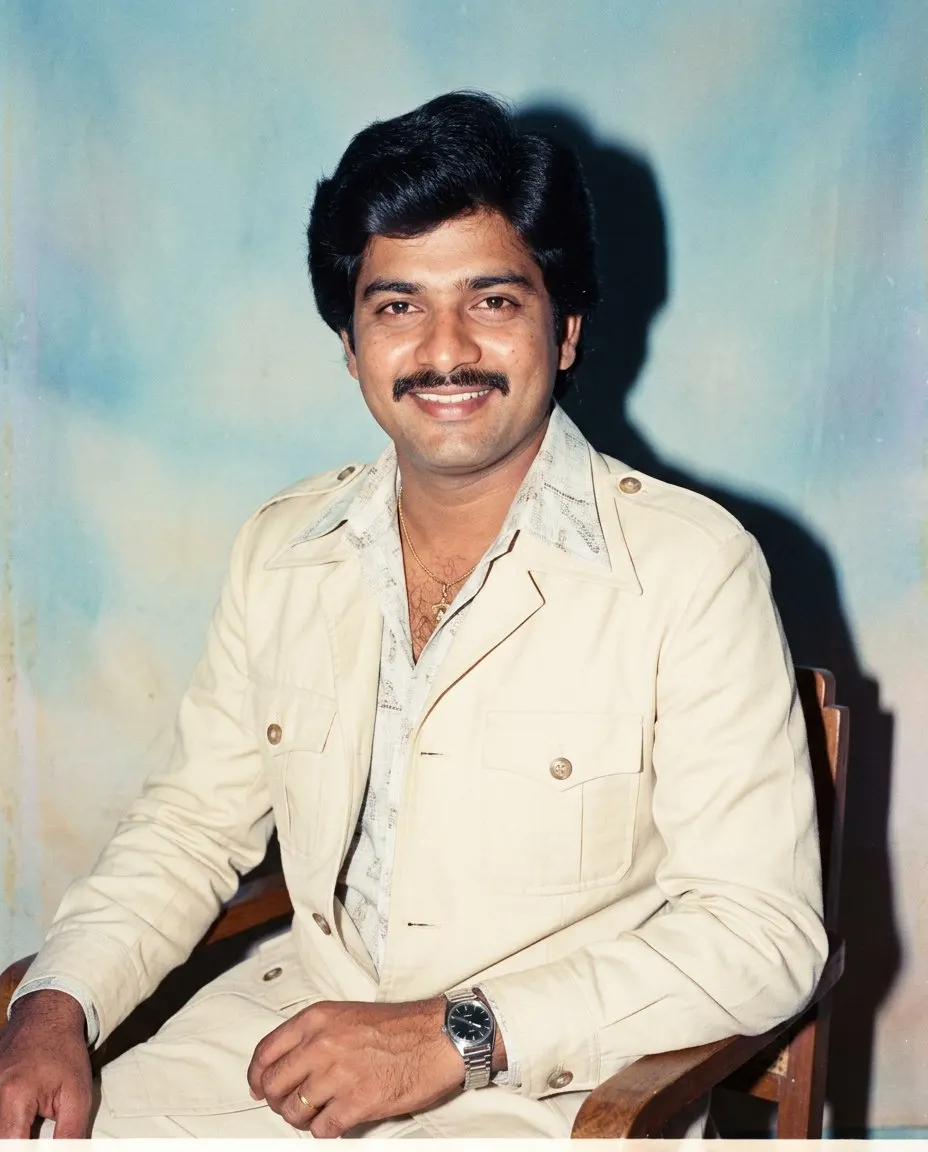
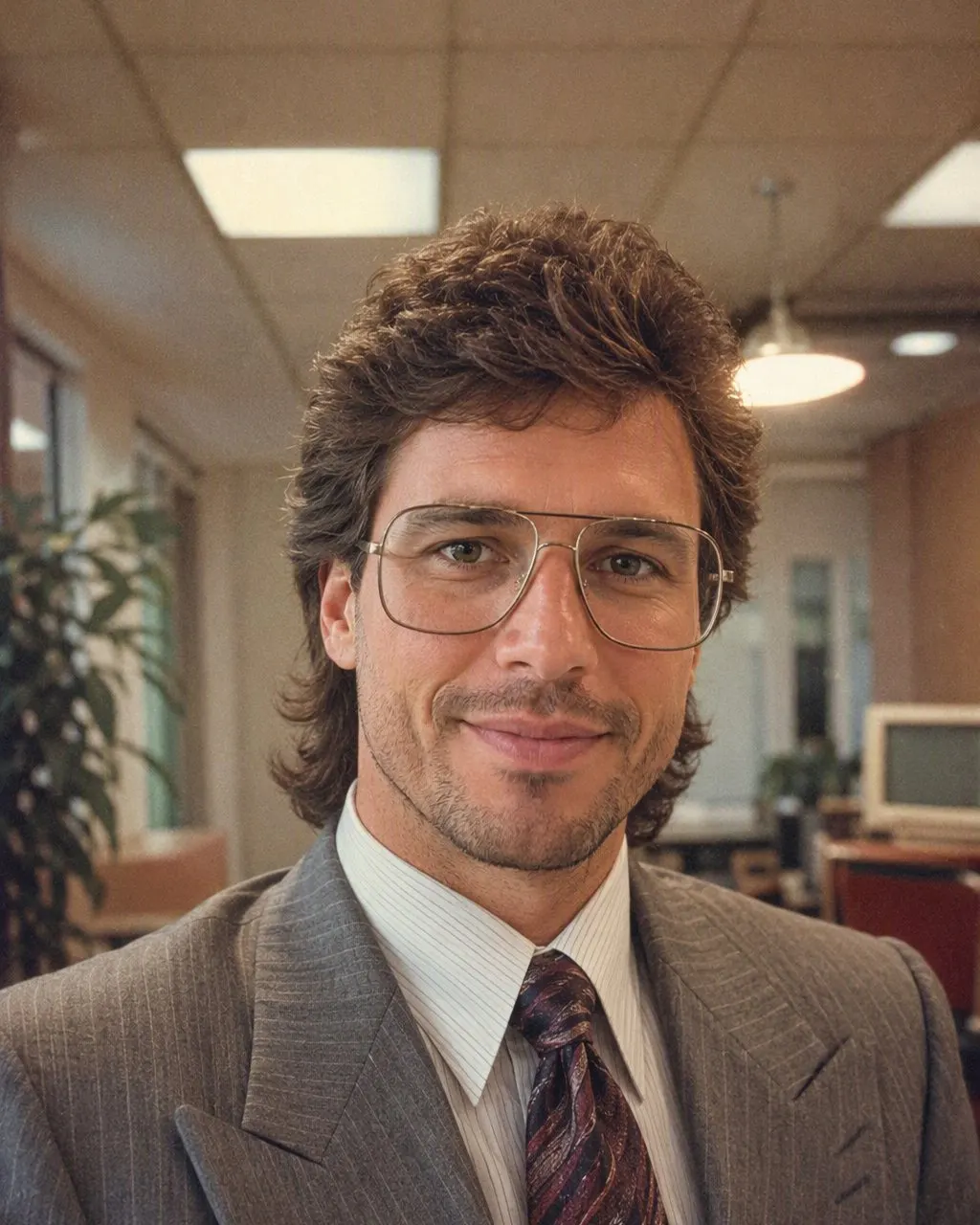
Whether you searched for an “ai photo editor 1980 online free” or an “ai photo editor 1985”, you are after the same look. The trend settled on the mid-80s, the era of the neighbourhood photo studio with a mottled blue backdrop, a direct flash and hair with height at the crown. That is the look FaceCast’s 80s style produces, and it is the look the popular prompts describe.
If you would rather type, the prompt for the 80s photo is written out in full on this site, with the line that stops the face from changing. If you would rather tap, the app is the same result with nothing to write.
Frequently Asked Questions
Is there an AI photo editor for the 80s look that is online and free?+
The results you have seen come from a Gemini or ChatGPT prompt, free within your plan, or from an app. FaceCast is free to download on iOS and Android and the 80s style can be tried without an account. Browser editors with a “retro filter” add grain and a colour cast but do not change the hair, clothes or backdrop.
Can I get the 80s photo without downloading an app?+
Yes, with a prompt in Gemini or ChatGPT. The prompt for the 80s photo is on this site, ready to copy. The trade-off is that you write, check the face and re-run; the app does the same look in one tap.
Is the AI photo editor for 1980 the same as for 1985?+
Yes. Both searches lead to the same mid-80s studio look: feathered hair, shoulder pads, a direct flash, film grain and a mottled backdrop. FaceCast’s 80s style is that look.
Is FaceCast really free?+
It is free to download on iOS and Android, and you can try the 80s style without creating an account. Optional in-app purchases exist for more features; the terms are shown in the app before anything is charged.
Does it work on Android?+
Yes. FaceCast is on Google Play as well as the App Store, and the 80s style is the same on both.
Is it safe to upload my photo?+
Your face is biometric data, so check what any tool does with it. FaceCast uses your photo only to generate your result; it is not sold or shared for marketing. Upload your own photo or one everyone in it agreed to, and label the result as AI when you post it.
No Sliders, No Watermark Worry
Upload one photo, tap the 80s look, and the portrait is ready in seconds with your face kept. Free to download on iOS and Android.
4.6average rating · 4,109 App Store