
Trending now
Prompt for 80s Photo: The Text to Copy, and What Each Line Does
Everyone in the group chat is asking for the 80s photo prompt. Here it is in full, ready to paste into Gemini or ChatGPT, with the one line that keeps your face yours. And if you would rather not type anything, the app does the same look in one tap.
4.6average rating · 4,109 App Store
The Prompt for the 80s Photo, in Full
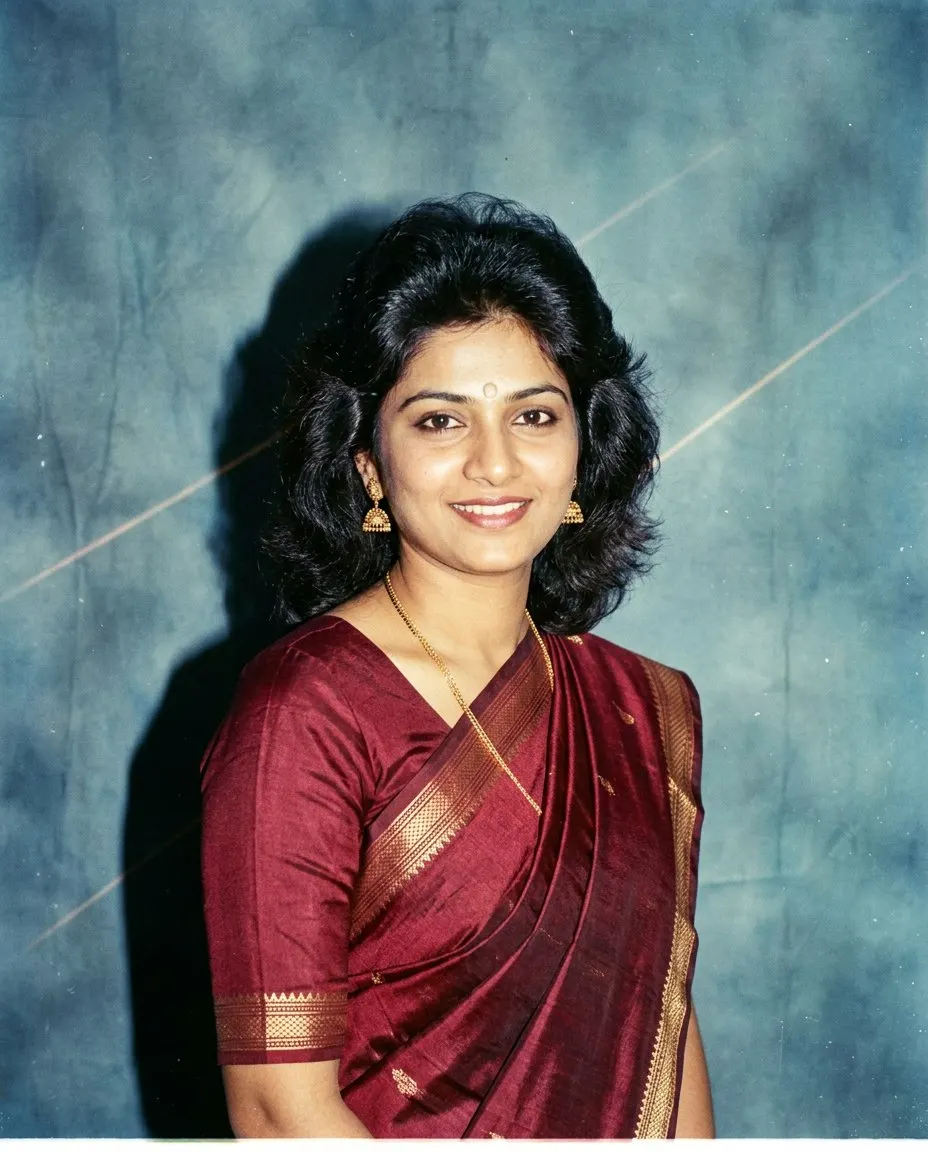
Here is the prompt for the 80s photo trend: “Keep my face, facial features, skin tone and expression exactly as they are in this photo, same person, same framing, do not lighten the skin. Change only the hair, the clothes, the accessories and the background. Restyle this as a mid-1980s Indian photo studio portrait: voluminous hair with height at the crown and a soft feathered or permed finish, a blazer with shoulder pads or a silk shirt with a wide collar, thin gold jewellery or large earrings, a direct on-camera flash with a small hard shadow behind the shoulder, soft film grain, slightly faded warm colour, and a plain mottled studio backdrop in blue or grey. Photorealistic, like a print from a 1986 studio album.” Paste it into Gemini or ChatGPT with one clear photo attached.
The prompt is really a checklist, and the first sentence is the only part that is not optional. Leave the identity line out, or push it below the costume list, and you get a very convincing mid-80s portrait of a cousin you do not have. The “do not lighten the skin” clause is there because some models drift towards a paler face along with the faded colour, and it is easier to prevent than to fix.
If you do not want to write a prompt at all, FaceCast has the 80s look built in as a fixed style: upload one photo, tap the style, and the portrait comes back in seconds with your face, skin tone and expression kept. Free to download on iOS and Android, one tap, nothing to type, and no account to try it.



How to Use the Prompt for the 80s Photo
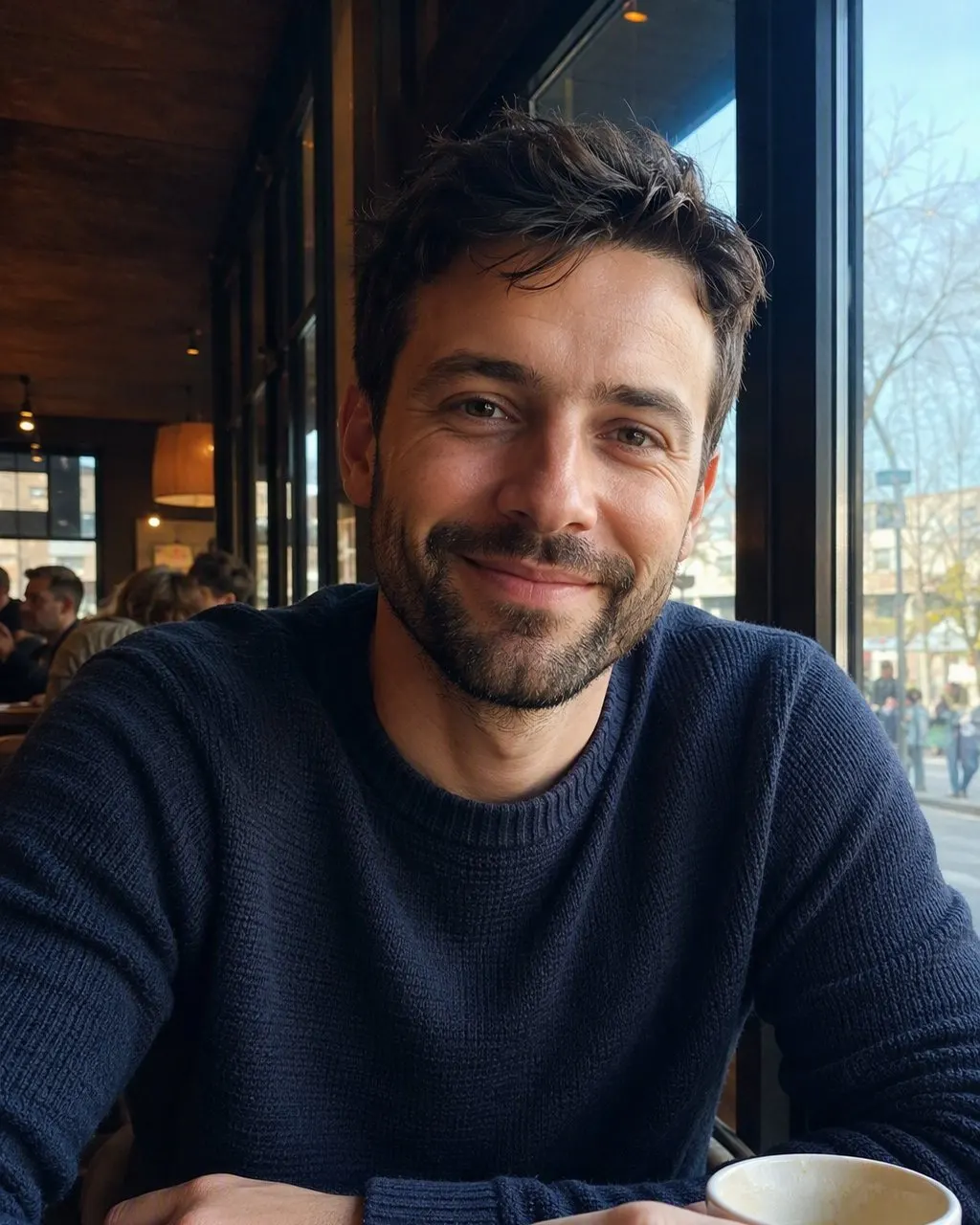
Pick one clear, front-facing pic
Single face, even light, nothing covering the eyes or jaw. A dim or half-turned photo drifts the most because the model has to invent the missing half of the face.
Paste the prompt with the identity line first
Copy the text as it is. If you change it, add your own details in the middle, a bandhani saree, a particular hairstyle, a kurta instead of a blazer, and never touch the first sentence.
Check the jaw, the nose and the eyes
Compare with your original at those three points. If any has moved, reply “the face must match the original photo exactly” and run it again. Or skip the whole loop with FaceCast, where the face is kept on every run.
Copy the Prompt
Keep my face, facial features, skin tone and expression exactly as they are in this photo, same person, same framing, do not lighten the skin. Change only the hair, the clothes, the accessories and the background. Restyle this as a mid-1980s Indian photo studio portrait: voluminous hair with height at the crown and a soft feathered or permed finish, a blazer with shoulder pads or a silk shirt with a wide collar, thin gold jewellery or large earrings, a direct on-camera flash with a small hard shadow behind the shoulder, soft film grain, slightly faded warm colour, and a plain mottled studio backdrop in blue or grey. Photorealistic, like a print from a 1986 studio album.
Works in Gemini and ChatGPT. Keep the first sentence exactly as it is; edit the middle to taste.
Same face, same skin tone, same expression as this photo, do not change the person. Only change hair, clothes and background to a mid-1980s Indian studio portrait: big feathered hair, shoulder pads, direct flash, film grain, faded warm colour, mottled blue backdrop. Photorealistic.
Keep my face, facial features, skin tone and expression exactly as they are in this photo, do not change the person. Restyle only the clothes, hair and background: a printed silk saree with a matching blouse and gold jhumkas (or a cream kurta with a thin gold chain and a light moustache if I already have one), hair with volume at the crown, a mid-1980s Indian photo studio with a mottled blue backdrop, direct on-camera flash, soft film grain and faded warm colour. Photorealistic, like a 1986 studio print.
What the Prompt for the 80s Photo Must Say
Read as a list, the 80s photo prompt is six decisions. Once you can see them, you can adapt it for a wedding photo, a college group pic or a Diwali portrait without losing what makes it work.
The identity lock
Face, features, skin tone, expression and body shape stay as they are. Many Indian users also add “do not lighten the skin”, because some models pull the face paler along with the faded colour. Six extra words, well worth it.
The hair
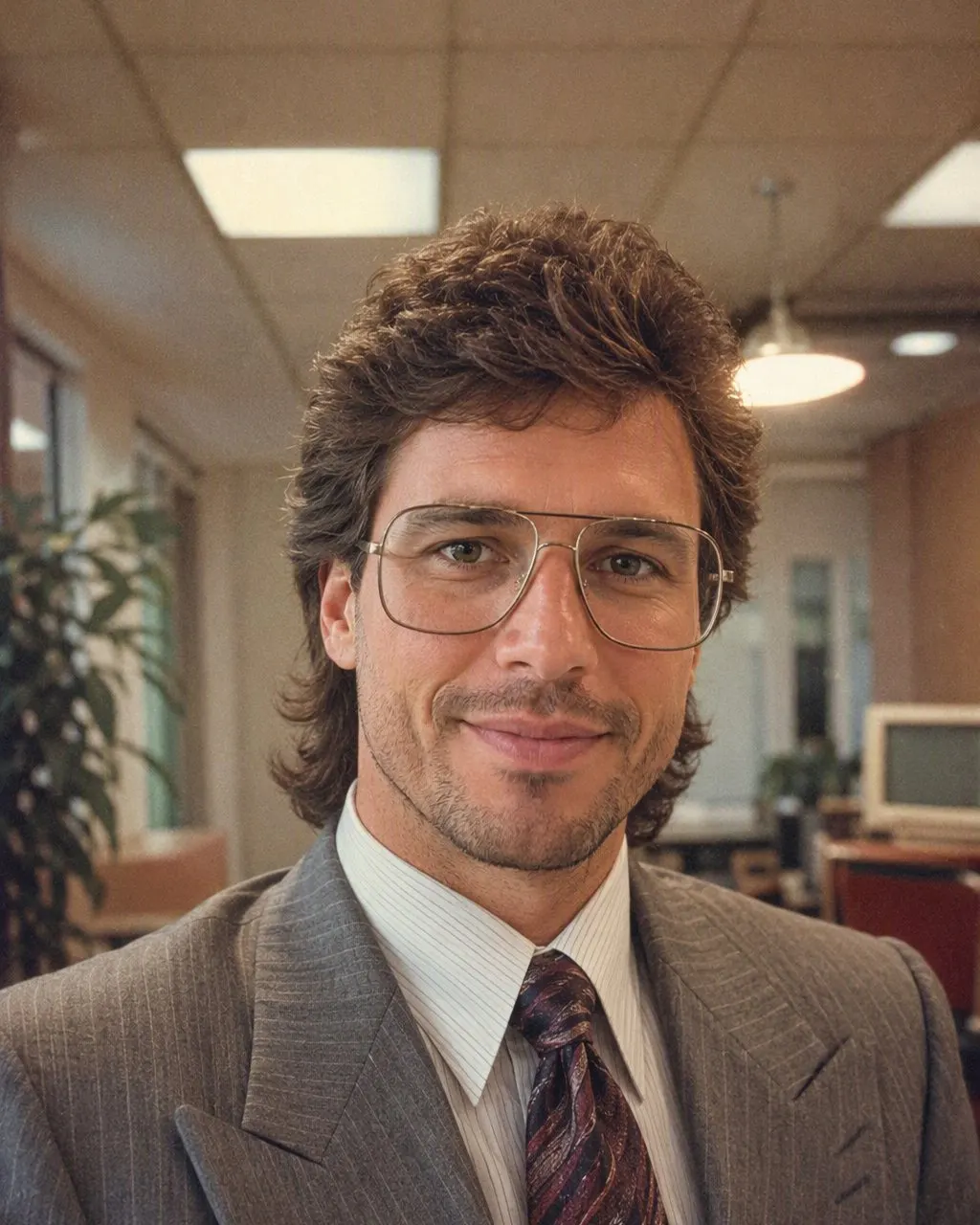
Height at the crown, a feathered or permed finish, a side part or a swept fringe. For men, a fuller side-parted style and, if you already wear one, a light moustache. “Volume at the crown” gets you further than “80s hair”.
The clothes
Shoulder pads, a wide-collar silk shirt, a printed saree with a matching blouse, a safari suit, a cream kurta. Name pieces; “retro clothes” gets you a costume.
The flash
A direct on-camera flash, a bright foreground and a small hard shadow behind the shoulder. This is the line that makes it a photo studio and not a fashion shoot.
The film
Soft grain and slightly faded, warm colour, like a print that has spent thirty years in a family album.
The backdrop
A mottled blue or grey canvas, or the painted curtain every neighbourhood studio used in the mid-80s.
Why the Same 80s Photo Prompt Gives a Different Face Each Time
A prompt is a description, not a measurement. The model reads your photo and your words together and generates a whole new image, and how tightly it holds to your face depends on the wording, on everything else in the sentence and on the run itself. Soften “keep the face exactly” to “make me look 80s” and you have quietly removed the only constraint that mattered.
You can check this in two minutes: run the same prompt on the same photo three times and compare the jawline, the nose and the eye spacing. On most photos at least one of them moves, and it moves most on couple and group pics where several faces have to be held at once.
A fixed style behaves differently for a structural reason. In FaceCast the identity handling is the same code on every run, so the only thing that changes between two results is the photo, not the sentence you typed. That is a statement about how the two are built, not a claim that one is prettier.
Frequently Asked Questions
What is the prompt for the 80s photo trend?+
A short instruction for Gemini or ChatGPT that keeps your face exactly as it is and changes only the hair, clothes, accessories and background to a mid-1980s studio portrait with a direct flash, film grain, faded warm colour and a mottled backdrop. The full copy-paste text is at the top of this page.
Is there an 80 prompt generator?+
You do not need one. The prompt is fixed apart from the details you want to change, so a generator would give you the same six lines with different adjectives. Copy the full version above, keep the identity line, and edit the clothes and hair to suit your photo.
Where do I paste the 80s photo prompt?+
Into Gemini or ChatGPT, in the same message as your photo. Attach the picture first, then paste the text. Both tools use the same prompt; the wording does not change between them.
Can I download the 80s prompt?+
There is nothing to download. Tap “Copy prompt” on any block above and paste it into your chat tool. If you want the look without any prompt, download FaceCast instead: the 80s style is built in and the whole thing is one tap.
Why does the 80s photo prompt change my face?+
Because a free-text prompt regenerates the whole image on every run, and the face is held only as tightly as the wording. Put the identity line first, add “do not lighten the skin”, and if it still drifts, reply that the face must match the original exactly. A fixed style like FaceCast keeps the face on every run instead.
Is there an app that does the 80s photo without a prompt?+
Yes. FaceCast has the 80s look as a built-in style: upload one photo, tap it, and the portrait is ready in seconds with your face, skin tone and expression kept. It is free to download on iOS and Android and you can try it without an account.
Skip the Prompt Entirely
Upload one photo, tap the 80s look, and the portrait is ready in seconds with your face kept. Nothing to write, free to download on iOS and Android.
4.6average rating · 4,109 App Store